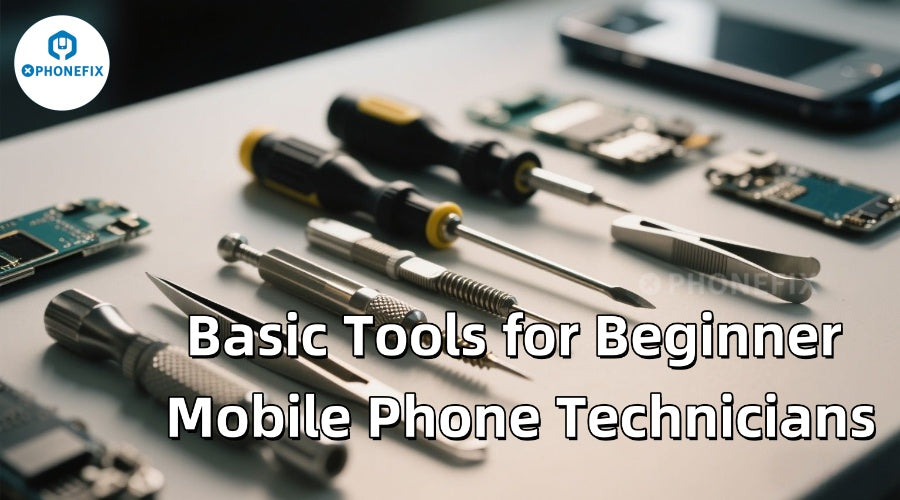
In today's era where smartphones are ubiquitous, it's almost inevitable for mobile phones to experience malfunctions. For novice mobile phone repairers, mastering fundamental repair knowledge and skills is of great significance. In this article, the China Phonefix will introduce entry level repair tools and common replaceable parts suitable for beginners. We will also delve into pre - repair preparations, key points during the repair process, and post repair matters to help beginners gradually understand the entire mobile phone repair process.

Knowledge reserve for beginner phone repairers before repairs
Before embarking on mobile phone repair, beginners should gain a deep understanding of the basic structure, working principles, common faults, and corresponding solutions of mobile phones. They can utilize online tutorials, professional books, and official materials for systematic learning to build a solid knowledge foundation. Additionally, it's essential to pay attention to the differences among various brands and models of mobile phones and conduct targeted knowledge accumulation.
Preparations and operation points for beginner phone repairers
Moreover, beginners need to make preparations in terms of selecting appropriate repair tools and ensuring safety during the repair process. During operations, they should strictly follow standard procedures. Wearing an anti-static wrist strap can prevent static electricity from damaging the phone's components. When disassembling and installing parts, they must be extremely cautious to avoid scratching the phone's casing or damaging its internal circuits. For soldering operations, it's crucial to control the temperature and time to ensure high quality soldering.

Software Repair Knowledge
Understand the characteristics and common issues of different mobile operating systems (such as Android and iOS). Master data backup methods. Remember to back up important data in the phone before any repair work to prevent data loss. You can use cloud storage or computer backup for this purpose.
Repair Safety Knowledge
During the repair process, safety should always be a top priority. Before starting, turn off the phone and remove the SIM card and memory card to avoid data loss or damage to the card slots. Wear an anti-static wrist strap to prevent static damage to the internal components. Use tools carefully to avoid scratching the phone's surface or damaging its internal parts. When handling dangerous components like the Phone battery, follow the correct operating procedures to prevent accidents.
I. Preparations for beginners before mobile phone repair
1. Knowledge Reserve
Beginners can learn repair skills by watching disassembly tutorials or videos. However, since most of them haven't received professional training, self-learning can be quite challenging. It requires time and effort to learn about the basic structure of mobile phones, circuit knowledge, and repair methods for common faults.
2. Fault Diagnosis
Identify specific problems such as a cracked or unresponsive screen, a battery that won't charge or has a short usage time, a phone that won't turn on or restarts frequently, camera malfunctions, or audio and Phone loud speaker issues. This will help in determining the appropriate repair measures.

3. Prepare Mobile Phone replacement parts
Based on the phone's fault, prepare corresponding Phone replacement parts, such as screens, batteries, and small circuit boards. When purchasing parts, ensure they are compatible with the phone model. For example, when replacing the screen, you can confirm the model through the "About Phone" section in the settings. Choosing a Phone screen assembly with a middle frame can simplify the installation process. When replacing the battery, select one that is fully compatible with the phone.
4. Safety Protection
Prepare an anti-static wrist strap, lay a non slip silicone pad on the workbench, and it is advisable to wear Protective goggles to prevent flying glass fragments. Reduce the phone's battery level to below 20% before operation to minimize the risk of short - circuits.
Common Fault Diagnosis and Solutions
Understand common phone faults, including Phone screen problems, battery issues, power - on failures, camera malfunctions, and audio problems. Master the corresponding diagnosis and repair methods. For example, a cracked screen requires a new screen and proper replacement steps; an aging battery needs to be replaced with a matching one; for system failures, you can try a forced restart, factory reset, or flashing. Also, learn about special faults like automatic power-on/off, weak signal transmission, signal loss, leakage, network connection issues, and unstable signals, and their causes and solutions.
Common Vulnerable Mobile Phone Repair Parts
Phone Screen: The most vulnerable part of the phone, with a 50% probability of failure. Replace it when it's cracked or unresponsive.
Phone Battery: May swell or have a slow charging speed after long-term use.
Phone Charging Port: Can malfunction due to dust or damage. Cleaning takes about 15 minutes, and replacement about 1 hour.
Phone Power Button and Power On Cable: Prone to problems like unresponsiveness.
Phone Speaker: Can be damaged by long - term use, water ingress, or external impact, resulting in low volume, noise, or no sound.
Phone Rear Camera: May malfunction due to collision or dust, causing blurry photos, inability to focus, or failure to open.
Phone WiFi Antenna: Can cause problems with WiFi connection or weak signals.
Phone Motherboard Replacement: Motherboard faults can be caused by short - circuits, water ingress, or component aging. Repair is difficult and usually requires professional technicians. Beginners should avoid attempting motherboard replacement to prevent further damage.

II. Knowledge of Tools and Equipment for Mobile Phone Repair
Familiarize yourself with the professional tools and instruments required for mobile phone repair, such as screwdrivers, pry bars, tweezers, suction cups, anti-static wrist straps, cleaning tools, soldering irons, hot air guns, multimeters, frequency meters, and oscilloscopes. Master their usage methods and applicable scenarios to ensure correct use and avoid damaging the phone.
1. Disassembly Tools
Mini Screwdriver: Different phones use different screw specifications, including cross - head, pentagonal, hexagonal, star - shaped, T5, T6, T7, T8, etc. Some models require special screwdrivers. You can choose sets that include various specifications.
Prying Rod and Plastic Picker: Used to open the phone screen and separate internal parts. Insert them into the phone's gaps gently. The plastic picker usually comes in a 3 - piece set of different sizes. When inserting, keep a 15° angle with the phone body. For stubborn glue, you can use the "heating - cooling" method (heat with hot air and then cool the area with an ice pack).
Suction Cup: Adsorb it on the phone screen and pull it outwards to open the screen. It is recommended to choose a suction cup with a double-suction design.
Glue Remover or High proof Alcohol: Soften the glue inside the phone for easy disassembly. Injecting a small amount of isopropyl alcohol can reduce the risk of glass breakage. For residual glue, use absolute ethanol (apply with a cotton swab, with a maximum of 0.5ml).
2. Soldering Tools
Soldering Iron: Use high grade, constant temperature, anti-static soldering irons for replacing components on the circuit board. For large components like shielding covers, prepare a common thick - tipped soldering iron with a power of over 60W. When using a new soldering iron tips, heat it for over 10 minutes until the surface protective film melts. Dip it in rosin, wrap it with solder wire, and wipe it on a sponge. Repeat this 4-5 times. After use, always wrap the tip with solder wire to prevent oxidation.
Hot Air Gun: Widely used for removing or installing small components and large - scale integrated circuits. Different scenarios require different temperature and air - volume settings. Avoid low quality products. You can prepare a straight-air hot air gun for difficult-to-handle small chips and a cyclone hot air gun for heat sensitive components.
Soldering Flux: Such as rosin water (made with thinner and rosin), can prevent false soldering and burrs on solder joints. It is inexpensive but requires post soldering cleaning. You can also use soldering oil, which helps the solder melt better and improves soldering quality.
Solder Wick: Strongly adsorbs excess solder and can solve problems like short - circuited solder joints. Choose a 1.5-2mm wide solder wick.
Solder Paste: Use room temperature YCS solder paste (melting point 183°C) for tin planting and low-temperature solder paste (melting point 138°C) for soldering pads. Recommended brands include MECHANIC, YCS,and WYLIE.
BGA Reballing Stencil: Mainly used for planting tin points on chip pins. A 0.12 square - hole stencil, like the PPD square - hole net, is recommended. Thick stencils can lead to larger tin balls and potential short - circuits.
3. Measuring Instruments
Multimeter: Measures current, voltage, resistance, and the parameters of diodes and transistors. It is used to test key point voltages, circuit continuity, and component quality. Digital multimeters are more popular due to their high accuracy and easy - to - read displays.
Regulated Power Supply: With adjustable output voltage (1-15V) and current (0-1A), it has short-circuit protection and current limiting functions. It comes in mechanical and digital display types. Use it to observe the phone's current changes, test the power supply, and activate the battery. When activating the battery, set the voltage to about 4V, briefly touch the battery's contacts with the clips, and then charge the battery with a universal charger for over 10 minutes.
Frequency Meter: Measures clock signals (including the main clock and real - time clock), intermediate frequency signals, and local oscillator signals. A 1GHz frequency meter is usually sufficient.
Oscilloscope: Measures all signal waveforms in the phone, such as RXI/Q received baseband signals, TXI/Q transmitted baseband signals, 13M, 32.768KHz signals, etc. A 20M dual-trace Digital oscilloscope can meet most needs.
4. Other Auxiliary Tools
Tweezers: Prepare straight, flat, and bent tweezers for holding wires, components, and integrated circuit pins. Choose high quality steel tweezers.
Scalpel: Used for tin planting, cutting, film pasting, removing shielding covers, and flying wires (scrape off insulating paint and connect with enameled wire).
Enameled Wire: Used for flying wires in mobile phones. A 0.1 thin wire with good flexibility is recommended.
B-7000 Glue: Used to paste the screen. It has better ductility than ordinary glue.
Cleaning cloth: Cleans the motherboard, chips, and stencils.
Magnifying Lamp: Provides illumination and magnifies small components for inspection. It can also help check for circuit board breaks.
Phone Repair Fixture: Fixes the motherboard to prevent deformation. For Apple motherboard practice, high quality clamps like the YCS H03-Pro Fixture and Mijing clamp are recommended.
Procurement of High Quality Phone Repair Tools
For mobile phone repair shop owners and technicians, purchasing high quality Phone repair tools and replacement parts is crucial for maintaining a good reputation. Reliable tools directly affect repair efficiency and customer satisfaction. High quality tools can improve repair accuracy and reduce the risk of device damage. When purchasing tools, consider the brand's reputation, product reviews, and supplier reliability. Technicians should conduct thorough research to ensure the tools are durable and perform stably.
Finding Reliable Phone Repair Suppliers
Establishing partnerships with reliable suppliers can ensure a stable supply of high quality phone repair tools and Phone Parts. Technicians should prioritize suppliers with good reputations, reasonable prices, and a focus on quality. This way, they can not only obtain the latest tools but also potentially get bulk purchase discounts and exclusive products.
Conclusion
After each phone repair, promptly summarize the experiences and analyze the problems encountered and their solutions. Document repair cases, including fault phenomena, diagnosis methods, repair steps, and final results, to build a personal repair case library for future reference.
As mobile phone repair technology is constantly evolving with new models and technologies emerging all the time, it's vital for novice repairers to keep up with industry trends. They should learn the latest repair knowledge and skills, participate in both online and offline training courses and exchange activities, and share experiences with peers to enhance their repair capabilities.
Mobile phone repair is challenging and demands patience, meticulousness, and continuous learning. By following the above mentioned guidelines, repair success rates can be improved, and mistakes and losses can be minimized. When facing complex faults or situations where you lack confidence, it's advisable to seek help from professional repairers to avoid causing more damage.