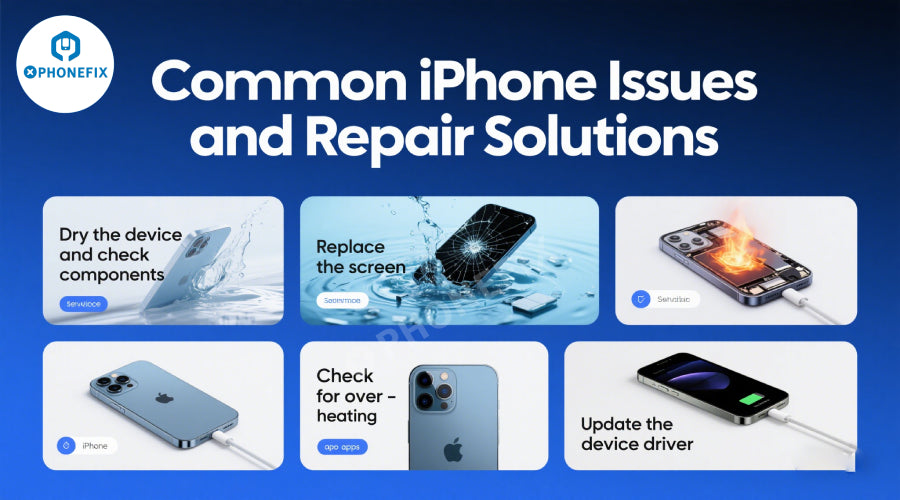
iPhone has become the favorite of many users with its smooth system and excellent performance, but it is inevitable to encounter various problems during use. To help everyone better solve the troubles, Phonefix has sorted out common iPhone problems and provided corresponding repair solutions.
1. Battery-related issues
Issue: Short battery life or rapid battery drain
Causes:
Aging battery (natural aging after 500+ charge cycles). Background apps, screen brightness, or low software version.

Solution:
Software fix: Update to latest iOS, enable Low Power Mode, or reset settings.
Hardware fix: Replace the battery. Apple offers battery replacements (e.g., out-of-warranty iPhone battery replacements cost about $69).
Issue: Swelling or overheating of battery
Risk: Swelling may damage the screen or pose a safety hazard.
Solution:
Have it replaced immediately by Apple or a certified technician. Do not use the device.
2. Screen issues
Issue: Cracked or shattered screen

Solution:
DIY repair: High risk, requires tools and screen replacement (e.g., OLED/LCD screens, depending on model).
Professional repair: iPhone screen repairs cost about $129 to $329 (depending on model). Third-party services may be cheaper, but non-OEM parts may affect Face ID/Touch ID.
Problem: Unresponsive touchscreen (ghost touch)
Cause: Loose display connector, water ingress, or digitizer failure.
Solution:
Restart or force restart iPhone. If software repair fails, replace the display assembly (professional repair recommended).
Problem: Dead pixels or discoloration
Solution:
Replace the screen under warranty if the problem is not physical damage.
3. Charging port issues
Problem: Unable to charge or slow charging
Causes:
Dirty Lightning port, faulty charger/cable, or damaged charging port. Faulty battery or logic board.

Solution:
Clean the port with compressed air (avoid metal tools). Test with a new Apple-certified charger/cable. If the problem persists, replace the iPhone charging port cable or check the logic board (professional repair recommended).
Problem: Loose charging port
Solution:
Repair or replace the iPhone charging port assembly to fix the physical connection.
4. Camera Issues
Issue: Blurry photos or frozen camera app
Cause:
Dirty lens, software glitch, or camera module malfunction.

Solution:
Clean the lens; restart the phone or reset camera settings. If software malfunction, replace the camera module (for example, the iPhone rear main camera or the iPhone front TrueDepth camera).
Issue: No flash or green screen in videos
Solution:
Replace the camera module or check for water damage (common on older devices).
5. Audio Issues
Issue: No sound or distorted audio
Causes:
Clogged speaker/microphone port, software bug, or hardware malfunction. Faulty speaker, receiver, or iPhone motherboard.

Solution:
Clean the port test with headphones to isolate the problem. Update iOS or reset settings. Replace the iPhone speaker assembly or repair the audio chip (professional repair).
Issue: Loud or crackling speakers
Solution:
Replace the speaker module, especially if it's physically damaged or has water damage.
6. Water Damage
Immediate Action:
Immediately turn off your iPhone (do not charge or press buttons). Wipe dry with absorbent material (avoid rice; use silica gel). Wait 48 hours before trying to turn on the device.
Repair options:
Water damage is not covered by the standard warranty, but Apple may offer paid repairs (e.g., logic board repair or replacement). Third-party stores may offer "data recovery" services, but success is not guaranteed.
7. Software and system issues
Issue: System freezes or becomes unresponsive (boot loop)

Solution:
Force restart iPhone (e.g., for iPhone X and above: press Volume Up, Volume Down, then hold the Side button). Restore via iTunes/Finder in DFU mode (erase data; use backup). If it's a hardware issue, repair the logic board (e.g., CPU or iPhone memory chip failure).
Issue: Activation Lock or iCloud lock
Solution:
Only the original owner can unlock it with their Apple ID. Unauthorized bypass is illegal.
8. Other common problems
Problem: Overheating during use
Cause:
Apps running too heavily, background processes, or battery/motherboard failure.
Solution:
Close apps, avoid extreme temperatures, or replace battery/motherboard.
Problem: Bluetooth/Wi-Fi not working properly
Solution:
Reset network settings; if hardware is faulty, repair Bluetooth/iPhone Wi-Fi chip orantenna.
The above is Phonefix's summary of iPhone problems and repair solutions, I hope it can help everyone. iPhone is a sophisticated smart device, the reasons for failure may be complex and diverse. If the above solutions do not solve your problem, or you have more questions about repairs, please consult a professional. If you are a DIY expert and need tools, you can come to Phonefix to purchase your own iPhone repair kits.