
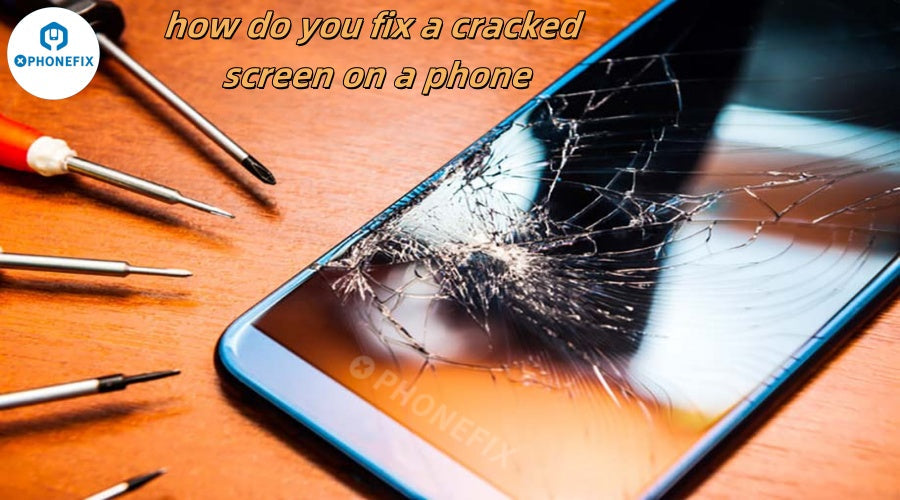
A cracked phone screen can be a frustrating experience, especially when the device you rely on for daily tasks becomes compromised. However, With the right tools, techniques, and some patience, repairing a cracked screen can be a manageable and cost-effective solution. In this guide, Phonefix will walk through the steps of repairing a cracked phone screen, the tools you'll need, and the key considerations to keep in mind to ensure a successful repair.

Understanding the Phone Screen: A Breakdown of Components
Before diving into the repair process, it's important to understand the structure of a typical phone screen. Most modern smartphones consist of:
-
Glass Panel: The outermost layer that’s prone to cracking from drops or impacts.
-
Digitizer: This layer detects touch inputs and is often the part that gets damaged alongside the glass.
-
LCD or OLED Display: This is where the images and colors are displayed. It can also be affected if the crack is severe enough.
For a successful screen repair, you’ll likely need to replace the glass panel and digitizer, but in some cases, the LCD may also require replacement if it's been damaged beyond repair.
What You’ll Need to Repair a Cracked Phone Screen
To ensure a smooth repair process, you’ll need the right set of tools and replacement parts. Here’s what you’ll typically require:
-
Phone Replacement Screen: Make sure to source a high-quality replacement screen that matches your phone model.

-
Precision Screwdriver Set: These tools will help you safely unscrew the device's screws without damaging any components.
-
Plastic Opening Tools: These are used to separate the phone’s parts without causing damage.
-
YCS Suction Cup: A suction cup is essential for lifting the screen without cracking it further.
-
Hot Air Gun or Hairdryer: Heat softens the adhesive, making it easier to separate the screen from the phone body.
-
Tweezers: To handle small connectors or delicate parts.
- Adhesive Strips: These are used to securely reattach the new screen to the phone body.
Step-by-Step Guide to Fixing a Cracked Screen
Step 1: Power Off the Phone
Before you begin any repair work, it’s essential to turn off the phone. This minimizes the risk of electrical damage and ensures you’re working in a safe environment.
Step 2: Remove the Back Cover and Battery
For phones with removable batteries, gently remove the back cover and take out the battery. For models with non-removable batteries, you may need to unscrew the back panel to access the components inside. Be sure to keep all screws and parts organized to make reassembly easier.
Step 3: Detach the Damaged Screen
Now, you’re ready to separate the screen from the phone body. Begin by heating the edges of the screen with a hot air gun or hairdryer for a few minutes. This softens the adhesive holding the screen in place.

Once the edges are warm, use the suction cup to gently lift the screen away from the body. If necessary, use a plastic opening tool to help separate the screen without damaging the internal components.
Step 4: Disconnect the Screen and Replace It
Once the screen is detached, you will need to disconnect the digitizer and LCD connectors. Take note of the positioning of the connectors so that you can securely attach the new screen.
Carefully install the new screen by aligning it with the connectors and pressing it into place. Make sure the digitizer and LCD are properly connected before proceeding.
Step 5: Reassemble the Phone
Once the new screen is securely attached, reassemble the phone by reversing the disassembly steps. Reconnect the battery (if applicable), fasten any screws, and reattach the back cover.Finally, power on the phone to ensure everything is working correctly.
Additional Tips for a Successful Screen Repair
-
Check Compatibility: Always double-check that the replacement screen matches your phone’s model and specifications. Using the wrong parts can lead to functionality issues.
-
Take Your Time: Don’t rush through the repair. Phones are delicate, and being patient can prevent mistakes.
-
Consider Professional Help: If you’re unsure or uncomfortable with any part of the process, it may be worthwhile to seek professional help. Sometimes, it’s better to pay for a quality repair than risk further damage.
After the Repair: What’s Next?
Once the screen is successfully repaired, there are a few steps to ensure the longevity of the phone and the new screen:
-
Test the Device: Verify that the touch screen responds correctly and the display works as expected.
-
Consider a Phone Screen Protector: To avoid further damage, consider applying a screen protector to the new screen. This helps safeguard it from future cracks and scratches.
-
Use a Phone Protective Case: A sturdy case can help prevent future screen damage by absorbing impact from drops.
Why Choose DIY vs. Professional Repair?
Repairing your phone’s screen yourself can save money, but it’s not without risks. If done incorrectly, it can lead to more damage or even void the warranty. Professionals have the tools, expertise, and experience to complete the job efficiently and correctly, often offering warranties on repairs for added peace of mind.
However, for those with some technical skill and the right tools, DIY repairs can be rewarding and cost-effective.

Conclusion
Fixing a cracked phone screen may seem like a daunting task, but with the right tools, knowledge, and patience, it’s completely achievable. If you're a DIY enthusiast in need of tools, you can visit Phonefix to purchase your own phone repair kits. Regardless of the approach you take, always ensure you use high-quality replacement phone repair parts to guarantee your phone remains functional and reliable after the repair.


