
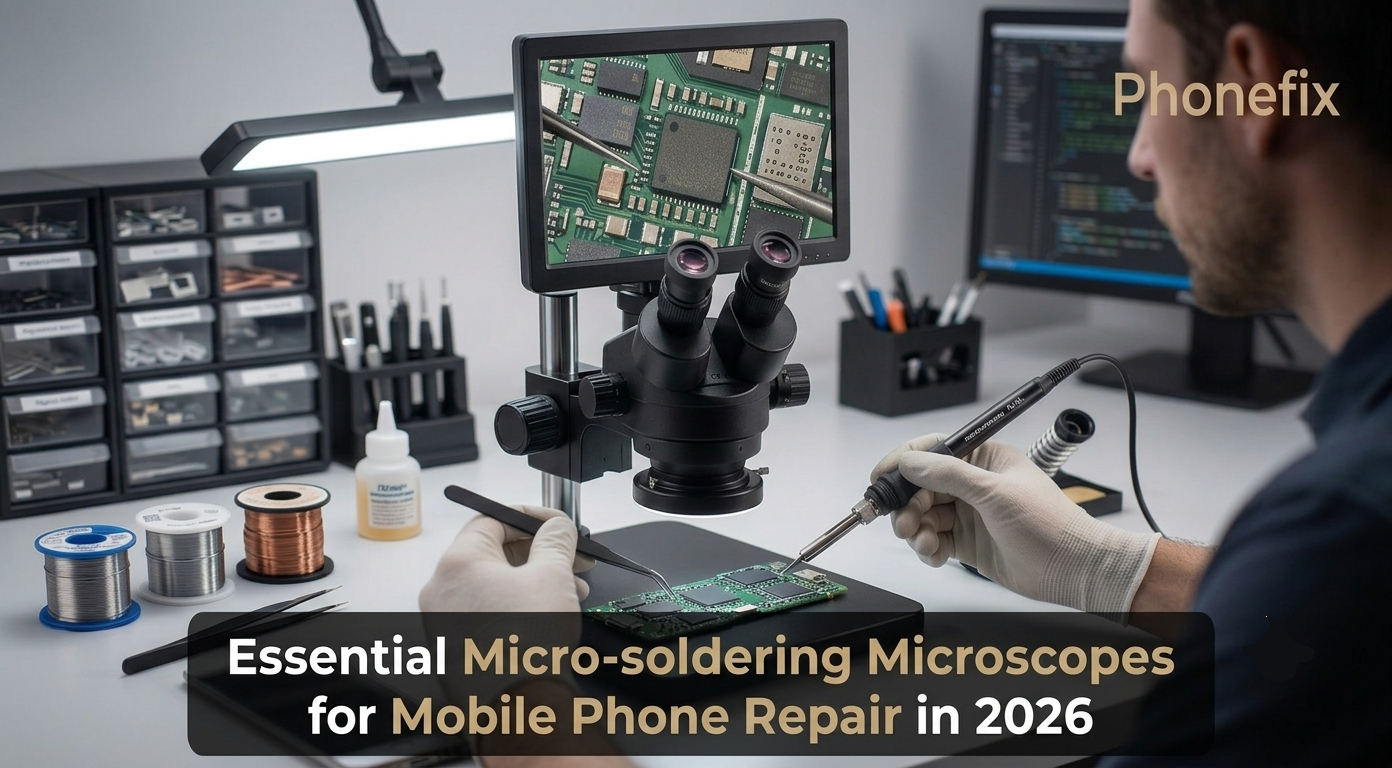
Modern smartphones pack components so small that they are extremely difficult to see clearly without magnification. Replacing a tiny capacitor on an iPhone logic board or reballing a BGA chip demands a clear, close view of the work. Without a proper microscope, a technician is essentially soldering blind. This guide covers what a soldering microscope is, the types of microscopes available, the core features needed for motherboard‑level repairs, and how to apply them to common phone repair problems. It also looks ahead at what 2026 brings to this essential tool.

I. What Is a Soldering Microscope in Phone Repair?
A soldering microscope is a specialized optical instrument designed for magnifying tiny components on mobile phone circuit boards. It is not the same as a school biology microscope. This tool is built for hands‑on work. It gives you enough space between the lens and the board to fit your soldering iron and tweezers. That space is called the working distance. In phone repair, this microscope turns blurry solder joints into sharp, crystal‑clear images. It helps you spot dry joints, solder bridges, and micro‑cracks that the naked eye simply cannot see. For any technician doing board‑level repairs, this tool is not a luxury. It is a necessity.
II. The Various Types of Microscopes for Phone Repair
When you walk into a repair shop, you will see different types of microscopes on the benches. They generally fall into two main categories based on how they display the image.
Stereo Microscopes
These microscopes use a dual‑optical‑path design. They provide a three‑dimensional image with depth perception. This 3D effect is critical for hand‑eye coordination during soldering. You can accurately judge the distance between your iron tip and the solder pad. Stereo microscopes offer zero‑latency optical imaging. What you see is real‑time and natural. They are the top choice for professional soldering work. Most mobile repair work calls for a magnification range of 7× to 50×.
Within this category, you will find two sub‑types:
· Binocular stereo microscopes: designed for viewing through two eyepieces only.
· Trinocular Stereo Microscopes: these have an additional third port that allows you to attach a camera while still using both eyepieces. This gives you the best of both worlds: the 3D view of an optical microscope and the recording ability of a digital system. Many professional repair shops now prefer trinocular models for this reason.
Digital Microscopes
These microscopes do not require you to look through eyepieces. Instead, they send the image directly to a display screen. This setup is ergonomic. You can sit upright without hunching over. Multiple people can view the same image at the same time, which is great for training. You can also record high‑definition videos and take photos for customer documentation. However, budget digital models may suffer from image lag. They also lack 3D depth perception, which can take time to get used to. Higher‑end digital microscopes in 2026 often feature 4K ultra‑HD output and even AI‑assisted focus or defect detection.
III. What’s New in 2026
As we move through 2026, several trends are shaping the microscope market for phone repair:
· 4K HDMI and wireless connectivity: more models now offer direct 4K streaming to large monitors or even wireless screen sharing for team collaboration.
· AI‑powered inspection: some advanced digital systems include software that highlights potential cold joints, bridges, or cracks automatically, saving troubleshooting time.
· Lightweight, flexible boom arms: improved materials make it easier to reposition the microscope without losing stability.
· Integrated documentation: built‑in capture and cloud upload features are becoming standard, simplifying customer reporting and quality assurance.
While traditional stereo microscopes remain the gold standard for precision soldering, digital options are catching up rapidly, especially for training and communication.

IV. Core Features Required for Micro‑Soldering on Phone Motherboards
Not every microscope works well for phone repair. You need specific features to handle the tiny components on modern PCBs. Here are the core features to look for.
Magnification Range
For mobile phone repair, a zoom range of 7× to 50× is usually sufficient. Some models go up to 75× or even 90× for extremely fine work. Continuous zoom is important. It lets you adjust the magnification smoothly without changing lenses.
Working Distance
This is the space between the microscope lens and the circuit board. A working distance of at least 100 mm (about 4 inches) is standard for most repair microscopes, but many professionals prefer 150 mm to 200 mm to give more room for maneuvering a hot air gun or bulky soldering tools. If the working distance is too short, you will constantly bump into the lens.
LED Ring Light
Good lighting is non‑negotiable. A high‑quality LED ring light attaches around the microscope lens—for example, a 72‑LED model, though configurations vary. It provides uniform, shadow‑free illumination. This makes solder joints and tiny components much easier to see. Adjustable brightness is a plus. Some advanced ring lights even have polarized filters to reduce glare from reflective surfaces.
Camera and Display
A built‑in camera or a third‑port camera lets you record your work. This is useful for quality control, customer communication, and training. Many digital microscopes come with a 7‑inch or 10.1‑inch IPS screen. HDMI output allows you to connect to a larger monitor for an even better view. In 2026, look for models with low latency (under 30 ms) to avoid lag during fine movements.
Stand and Boom Arm
The microscope body is only half the story. A stable, robust stand is critical. A heavy metal base prevents vibration, while a double‑boom or articulated arm gives you the freedom to swing the microscope out of the way when not in use. The arm should lock firmly in any position without drooping. Cheap stands can ruin the experience of an otherwise excellent microscope, so invest in a quality mounting system.
V. How to Use a Microscope for Common Phone Repair Problems
A good microscope is not just for looking. It actively helps you solve real repair challenges. Here is how it applies to common problems.
BGA Chip Reballing and Replacement
BGA chips have solder balls underneath the chip. You cannot see them with the naked eye. Under a stereo microscope, you can align the new chip perfectly with the pads on the board. The 3D view helps you judge the height and position of the chip during hot air reflow.
Capacitor and Resistor Replacement
Modern phones use 0201 or even 01005‑sized components. These are barely visible without magnification. With a microscope, you can use your Non-Magnetic Tweezers to precisely pick up the component. You can also inspect the solder joints after installation to ensure they are clean and free of bridges.
Jumper Wire Repairs
When a pad is lifted or a trace is broken, you need to run a tiny jumper wire. This requires extreme precision. The microscope gives you a clear view of the damaged area and the wire placement. You can guide the wire to the correct point without shorting adjacent pads.
Inspecting for Hidden Defects
Some faults are not obvious. A microscope helps you find micro‑cracks in the PCB layers, cold solder joints that look solid but have poor contact, and solder bridges that create short circuits. Identifying these issues early saves you hours of troubleshooting.
Documenting Repairs for Customers
With a trinocular or digital microscope, you can take photos and videos of the repair process. This builds trust with your customers. They can see exactly what was wrong and how you fixed it.
VI. Maintenance and Care for Your Microscope
Your microscope works in a harsh environment—flux fumes, solder splashes, and dust are constant threats. To keep it performing at its best:
· Clean the lenses regularly using specialised lens paper and a mild optical cleaner. Avoid touching the glass with your fingers.
· Protect the objective lens from flux residue by using a clear glass cover or a fume extraction system that draws smoke away from the lens.
· Check the arm tension periodically; loose joints can cause the head to drift during soldering.
· Store the microscope covered when not in use to prevent dust accumulation on internal optics.
A few minutes of maintenance each week can extend the life of your microscope by years.

Choosing the right microscope transforms your repair work. It reduces errors, speeds up your workflow, and protects your eyes and neck from long-term strain. Whether you choose a stereo, digital, or trinocular model, make sure it has the right magnification, working distance, and lighting for your bench. The investment pays for itself in the first few complex repairs. And when you are ready to upgrade your bench, do not forget to check out reliable Phone Repair Tools that complement your microscope setup.


