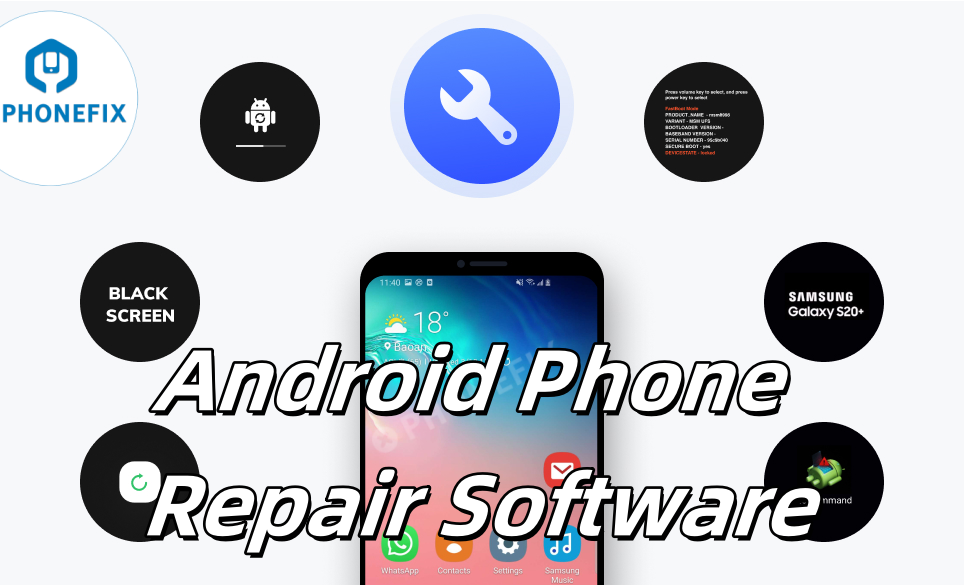
When your Android phone experiences a black screen, freezes on the startup screen, apps frequently crash, or run abnormally slowly, powerful Android repair software can be a lifesaver. They can easily resolve various system issues and restore your phone to normal operation. This article will tell you some of the most powerful Android repair tools on the market, usage instructions to help you make the most informed choice. Common Android System Problems
Before delving into repair software, let's first identify common Android system problems. Your Android system may experience various malfunctions for a variety of reasons.
Common errors include:
1. Stuck on the startup screen: The phone remains stuck on the brand or system logo and cannot access the home screen.
2. Frequent app crashes: Both system and third-party apps frequently crash.
3. The device fails to boot or operate normally.
4. Black Screen of Death: The screen goes black and the phone becomes unresponsive.
5. Slow Performance: The phone is unresponsive and experiences slow operation.
6. Unable to Turn On and Off Normally
7. Overheating: The phone is abnormally hot even when not under heavy load.
8. OTA Update Failure
9. Stuck in a Boot Loop
If you encounter these issues, don't rush to a repair shop, as many can be easily resolved at home with software tools. General Phone Troubleshooting Steps
Before attempting specialized software, you can try some simple everyday troubleshooting steps.
1. Restart the phone: A simple restart can often resolve minor temporary system glitches.
2. Update the software: Make sure your device and all apps are running the latest versions, as software updates often fix known bugs.
3. Clear the cache: Clearing the phone's cache and junk files can free up storage space and improve performance.
4. Enter Safe Mode: This can help you determine if a third-party app is causing the problem. In Safe Mode, all third-party apps are disabled.
5. Factory Reset: This is a more extreme step that can resolve many stubborn issues, but it will erase all your data, so proceed with caution.
6. Refurbished Device Test: If your phone wasn't purchased from the official shop and the problem started shortly after purchase, it's likely a refurbished device rather than a brand-new. You can use the Phone Charging Detection Tool to quickly check whether wireless charging is working properly on various phones, avoiding second-hand, refurbished, or defective repaired devices.
Tip: Before attempting any repairs, always back up your data. This is the best way to prevent data loss. Reliable Android Phone Repair Software & Phone Schematic Diagram
There are many software options available on the market that can help repair Android system issues. Below, we'll detail several popular and reliable options.
Dr. Fone - System Repair
Dr. Fone is a well-known tool suite, and its System Repair module is known for its efficiency and security. It can handle most common Android system issues without requiring specialized knowledge.
Key Features:
Comprehensive Repair Capabilities: Capable of handling everything from simple app crashes to serious system issues, including black screen of death, stuck in Fastboot mode, stuck at the boot logo, and boot loops.
Wide Compatibility: Supports a wide range of major Android devices and is compatible with Windows and macOS.
Instructions:
1. Download and install Dr. Fone on your PC and select the "System Repair" function.
2. Connect your phone to your computer using a USB data cable.
3. Follow the prompts to select the correct device information, including brand, model, carrier, etc.
4. Enter Download Mode. The software will automatically download the firmware and begin the repair process. The entire process is usually completed within a few minutes.  DroidKit - Android System Repair
DroidKit is a tool focused on Android system repair and data management, popular among users for its simple interface and powerful feature set.
Key Features:
Designed for Repair: Effectively resolves issues like system crashes, devices stuck on the logo screen, and unresponsive touchscreens.
No Root Required: Provides system repair functionality without rooting, a significant advantage for users who don't want to risk voiding their warranty or are unfamiliar with the rooting process.
Versatile Toolbox: In addition to system repair, it also integrates practical tools such as data recovery, FRP lock bypass, and screen unlocking.
Tenorshare ReiBoot for Android
This PC-based Android repair software excels at resolving various Android boot and connection issues, providing a high success rate in resolving Android system issues.
Key Features:
One-Click Operation: Quickly enter and exit Recovery Mode, Fastboot Mode, and Download Mode for exceptional convenience.
System Repair: Resolve Android system issues and clear system cache data without losing any data. **High Success Rate**: The success rate is particularly high when dealing with various boot modes.
Limitations: The "Repair Android System" feature currently only supports Samsung devices.
iMyFone Fixppo for Android
iMyFone Fixppo is another professional Android system repair software, renowned for its high repair rate and simple operation. It specializes in resolving various device issues caused by software problems.
Key Features:
High Success Rate: Claiming to have one of the highest repair success rates in the industry, it is particularly adept at fixing issues like boot loops, stuck on the update screen, and black screens.
Multiple Repair Modes: Available in Standard and Advanced modes. Standard mode fixes most issues without losing data; Advanced mode is designed for more complex system issues but will erase all data.
Wide Support: Compatible with over 6,000 Android devices, including major brands like Samsung, Huawei, LG, and Sony.
No Technical Background Required: The entire repair process is wizard-guided and can be completed with just a few clicks.
Limitations: Not free; full functionality requires purchase. AIO Toolbox (All-in-One Toolbox)
AIO Toolbox is a versatile Android optimization app that, in addition to system cleaning and performance enhancement, also includes basic system repair features. Key Features:
Comprehensive: Integrates multiple features, including junk file cleaning, memory boost, battery optimization, app management, and CPU cooling.
System Repair: Provides a "Repair System" module that scans and repairs common system errors, such as missing system files and incorrect permissions.
Convenient and Fast: As a mobile app, you can access it anytime on your device.
Small Size: The installation package is small and doesn't take up much space on your phone.
Limitations: Its repair capabilities are relatively basic and cannot address more complex issues like firmware corruption and bricked devices. It is more suitable for daily maintenance and minor system troubleshooting.
Phone Doctor Plus
If you prefer to perform self-diagnostics and simple repairs directly on your phone without connecting to a computer, Phone Doctor Plus is a good choice.
Key Features:
Comprehensive Diagnosis: It thoroughly tests your phone's hardware and system, including sensors, battery, and system, like a doctor, providing over 30 tests.
Battery Optimization: Monitors and optimizes your battery to extend its lifespan. However, if you want more precise data, we recommend the Phone Charging Port Tester, which quickly and automatically locates charging faults without disassembling your phone.
Instant Value Assessment: It assesses the market value of your phone and provides comparisons.
No Ads: The interface is clean and free of annoying ads.
Limitations: This software is more of a **diagnostic tool** than a deep repair tool. It can help identify problems, but it can't directly flash the firmware to fix complex system issues.
Other Solutions
In addition to the professional repair software mentioned above, there are also some easy-to-use DIY tools available for self-diagnosing phone problems. For example, a Digital Multimeter can accurately pinpoint the problem by measuring voltage. Conclusion
Whether you choose professional Android repair software for your computer or a mobile app, both can solve some of your problems. Have you found a practical repair tool that works for you? If your phone is experiencing problems like slow apps, you can refer to the repair software mentioned above. However, if these tools don't resolve your issue, the problem may be hardware-related. For unresolved hardware issues, feel free to consult Phonefix. You can find a variety of phone troubleshooting tools on their official website, as well as many DIY repair tools. These tools are easy to use and are the best choice for phone repairs.
Reliable Android Phone Repair Software to Fix System Issues