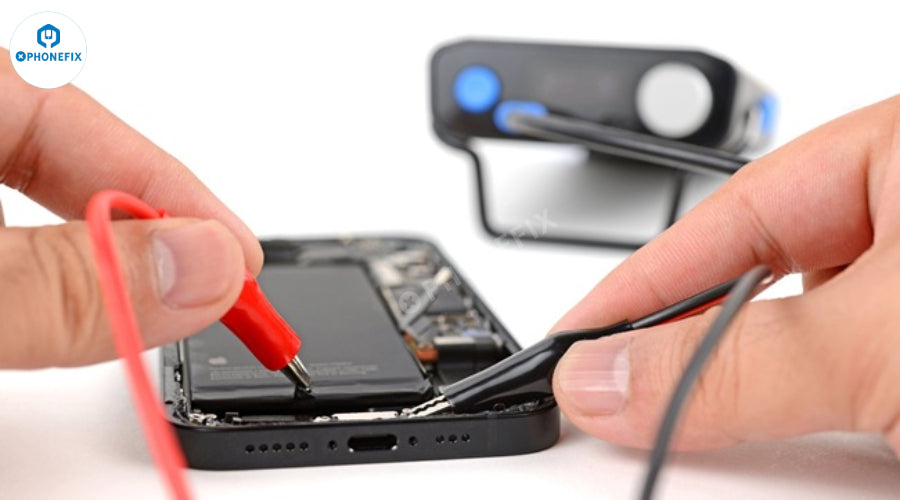
Do you know what tools are needed to replace an iPhone battery? Many people start to consider replacing the battery when they find that the battery life of their mobile phone has deteriorated and the battery health has dropped to about 80%, but they don't know where to start. In fact, it is normal for the iPhone battery to decay in capacity after long-term use. Today Phonefix will tell you what tools are needed to replace the iPhone battery.
Essential Tools:
Small Screwdriver: Before replacing the iPhone battery, you must first prepare several special screwdrivers. The special Pentalobe screws near the charging port at the bottom of the iPhone usually require a P2 or 0.8mm screwdriver to remove. After opening the body, the interior is mostly small cross screws, and you need a #000 or #00 Phillips screwdriver. Starting from the iPhone 7, Apple also uses tri-point screws on some key components (such as the battery interface protective cover), which requires a Y000 or Y0.6 triangular screwdriver to deal with. These three tools are almost the basic configuration for replacing the battery.

Suction Cup: Used to gently lift the iPhone screen assembly to create a gap between the screen and the body, making it easier to insert a spudger for further disassembly.
Pry Tools (Plastic/Nylon Spudgers): These non-conductive tools are key to safe disassembly and are suitable for prying open the outer shell, disconnecting cable connections, and separating the battery from the adhesive without damaging internal components.

Tweezers: Used to handle tiny screws, cables, and other precision parts. It is recommended to use precision tweezers with angles for precise handling in small spaces.
Battery Adhesive Strips: New battery adhesive strips are essential materials for fixing new batteries, because the original adhesive strips are usually damaged when removing the old battery and cannot be reused.

Heating Source (Hot Air Gun or Hair Dryer): Since the iPhone screen and battery are mostly bonded with strong glue, proper heating (such as using a hot air gun or hair dryer) can soften the adhesive layer, reduce the difficulty of disassembly, and remove the old battery more safely.
Helpful/Optional Tools:
Magnetic Mat or Screw Organizer: iPhone screws are tiny and numerous. A magnetic mat helps keep them organized and prevents them from getting lost during the repair process. This is highly recommended to avoid mixing up different screw lengths.

Battery Pry Tool (Specific for Battery Removal): Some tool kits include a specially designed battery pry tool to help safely separate the battery from the adhesive, reducing the risk of battery bending or puncture.
Plastic Cards or Guitar Picks; can be used to separate adhesive and maintain small gaps between the body to help safe removal.
Anti-Static Mat or Wrist Strap: Anti-static mat or anti-static wrist strap can prevent electrostatic discharge (ESD), effectively protecting the sensitive electronic components inside the iPhone from damage.

Isopropyl Alcohol (IPA): High concentration of isopropyl alcohol (90% or higher) can be used to clean the old battery adhesive residue and keep the device clean.
Replacement Battery: Replacement battery is a must-have tool, but be sure to choose a battery that is fully compatible with your iPhone model.
Work Surface with Good Lighting: A clean and well-lit work table surface is important to avoid losing small parts and ensure safe operation.

Note:
Phone model details: The tools and repair steps required may vary slightly for different iPhone models. Before starting a repair, always refer to a repair guide tailored for your iPhone model (such as the one provided by iFixit or YouTube).
Battery health data: For iPhone 11 and later, replacing the battery may trigger a "non-original battery" warning and cause the battery health data in iOS Settings to be lost. This can happen even if the battery is an Apple original part. To avoid this problem, special programmer tools are required to transfer the battery data from the original battery to the new battery, which is often a concern for DIY repairs.
Risk of damage: The iPhone repair process is complex and may damage components such as the screen, cables, or other internal parts. Always proceed with caution, follow the repair instructions carefully, and be aware of the risks involved.
In short, it is normal for the iPhone battery to decrease in capacity as it is used for a longer time. Especially when the battery health drops to about 80%, many people will consider replacing the battery. Replacing the battery requires some professional tools, such as screwdrivers, suction cups, and pry bars, and be careful to avoid damaging other parts of the phone. Although replacing the battery yourself is a good option, you must make sure you are well prepared and follow the relevant tutorials to ensure a safe and smooth replacement.