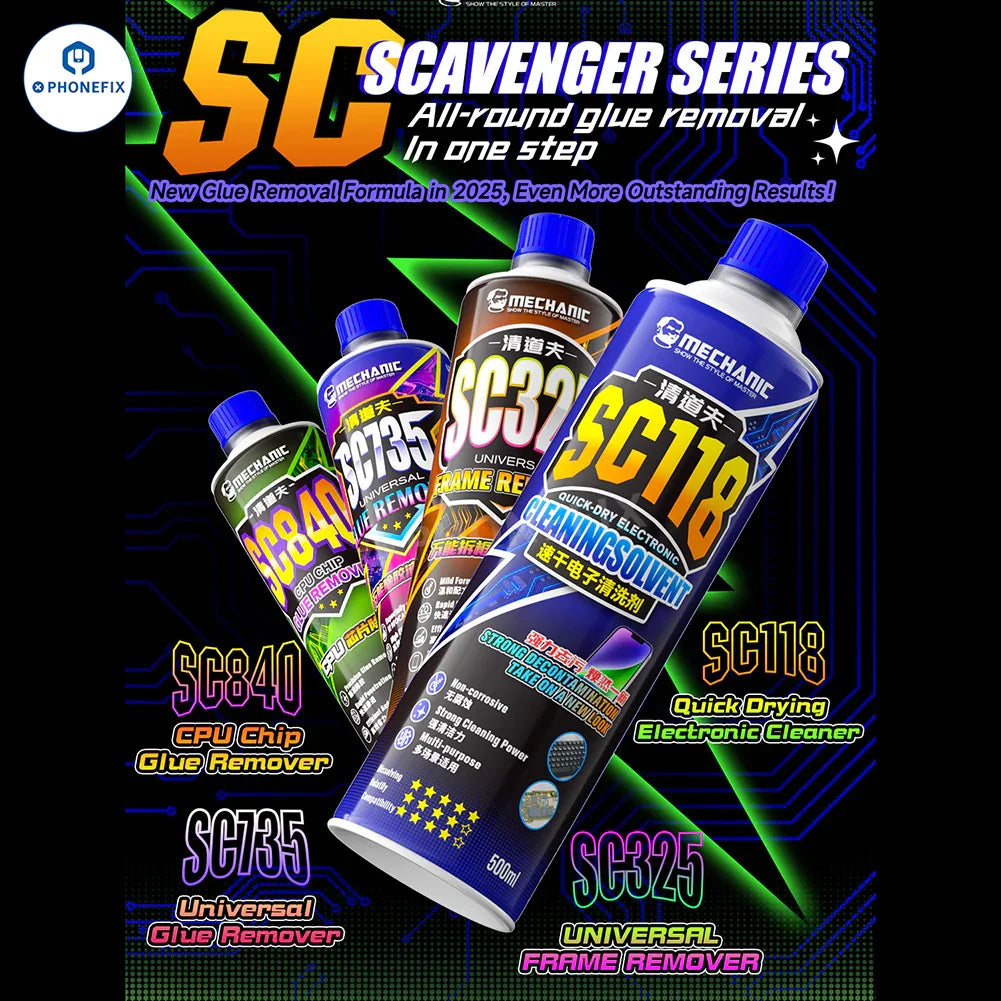
Mechanic SC840 SC75 SC325 SC118 multifunctional cleaning solvent is suitable for quick-drying cleaning of electronic products such as mobile phones and laptops, screen frame remover, mobile phone PCB CPU IC glue removal, etc. Strong cleaning power, one machine for multiple uses, powerful stain removal, leaving the environment looking brand new.
Option:
1. SC118 Quick-Drying Electronic Cleaner 500ml.
2. SC325 Frame Remover 500ml.
3. SC735 Universal OCA Removal 500ml.
4. SC840 CPU Chip Glue Removal 500ml.
Please note: Now there are no shipping methods that can ship liquids packaged in metal cans overseas. Liquids in plastic bottles can be shipped out through special ways (Economy shipping). If you are not shipping to mainland China, please choose the plastic bottle version. SKU: RL250,
Mechanic SC118 Quick-Drying Electronic Cleaner Features:
1. Electronic equipment maintenance: motherboard cleaning, graphics card gold finger maintenance, game console cooling hole cleaning.
2. Industrial production: assembly line component cleaning after welding, precision instrument maintenance.
3. Daily maintenance: keyboard/mouse deep decontamination, camera sensor dust removal.
SC118 Operation Methods:
1. Pretreatment: Turn off the power and remove the device casing (if necessary).
2. Focus cleaning: Spray the stained area.
3. Stubborn stain treatment: Wipe with a dust-free cloth soaked in detergent,
or scrub with a soft brush.
4. Quick drying: Use a cold air gun or air dry naturally to ensure that there is no residual liquid.
SC118 Cautions:
1. Keep away from fire source and keep ventilated environment when using.
2. Avoid spraying directly onto sensitive areas such as screens and displays (it is recommended to test a small area first).
3. In case of inadvertent eye or skin contact, immediately rinse with water and seek medical attention.
4. Keep out of reach of children and store in a cool and dry place.
Mechanic SC325 Frame Remover Features:
1. Straight screen frame: iPhone, Huawei, Honor, Xiaomi, OPPO, Samsung...
2. Curved frame: Huawei Mate series, Samsung Galaxy series, OPPO Find series, Xiaomi MX series...
3. Folding frame: Huawei Mate X6, Xiaomi Redmi Flip, Samsung Galaxy Z Fold7, OPPO Find N5...
SC325 Operation Method:
1. Clean the surface: wipe the gap of the middle frame with alcohol cotton to remove dust and oil.
2. Penetration softening: slowly drip 2-3 drops of frame removal liquid along the gap between the screen and the middle frame, and let it stand for 3-5 minutes.
3. Separate the middle frame: use a suction cup or disassembly piece to gently pry and gradually separate the screen from the middle frame.
SC325 Cautions:
1. Do not open the lid to others or eyes to avoid splashing.
2. Keep a ventilated environment and away from fire when using.
3. For first time use, it is recommended to test the compatibility in a small area on the edge of the mobile phone.
4. In case of eye contact or ingestion, rinse immediately with water and seek medical attention.
Mechanic SC735 Universal OCA Removal Features:
1. LCD glass: a common type of mobile phone screen.
2. UTG ultra-thin glass: folding screen phones such as Samsung, Huawei, Xiaomi, vivo, OPPO, etc.
3. Flexible screen: Samsung Galaxy S series, Huawei Mate X5, Huawei P series...
SC735 Operation Method:
1. Prepare tools: Glue remover, dust-free cloth, cotton swab. glue scraper (soft tools are recommender.
2. Apply the liquid: Dip the cotton swab into the appropriate amount of glue remover, evenly spread on the surface of the glue residue, and leave it for 3-5 minutes to soften the glue lay.
3. Clean the glue residue: Gently push up the edge of the glue layer with a scraping spatula.
wipe it with a dust-free cloth, and repeat the operation until it is clean.
4. Cleaning Finish: Wipe the residual liquid with a dry cloth and make sure the screen is dry before switching on.
SC75 Cautions:
Before use: Switch off the power of the equipment, avoid liquid contact with the motherboard or electronic components.
1.Use only on the edge of the screen or residual glue area, avoid liquid into the internal body.
2. Keep away from fire source and high temperature environment to prevent volatilisation or burning.
When operating:
Safety Protection:
1. Wear gloves to operate, if accidentally contact with skin or eyes, immediately rinse with water and seek medical attention.
2. Do not touch children, store in a cool and dry place.
SC840 CPU Chip Glue Remover Features:
1. Motherboard repair: mobile phone/computer CPU, GPU, baseband chip replacement.
2. Industrial electronics: automotive electronic modules, server motherboard chip rework.
3. Scientific research experiments: chip disassembly, reverse engineering, preprocessing.
SC840 Operation Method:
1. Locate the adhesive layer: Confirm the distribution of the adhesive layer on the bottom of the chip with a microscope and mark the key areas. covering the entire bottom (recommended dosage 0.5-1m).
2.Drip penetration: Use a needle to slowly inject glue removal liquid along the edge of the chip.
3. Standing reaction: Cover the container to moisturize and leave it at room temperature for 1-3 minutes (difficult glue species can be extended to 5 minutes).
4. Separate the chip: Use constant temperature soldering iron or hot air gun assisted heating to 80-100℃. with the vacuum suction pen to remove the chip smoothly.
5.Clean the residue: use a dust-free cloth dipped in glue remover to wipe the PCB pads, and finally finish with alcohol cotton pads.
SC840 Cautions:
1. Operation should be carried out in an anti-static environment, wearing rubber gloves and finger cots.
2.Avoid liquid contact with motherboard capacitors,resistors and other sensitive components, if accidentally contaminated immediately rinse with anhydrous alcohol.
3.Thoroughly clean the residual liquid after use to prevent corrosion potential.
4. Keep away from fire source and store at a temperature not exceeding 30℃.