
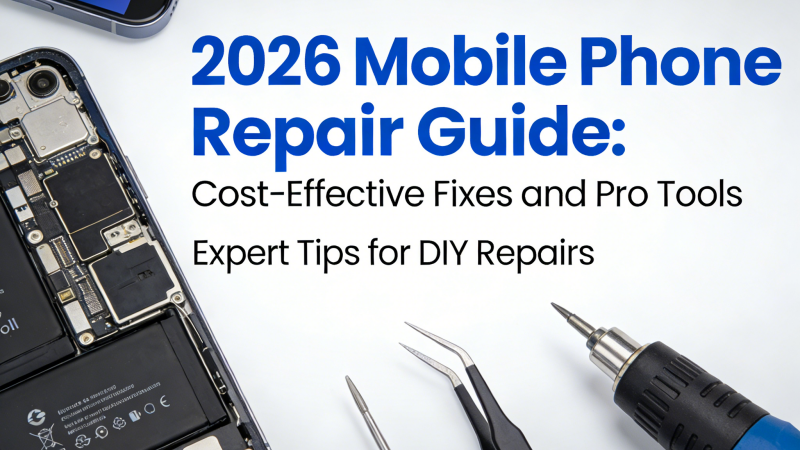
The mobile phone market is iterating rapidly in 2026, with hardware performance constantly hitting new ceilings. However, when a screen cracks, the battery ages, or the charging port develops poor contact, should you choose the expensive official replacement service, or seek a more cost-effective repair path? DIYPHONE will provide you with an in-depth analysis of four mainstream repair options, combined with specific hardware faults, to offer professional advice from fault diagnosis to practical preparation.

I. Four Paths and Decision Models for Phone Repair
Before deciding on a repair method, you need to evaluate based on the phone's warranty status, the severity of the fault, and your personal hands-on ability.
1. DIY Repair
Suitable for replacing modular components such as screen assemblies, housings, and batteries. For users with strong hands-on skills, this is the most cost-effective method, but one must bear the risks caused by operational errors.
Preparation: Be sure to purchase a Precision Screwdriver Set, suction cups, pry bars, and anti-static mats that match the model.
2. Local Repair Shop
Suitable for urgent faults that need immediate handling, such as quick battery replacement or fixing cracked screen glass.
Note: Choose a store with a transparent construction environment and confirm the source of the parts before repair to avoid using inferior components.
3. Mail-in Repair
Targeted at motherboard chip-level repairs, baseband faults, or deep issues that cannot be detected on-site.
Process: Back up your data before mailing. It is recommended to choose a repair platform with industry qualifications to ensure that an electronic warranty card is provided after the repair.
4. Manufacturer Authorized Center
For damage to precision components or devices under warranty, this is the top choice for ensuring performance integrity.
Advantages: Use of original genuine spare parts ensures that device airtightness is consistent with factory standards, and repair records are synchronized to the official cloud.

II. Fault Analysis and Repair
Different types of hardware faults have vastly different requirements for equipment environment and tools. Below are specialized handling suggestions for three typical faults:
1. Lithium Battery Cell Aging Repair
When a phone exhibits high battery cycle counts, rapid power drain, or automatic shutdowns, it means the battery module needs to be replaced.
Fault Performance: Battery percentage jumping, slow application loading (due to power management triggering underclocking).
Tools Needed: Dedicated battery adhesive strips, heat gun, anti-static tweezers, insulated pry bar.
Key Steps:
Step 1: Remove the SIM card tray and unscrew the bottom fixing screws.
Step 2: Use a heat gun set to about 80°C to gently heat the perimeter of the back cover, then use a suction cup to help lift the screen or back cover.
Step 3: Disconnect the power connection cable and use an insulated pry bar to remove the old battery adhesive strips.
Step 4: Insert the new battery, ensuring there are no creases in the cable, and finally perform the sealing process.
2. Screen Assembly Replacement
Screen replacement is the most common project in phone repair.
Fault Performance: Abnormal screen display (lines, color blocks), touch grid failure, internal screen cracking.
Tools Needed: Constant-temperature screen removal platform, precision screwdriver set, anti-dust stickers.

Key Steps:
Step 1: Preheat the phone on a constant-temperature screen removal platform to soften the waterproof adhesive.
Step 2: Use a precision suction cup to lift the screen module upward, being careful to avoid the cable area.
Step 3: Disconnect the screen cable from the motherboard and clean the remaining adhesive traces on the frame.
Step 4: Test the display effect and touch sensitivity of the new screen, and perform sealing and bonding after confirming it is correct.
3. Charging Port Soldering Repair
Poor contact or failure to be recognized by a computer usually points to problems with the charging port flex cable or data interface.
Fault Performance: Slow charging, oxidation of pins inside the interface, inability to connect data cables.
Tools Needed: Microscope detector, constant-temperature BGA Soldering Station, flux, precision tweezers.
Key Steps:
Step 1: Remove the motherboard fixing cover to expose the charging port flex cable interface.
Step 2: Use a microscope detector to confirm whether there is any deformation or cold solder joints on the interface pins.
Step 3: If it is just an interface damage, you can use a constant-temperature soldering station for tin point re-soldering; if the damage is severe, the entire charging port flex cable assembly needs to be replaced.

III. Suggestions for Professional Repair Technicians
For professional repair experts, the specifications of the tools directly determine the success rate of the repair. The series of equipment provided by Phonefix can effectively assist you in improving your operational precision:
· Precision Disassembly Knives: Adapts to various phone frames, reducing the risk of damage during the disassembly process.
· Microscope Detector: Used to observe whether small resistors and capacitors on the motherboard are short-circuited, it is a standard tool for chip-level repair.
· Constant-temperature Soldering Station: Provides precise temperature control to ensure that surrounding components are not burnt when soldering integrated circuits.
Conclusion
Regardless of which repair option you choose, clarifying the nature of the fault and preparing the tools is the key to success. In 2026, by mastering the correct repair logic, you will not only be able to effectively extend the service life of your phone, but also be able to calmly cope with various sudden faults and achieve precise maintenance. For more key tips on phone repair, please feel free to follow DIYPHONE.


