
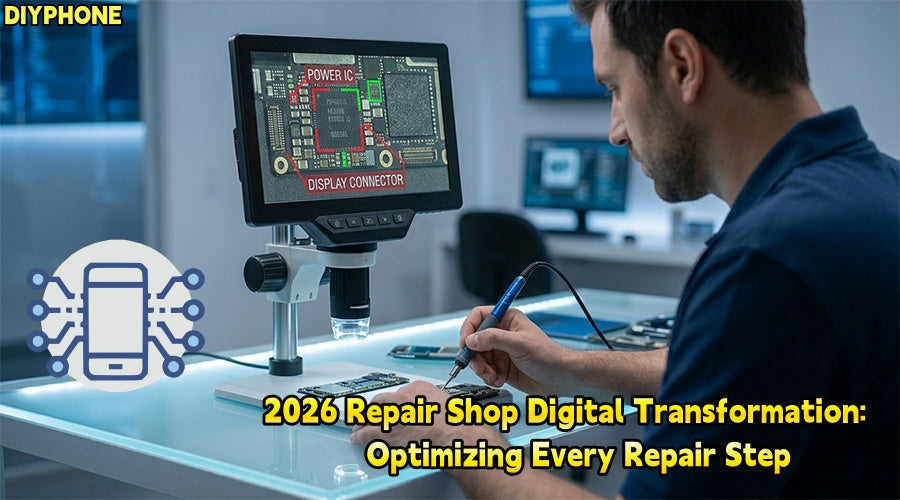
As cell phone manufacturing enters the AI era, traditional repair experience is no longer sufficient to handle complex circuit failures. Digitalized and networked repair tools are reshaping the industry. DIYPHONE will provide a deep analysis of the three core stages of modern cell phone repair, focusing on fault analysis, preparation, and digital repair workflows.

I. Application of Intelligent Detection Systems
In the initial stage of cell phone repair, the core task is to accurately determine the source of the fault without disassembling the device.
1. Fault Analysis: Charging and Handshake Protocol Abnormalities
Common "no charging" or "slow charging" faults are often not simple physical damage to the charging port, but involve USB-PD protocol handshake failure, CC line short circuits, or internal logic shifts in the charging IC. Traditional ammeters can only display values and cannot capture data exchange at the protocol layer.
2. Preparation and Tools
· Core Tools: Intelligent Type-C Digital Detectors , Type-C protocol analysis cables, repair tablets.
3. Environment Preparation: Ensure the detector is connected to the repair management App via Bluetooth Low Energy (BLE) and access the cloud database for "standard handshake curves" of various models.
4. Digitalized Steps
Step 1. Protocol Capture: Connect the intelligent detector to the phone's charging port; the App records the voltage and current curves in real-time during the transition from 5V to 9V/20V.
Step 2. Curve Comparison: The App automatically overlays the real-time waveform with the standard library. If there is no data communication on the CC1/CC2 lines, the system will directly prompt "CC communication path open" rather than a vague "not charging."
Step 3. Non-invasive Judgment: Based on data feedback, technicians can complete 80% of the preliminary judgment before disassembly, narrowing the fault down to the charging port flex cable or the power management chip.

II. Application of Diagnostic Tools
1. Fault Analysis: System Crashes and Repeated Reboots
When a phone exhibits abnormal startup current or random reboots after entering the system, it is usually due to excessive output ripple in the main CPU power inductor (Buck circuit) or logic timing disorders caused by clock crystal frequency offset.
2. Preparation and Tools
· Core Tools: Digital Multimeters, dual-channel portable digital oscilloscopes, high-precision ultra-sharp probes.
3. Technical Data: Retrieve bitmapped diagrams (Zillion x Work or similar software) and standard waveforms for key test points of the specific model.
4. Digitalized Steps
Step 1. Intelligent Alignment: Click the target inductor (such as CPU core power supply) on the tablet's bitmap; the multimeter App automatically switches to the corresponding range.
Step 2. Overlay Comparison Measurement: When measuring with the oscilloscope probe, a transparent "reference waveform shadow" pops up on the screen.
Step 3. Anomaly Alarm: If the measured square wave exhibits overshoot or glitches, the App immediately triggers a red box alarm. This "overlay comparison" function greatly reduces the technical threshold for waveform analysis, ensuring the accuracy of core power circuit troubleshooting.

III. Intelligent Temperature Control and Thermal Profile Soldering
1. Fault Analysis: BGA Chip False Soldering or Physical Damage
For BGA packaged chips such as CPUs and basebands, the repair focus is on how to complete precision reballing and resoldering without damaging surrounding glued components and plastic connectors.
2. Preparation and Tools
· Core Tools: Intelligent hot air guns, CNC intelligent soldering irons (supporting cloud temperature curves), specialized heat insulation molds.
3. Parameter Presets: Select the corresponding chip model (such as A19 or Snapdragon 8 Gen 5) in the mobile App to load preset temperatures.
4. Digitalized Steps
Step 1. Thermal Control: When the heat gun approaches the CPU shield, the App commands the heat gun to execute a three-stage heating program (preheating, reflow, cooling) based on real-time nozzle temperature feedback.
Step 2. Safety Countdown: During the soldering process, the App automatically starts a safety time window monitor to prevent PCB blistering caused by localized overheating.
Step 3. Quality Traceability: All soldering temperatures and wind speed curves are automatically uploaded to the cloud work order system as quality evidence for the motherboard-level repair.
Summary
Digital tools have shifted the focus of cell phone repair from experience to data. By integrating the three stages of detection, and measurement, soldering, intelligent Cell phone repair tools have achieved the standardization and transparency of the repair workflow. This not only improves the accuracy of fault diagnosis but also optimizes the steps of cell phone repair.


