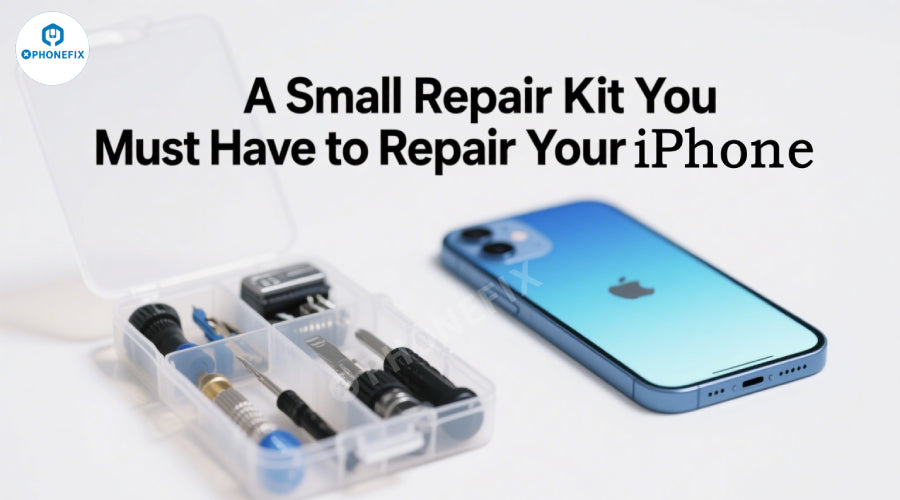
Rushing to work on weekend mornings, only to find that the screen is unresponsive; working overtime late at night, the battery is almost dead, and the charging port is shaky; the child accidentally broke the screen, and the screen is like a spider web don't let the iPhone's minor faults ruin your day. Phonefix's small repair tool kit, your "pocket repair station", is equipped with precision tools such as magnetic screwdrivers, crowbars and screen separators. Let's take a look at what tools make your iPhone repair easier?
DIY repairs available for iPhone:
Screen repair: The outer screen glass can be replaced, which is suitable for the situation where the LCD display is normal and the touch is sensitive but the outer screen is broken. The iPhone screen assembly can also be replaced. If the inner screen is also damaged, such as discoloration, leakage, abnormal display, etc., the entire screen needs to be replaced.
Battery replacement: When the battery life is significantly reduced, charging abnormalities occur, and the power consumption is too fast, the battery can be replaced. Third-party repair shops usually provide a variety of battery options, including original batteries and third-party iPhone batteries.
Camera repair: If the camera has problems such as blurry photos, unable to focus, and black spots, third-party repair shops can replace the iPhone camera components to restore the photo function.

The tool kit you need to repair your iPhone
Usually includes basic tools such as screwdrivers, pry bars, and suction cups. If you need to perform specific repairs such as screens and batteries, you will also need professional tools such as display presses and battery presses. The details are as follows:
Basic tools:
Screwdrivers: Common small screwdriver sets include cross screwdrivers (PH00), flat head screwdrivers, Y000 0.6 screwdrivers (for iPhone 7 and some models), and clover (0.8) screwdrivers (for removing screws at the bottom of iPhones).
Pry bars and prying pieces: Generally made of plastic or metal, used to separate the phone's casing and components to avoid scratching the body.
Suction cups: Mainly used to remove the screen, by adsorbing on the screen and applying pulling force to separate the screen from the body.
Tweezers: Anti-static tweezers can be used to clamp small parts such as screws, cables, etc., for easy operation.
SIM card ejector: Used to remove the SIM card tray of the iPhone, usually a thin needle-shaped tool.

Professional tools:
Display press: After replacing the screen, Phone screen pressure holding table is used to apply uniform pressure to the screen to make the screen fit better with the body, ensuring the sealing and display effect.
Battery press: When replacing the battery, it is used to apply pressure to the new battery so that it can be firmly attached to the inside of the phone to ensure that the battery fits tightly with the body.
Adhesive cutter: Used to cut the adhesive of components such as the screen or battery to facilitate the removal of old components.
Torque driver: With specific torque settings, it can ensure that the screws are tightened correctly to avoid affecting the performance of the device due to excessive or insufficient force.

Auxiliary tools:
Anti-static mats and wrist straps: Prevent static electricity from damaging the electronic components inside the phone.
Cleaning supplies: Such as ethanol wipes or isopropyl alcohol (IPA) wipes, melamine sponges, etc., are used to clean dust and stains inside the phone, as well as wipe components such as the screen.
Lens goggles and cut-resistant gloves: Protect the safety of eyes and hands during repairs to avoid injury from tools or components.

Note:
1. Safety and electrostatic protection: Turn off the machine completely and cut off the power. Wear an anti-static wristband before operation to avoid static electricity from damaging components. Use an anti-static mat in a dry environment to prevent parts from being adsorbed and lost.
2. Control of disassembly details: Screws are stored by position to avoid piercing the iPhone motherboard due to wrong installation. Heat evenly (60-80℃) when separating the screen. Use a crowbar to operate gently. Pay attention to the position of the cable. Disconnect the buckle before removing it.
3. Taboos for battery replacement: The bulge of the old battery needs to be carefully separated with special tools. Squeeze is prohibited. When installing a new battery, ensure that the adhesive is firmly attached and the cable interface is aligned to avoid displacement or damage.
4. Accessory compatibility: Give priority to original or high-quality accessories. Non-original screens may have abnormal touch and no original color display. The battery needs to verify compatibility to avoid system errors or safety hazards.
5. Function verification and sealing: After repair, test each item (such as screen touch, camera, Face ID), confirm that there is no error before installing the machine; install waterproof glue to restore the sealing to avoid liquid damage.
iPhone repairs require attention to technique and detail, from power-off and anti-static measures to screw sorting and cable protection. Newbies should start with simple repairs, while complex problems require the help of professionals - safety first. Phonefix provides a comprehensive range of repair tools, from various screwdrivers to small tools such as crowbars and tweezers, and even professional iPhone motherboard repair kits to help users successfully complete iPhone repairs.