
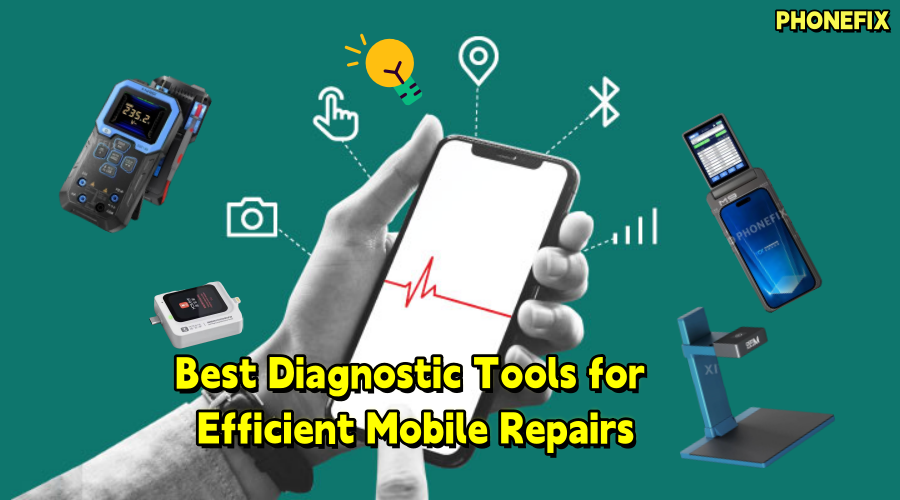
As smartphones become more complex, the mobile repair industry faces greater challenges, particularly with internal hardware issues. This requires both experienced technicians and precise diagnostic tools. Phonefix explores the functions of smart repair tools, their application in diagnostics, and introduces common repair tools and steps.

I. Advantages of Smart Repair Diagnostic Tools
Smart repair diagnostic tools accurately identify hardware faults and provide solutions. Their main advantages include:
1. Automated Diagnostics
Smart diagnostic tools automatically scan hardware, identify common faults, and exclude them, reducing human error and boosting efficiency.
2. High-Precision Detection
Using machine vision and sensors, these tools conduct precise checks on components like circuits, chips, and screens, detecting issues like battery health or micro-damage.
3. Time and Cost Savings
Smart tools quickly identify faults, speeding up repairs and reducing customer wait times, improving both efficiency and satisfaction.
4. Enhanced Technical Support
These tools often come with repair suggestions and step-by-step guidance, offering valuable support to less experienced technicians.

II. Common Smart Repair Diagnostic Tools
As mobile repair advances, smart diagnostic tools address common and complex hardware issues. Here are key tools and applications:
1. Tail Plug Tester
Functions and Applications:
The tail plug is one of the most common failure components in smartphones, and its health directly affects the phone's performance. A Phone Tail Plug Tester can analyze data such as connection status, voltage, and current to determine if the tail plug is faulty.
Repair Steps:
· Connect the tail plug tester and activate detection.
· The tester will display the tail plug's health, lifespan, and performance.
· Based on the results, the technician can decide to replace or troubleshoot further.
2. Motherboard Diagnostic Tools
Functions and Applications:
The motherboard is crucial to a device, and even minor damage can prevent startup or cause crashes. Smart motherboard diagnostic tools check voltage and current signals to detect issues like short circuits or open circuits.
Repair Steps:
· Connect the tools to the phone and start detection.
· The tools scan the motherboard, showing voltage and signal data.
· Based on the results, technicians can repair or replace damaged components.

3. Screen Tester Programmer
Functions and Applications:
The screen is one of the most easily damaged components in a smartphone. The Screen Tester Programmer can assess touch sensitivity, color, and brightness to accurately identify display issues, such as dead pixels or color deviations.
Repair Steps:
· Connect the Screen Tester Programmer and activate display testing.
· The tool will scan the screen for inconsistencies, incomplete display, or touch issues.
· If a fault is detected, the technician can decide to replace or repair the screen.
4. Digital Multimeter
Functions and Applications:
The multimeter is an essential tool for testing voltage, current, and resistance on mobile circuit boards. It helps identify battery issues, charging port faults, open circuits, and other electrical problems.
Repair Steps:
· Connect the multimeter to the battery or circuit board test points.
· Check the battery's voltage and current; the multimeter will display abnormalities.
· Test the circuit board for resistance to find short or open circuits. If needed, replace the battery or repair the board.

5. Infrared Thermal Camera
Functions and Applications:
The Infrared Thermal Camera is a tool that displays heat distribution of devices via infrared imaging, which is widely used to detect overheating issues in the motherboard or other hardware components. It allows technicians to observe real-time temperature changes on the circuit board, helping to precisely locate fault areas, such as overheated chips or damaged circuits.
Repair Steps:
· Use the infrared camera to scan the motherboard of the phone and observe temperature variations.
· Based on the infrared imaging results, locate the overheated components or circuits.
· Further inspect and repair the overheating areas, which may involve replacing damaged components or improving the heat dissipation.
III. Conclusion
Smart repair diagnostic tools are undoubtedly a major innovation in the mobile repair industry. They not only enhance the accuracy of fault diagnosis but also improve repair efficiency. Mastering these emerging tools is an important way to enhance one's technical skills. If you need to purchase high-quality fault detection tools, feel free to visit China Phonefix.


