
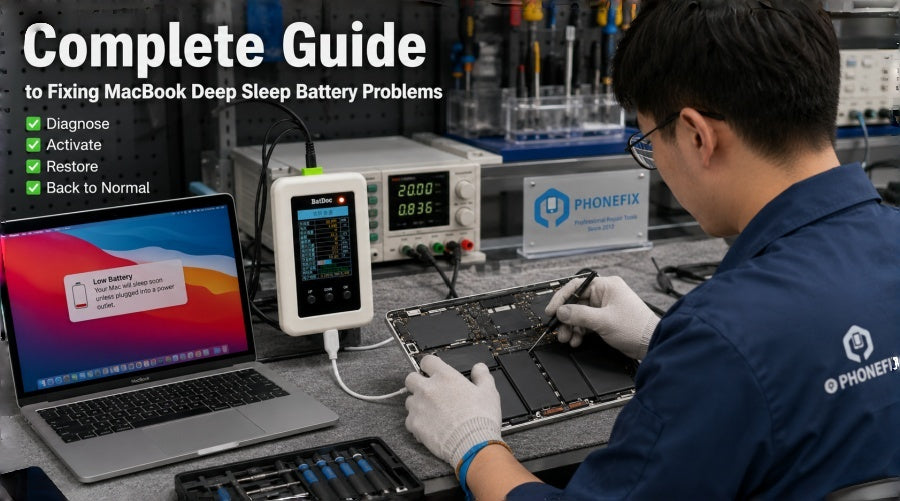
In MacBook repair, long-unused or fully drained batteries may trigger BMS protection, entering a deep sleep lock that prevents charging. Traditionally requiring replacement, these batteries can now often be restored using the BatDoc Mac Battery Activation Tool, which resets BMS data and re-enables normal charging.

I. Why Does "Deep Sleep Locking" Occur?
The BMS (Battery Management System) located inside a MacBook battery is responsible for monitoring voltage, current, and temperature. When the device remains unused for a prolonged period or the battery charge drops to a critically low level, the system may trigger a protective mechanism:
· The battery enters a low-power locked state;
· The charging protocol is interrupted;
· The motherboard fails to properly recognize the battery;
· Symptoms include "unable to charge," "stuck at 0% charge," or "device fails to power on";
This state typically does not indicate a complete hardware failure, but rather a "sleep lockdown" at the logical level.
II. Required Tools and Preparation
Before proceeding with the repair, you will need to prepare the following professional repair tools:
· P5 / P6 Pentalobe screwdriver (for removing the bottom cover);
· Anti-static spudger (for safely disconnecting ribbon cables);
· BatDoc Mac Battery Activation and Repair Device;
· Stable DC power supply;
· Battery removal tool (recommended);
III. Safe Disassembly Steps
First, power off your MacBook and disconnect all external peripherals.
1. Use a P5 or P6 screwdriver to remove the screws securing the bottom cover;
2. Open the back cover, taking care to avoid letting any metal tools come into contact with the motherboard;
3. Use a plastic spudger to disconnect the ribbon cable connecting the battery to the motherboard;
4. It is recommended to completely remove the battery from the device to prevent accidental short circuits during the subsequent operation;
The primary objective at this stage is to ensure a "complete power cutoff" to guarantee the safety and stability of the subsequent procedures.

IV. Connecting the BatDoc Activation Device
The BatDoc Mac Battery Repair Box is primarily designed to wake up—or reactivate—a battery's BMS that has entered a locked state. The operational procedure is as follows:
1. Locate the BMS communication port on the battery;
2. Connect the port to the corresponding terminal on the BatDoc device;
3. Connect the repair unit to a Stable DC power supply;
4. Power on the device to enter detection mode;
At this stage, the system will read the battery's basic information, including cycle count, voltage status, and whether it is currently in a locked state.
V. Executing Battery Activation and Repair
After selecting the "Activate / Wake / Unlock" mode on the device interface:
· BatDoc sends a handshake signal to the battery;
· The BMS is re-initialized;
· The low-power protection lock is released;
· The battery begins the recovery charging process;
During this phase, you will typically observe changes in the indicator lights, signifying that the battery is being gradually awakened and is entering a trickle-charging state.
Note: When the "Activation Status Indicator" disappears, it indicates that the system has successfully restored normal communication.
VI. Restoration and Installation Steps
Once activation is complete:
1. Disconnect the BatDoc test cable;
2. Switch off the external power supply;
3. Reinstall the battery back into the MacBook chassis;
4. Reconnect the battery flex cable to the motherboard;
5. Reattach the bottom cover and tighten the screws;
Upon powering on the device, the system will typically re-detect the battery and restore normal charging functionality.

VII. Precautions and Risk Management
During the operation, please pay special attention to the following points:
· Always use anti-static tools to prevent electrostatic discharge damage to the motherboard;
· Never connect or disconnect the battery interface while the device is still powered on;
· Ensure a stable power supply is maintained throughout the activation process;
· If the battery is swollen or severely damaged, forced repair is not recommended;
· Battery interface configurations may vary across different models;
If you encounter specific "deep sleep" battery models during the repair process, or if you require access to additional teardown components, custom flex cables, or professional mobile repair tools compatible with the latest device models, you are welcome to consult the official technical resources and online store provided by the CHINA PHONEFIX SHOP team at any time. We are dedicated to providing you with comprehensive domestic and international logistics support, as well as one-stop solutions for electronic device repair.


