
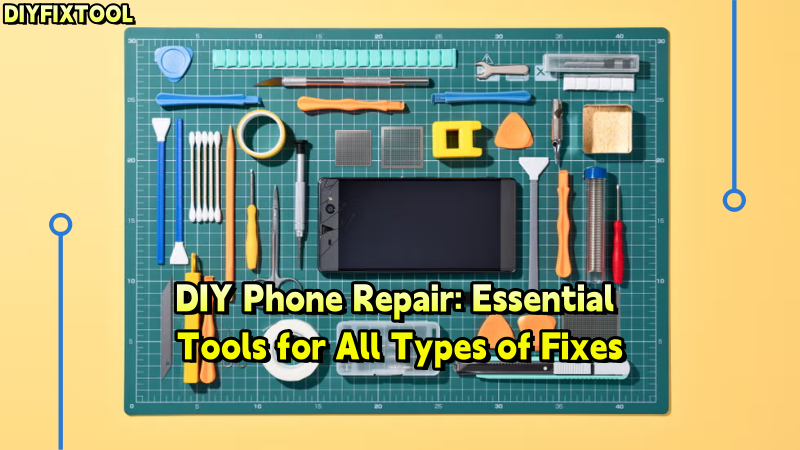
As mobile phones play a bigger role in our lives, mobile damage has become more common. Whether you're a repair enthusiast or fixing your phone at home, knowing the right tools is essential. DIYFIXTOOL offers a comprehensive guide to help you understand the tools, preparation, and steps needed for repairs like screen fixes and battery replacements.

I. Screen Repair Tools
One of the most common mobile damage issues is a cracked screen. Whether caused by accidental drops or wear over time, screen damage severely affects the phone's usability. To effectively replace a broken screen, you will need the following tools:
1. Suction Cup Tool
The suction cup tool is essential for repairing mobile screens. It helps you securely grip the screen and easily detach it. When using it, ensure that the suction cup adheres smoothly to the screen's surface to avoid further cracking.
2. Plastic Pry Bars and Picks
To safely separate the screen from the phone's casing, plastic pry bars and picks are necessary. These tools not only prevent additional damage to the screen but also effectively separate the adhesive between the screen and the frame.
3. Heating Pad or Heat Gun
Many phone screens are secured with strong adhesive. To safely remove the screen, you need a YCS Heating Pad or heat gun to soften the glue, making it easier to detach the screen. Be sure to maintain an even temperature when heating to avoid damaging the LCD or OLED screen.
4. Alignment Frame
When reinstalling the new screen, the alignment frame is crucial. It helps ensure that the new screen aligns perfectly with the phone's casing, preventing gaps or other installation issues.

II. Battery Replacement Tools
As time passes, a phone's battery may deteriorate, resulting in charging issues or significantly reduced battery life. When replacing the battery, the correct tools are essential. Here are some tools you will need:
1. Battery Pry Tool
The battery pry tool is key to removing the old battery. It helps you safely pry open the battery without puncturing it, preventing short circuits or other safety issues.
2. Adhesive Remover
To remove a firmly attached battery, you can use adhesive remover. This tool helps loosen the strong adhesive holding the battery in place, reducing the risk of damage during removal.
3. Battery Testing Kit
A battery testing kit allows you to check the voltage and capacity of the battery before and after installation, ensuring the new iPhone battery's performance meets the required standards.
DIY User Tip: When removing the battery, it's recommended to power off the phone and slightly discharge it to prevent short circuits or accidental damage.

III. Charging Port Repair Tools
Charging port issues are another common repair problem, often caused by dust, oxidation, or damage to the port. If you need to repair or replace a charging port, you will need high-precision tools:
1. Temperature-Controlled Soldering Station
Temperature control is crucial when repairing charging ports. A temperature-controlled BGA Soldering Station ensures that you do not overheat and damage the phone's circuits, while also allowing you to solder the charging port accurately.
2. Micro Tweezers and Flux Pen
Micro tweezers and a flux pen help you operate with precision on the tiny connectors of the charging port, preventing damage to other components.
3. Magnifying Glass or Microscope
Charging ports are very small, and precision is essential. A magnifying glass or microscope helps you clearly view the details of the port, ensuring that connectors are aligned correctly.

IV. Water-Damaged Phone Repair Tools
If your phone gets wet, and the issue isn't addressed quickly, it can lead to severe internal damage. To increase the chances of successful repairs, here are some tools you will need for water-damaged phone repairs:
1. Ultrasonic Cleaning Machine
An ultrasonic cleaning machine is highly effective in cleaning corrosion, moisture, and dirt from circuit boards, restoring the functionality of the phone's circuits.
2. Humidity Detection Kit
A humidity detection kit helps you identify which parts of the phone have been damaged by water, allowing you to focus on repairing those specific components.
3. Replacement Screws and Connectors
Water-damaged phones often require the replacement of screws, connectors, or batteries. Replacing these parts is an essential step in restoring the phone's functionality.
Important: Never power on a water-damaged phone before cleaning it, as this can cause a short circuit or further damage the device.
Conclusion
Whether you're a pro or DIYer, having the right tools is key to successful repairs. From screen fixes to battery replacements and water damage, mastering the essentials makes repairs easier and safer. DIYFIXTOOL offers high-quality tools for all your mobile repair needs.


