
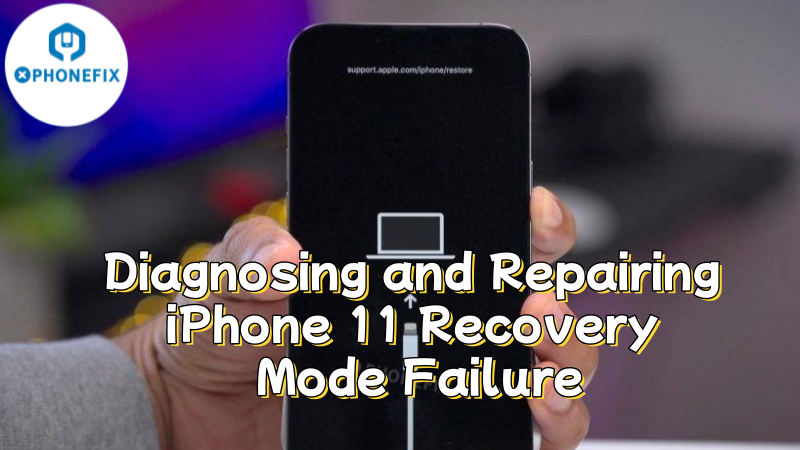
The iPhone 11 is a beloved classic, renowned for its balanced performance and durability. However, some users have encountered the problem of the progress bar getting stuck at 80% when attempting to fix frequent reboot issues through flashing. To help readers gain a deeper understanding of the causes and solutions to this problem, Phonefix will provide a complete diagnostic and repair process, offering a clear explanation from symptom analysis to complete repair.

I. Preparation
Before beginning the repair, it is essential to have the following professional tools ready:
- iTools or iTunes: Used for flashing and obtaining accurate error codes, which is the first step in diagnosis.
- Hot air gun and heating platform: Used for safely and non-destructively separating and reattaching the motherboard layers, which is crucial for repairing middle-layer solder joints.
- Trinocular stereo microscope: Used to observe the alignment of tiny solder joints on the motherboard during separation and reattachment, ensuring precision.
- Precision screwdriver: Used to safely disassemble the phone and remove the motherboard.
II. Diagnosing the Cause of the Fault
After completing the preparations, the technician begins a systematic fault diagnosis process. The first step is to obtain accurate information through flashing, followed by analyzing potential causes based on the device's condition.
1. Perform Diagnostic Flashing
Connect the faulty device to a computer and execute the standard flashing procedure. This operation is primarily for diagnosis rather than repair. When the progress bar stalls at 80% with an error, it indicates the system is verifying baseband hardware functionality.

2. Analyze Device Condition
After confirming no water damage or physical impact, focus the repair on internal motherboard issues. The iPhone 11's dual-layer board design makes it prone to poor contact at intermediate solder points after prolonged use.
3. Locate Fault Area
The baseband chip is located on the lower board, and its communication lines with the upper logic board pass through these solder points. Therefore, poor soldering in the intermediate layer preventing baseband recognition becomes the primary cause.
4. Confirm Fault Type
The failure at the baseband verification stage during flashing, combined with the device condition analysis, preliminarily confirms a communication failure in the baseband-related circuits.

III. Repair Process
After confirming the fault point, the technician prepares professional tools including a hot air gun, heating platform, and trinocular stereo microscope to begin chip-level repair on the motherboard. The entire operation requires extreme caution to ensure uniform heating while preventing damage to the board's delicate components.
Step 1. Disassembly Preparation
First ensure the device is completely powered off and remove all fixing screws. Carefully separate the housing components using professional tools, paying special attention to avoid flex cables. Gradually remove the iPhone motherboard from the device for subsequent repair.
Step 2. Secure and Inspect
Secure the removed motherboard on the heating platform. Carefully examine the condition of intermediate solder points under a microscope to assess integrity and plan the heating process.
Step 3. Even Heating
Use a hot air gun to evenly heat the motherboard. Closely monitor temperature changes to ensure the intermediate solder completely melts without overheating, maintaining uniform heating.

Step 4. Delamination
Gently separate the upper and lower motherboard layers using precision tools. Extreme care must be taken to avoid stretching or damaging any microscopic circuits during separation.
Step 5. Cleaning
Thoroughly clean aged and oxidized material from the exposed solder points on both layers. Then evenly apply new solder paste to ensure reliable reconnection.
Step 6. Alignment and Bonding
Precisely align the upper and lower layers under microscope guidance. Reheat the assembly using the heating platform until the new solder paste, firmly bonding the motherboard layers.

IV. Verification and Testing
After completing the motherboard repair, it is essential to verify the repair results through systematic testing. The following is the complete verification process:
1. Flashing Verification
Install the reattached iPhone motherboard back into the iPhone frame and connect it to a computer for a second flashing attempt. If the fault diagnosis is accurate and the repair is successful, the progress bar will smoothly pass the 80% mark and complete the flashing process.
2. Comprehensive Functional Testing
After flashing is completed, activate the phone and enter the system. The repair is not yet finished; all core functions must be thoroughly tested, including:
- Baseband functionality: Insert a SIM card to check signal strength and test emergency call capability.
- Wireless connections: Test whether Wi-Fi and Bluetooth can be enabled normally and can search for devices.
- Other functions: Test sound, recording, front and rear camera photography, Face ID, charging, etc., to ensure that no functions were affected during the repair process.

V. Precautions
Exercise extreme caution throughout the repair process. Motherboard layer separation and reattachment is a chip-level repair that requires high-level skills, specialized equipment, and experience. The heating temperature must be strictly controlled throughout the process.
If you are a repair enthusiast but lack sufficient operational experience, it is strongly recommended to have your device serviced at a professional repair shop to avoid causing irreversible damage to the motherboard.For more free phone repair information and professional repair tools, please visit the official China Phonefix website.


