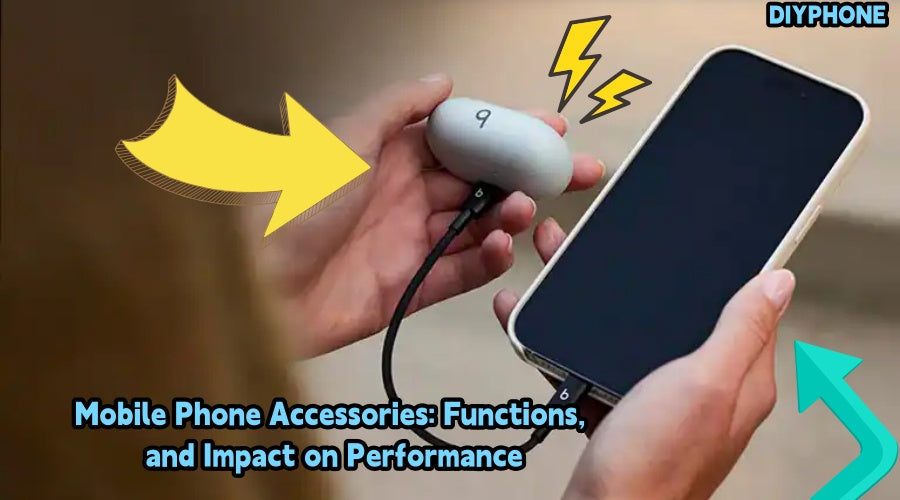
Mobile phone accessories not only affect the everyday user experience but also directly influence device performance, stability, and service life. For mobile phone repair technicians and ordinary users, understanding the actual functions of accessories and mastering basic testing methods can help reduce device failures and improve repair efficiency. PHONEFIX will introduce the different types of accessories, their impact on performance, common faults, and repair tools.

I. Functions and Main Types of Mobile Phone Accessories
Mobile phone accessories refer to auxiliary products used to protect mobile phones, expand their functions, or improve the user experience. Choosing the right Mobile Phone Accessories can improve a phone's practicality and durability.
1. Protective Accessories
· Phone Cases: Reduce damage to the phone body caused by drops and impacts.
· Tempered Glass Screen Protectors: Reduce damage caused by screen scratches and minor impacts.
· Waterproof Phone Pouches: Provide additional protection in specific environments, but cannot replace the phone's original waterproof sealing structure.
2. Charging and Power Accessories
· Chargers and Data Cables: Provide stable power supply and data transmission for mobile phones.
· Wireless Chargers: Charge devices through wireless induction.
· Power Banks: Provide additional power when users are outdoors or away from power outlets.
3. Connectivity and Function Expansion Accessories
· Bluetooth Earphones: Expand audio functionality.
· USB-C and Lightning Adapters: Connect external devices with different interfaces.
· Phone Stands: Make it easier to watch videos, use navigation, and make video calls.
Different accessories serve different purposes. When purchasing them, users should pay particular attention to product quality, interface specifications, and compatibility with their device model.

II. The Impact of Mobile Phone Accessories
In addition to affecting external phone protection, accessories may also change a device's power supply status, heat dissipation capacity, and communication performance.
1. Impact on Battery Life
Accessories such as wireless earphones and Bluetooth devices require continuous power during use, increasing the phone's overall energy consumption. In addition, low-quality chargers and data cables may cause unstable power output and low charging efficiency. If a phone charges slowly, charges intermittently, or experiences abnormal overheating, you can first replace the charger and data cable with properly functioning ones for comparison testing. If necessary, use a USB current and voltage tester to check the charging status.
2. Impact on Mobile Phone Signal
Some metal phone cases or poorly designed cases may affect antenna RF performance, resulting in reduced signal reception. If the signal weakens after installing a phone case, remove the case first and test the phone again. If the signal returns to normal, the case may be causing interference. If the problem persists, the antenna contacts, antenna flex cable, and related connection points should be inspected.
3. Impact on Heat Dissipation
Overly thick phone cases and wireless charging accessories with poor heat dissipation performance may affect the phone's normal cooling process. Prolonged exposure to high temperatures may cause processor throttling, accelerate battery aging, and even result in charging being paused. Therefore, users should choose accessories with reasonable heat dissipation designs and avoid keeping their phones in high-temperature environments for extended periods.
III. How to Identify High-Quality Accessories
Accessory quality directly affects the mobile phone user experience. Electrical accessories, especially batteries, chargers, and data cables, require particular attention to safety and compatibility.
1. Check Materials and Build Quality
High-quality accessories generally feature better materials and manufacturing precision. For example, data cable connectors should be firmly attached and should not feel noticeably loose when plugged in or unplugged. Phone cases should match the dimensions of the device and should not press against buttons or block antenna areas.
2. Check Electrical Performance
When purchasing charging accessories, pay particular attention to whether the output voltage and current meet the device's requirements and whether the accessories support the corresponding fast-charging protocols. Also check whether abnormal overheating occurs during charging and whether charging and data transmission remain stable. Repair technicians can use a multimeter and a USB current and voltage tester to assist with inspections and determine whether there are any power supply abnormalities.
3. Confirm Compatibility and Product Quality
Before purchasing, confirm the phone brand, model, and accessory specifications. Give priority to products from reliable sources with clearly stated specifications. Do not judge accessory quality solely by appearance or low prices.

IV. Common Accessory Fault Analysis and Repair Tools
When a mobile phone malfunctions, the problem is not necessarily caused by the motherboard. Some faults may be caused by external accessories or replacement components installed inside the device.
1. Phone Cannot Charge Normally
· Common Causes: Internal damage to the data cable or a damaged connector, abnormal charger output, dust accumulation, oxidation, or damage to the phone's charging port, battery aging, or an abnormal charging management circuit.
· Inspection and Solutions: First, replace the charger and data cable with properly functioning ones to troubleshoot the issue. Then check the charging port for dirt or looseness. If necessary, use an anti-static brush to clean the port. If the phone still cannot charge, further inspection of the battery, charging port flex cable, and motherboard charging circuit is required.
2. Touchscreen Abnormalities After Screen Replacement
· Common Causes: These include a low-quality screen assembly, an improperly connected flex cable, or a damaged connector.
· How to Fix It: During repairs, technicians should prepare a Precision Screwdriver Set, plastic pry tools, anti-static tweezers, and an anti-static work mat. First, power off the device and disconnect the battery. Then check whether the screen flex cable and connector are in good condition.
After reconnecting the cable, test the display and touchscreen functions. Proceed with reassembly only after confirming that everything works normally.
3. Abnormal Overheating After Battery Replacement
This may be related to battery quality, model incompatibility, or abnormal connections during installation. Repair technicians can use a multimeter to inspect the relevant circuits and an infrared thermometer to help identify areas of abnormal heat generation. If the battery is swollen or experiences obvious abnormal overheating, stop using and charging the device immediately and have it handled by a professional.

V. Daily Maintenance and Precautions
Proper use and maintenance of accessories can reduce the likelihood of mobile phone failures and help avoid unnecessary repair costs.
1. Precautions
· Regularly inspect chargers, data cables, and connectors. Replace them promptly if damage or poor contact is found.
· Avoid using batteries and charging accessories from unknown sources or with incompatible specifications.
· When a phone experiences abnormal overheating, unstable charging, or reduced signal strength, check external accessories first before inspecting internal device components.
· After replacing the screen, battery, or charging port, perform basic functional tests, including charging, display, touchscreen, and signal tests.
2. FAQ
· Can mobile phone accessories affect battery lifespan?
· Yes. Low-quality or incompatible chargers and data cables may reduce charging efficiency and cause abnormal overheating. Long-term use may affect battery health.
· Can a phone case affect signal reception?
· Some phone cases made of metal or featuring poor designs may affect antenna performance. It is recommended to choose a product that matches the phone model.
· What tests should be performed after replacing mobile phone accessories?
· It is recommended to check charging, display, touchscreen, battery status, signal reception, speakers, and cameras to ensure that the replacement accessories are working properly.
The quality of mobile phone accessories not only affects the everyday user experience but also influences device stability and service life. By choosing suitable accessories, professional Mobile Phone Repair Kits, and following standardized inspection and repair procedures, users and technicians can effectively reduce the risk of device failures and ensure the long-term stable operation of mobile phones.