
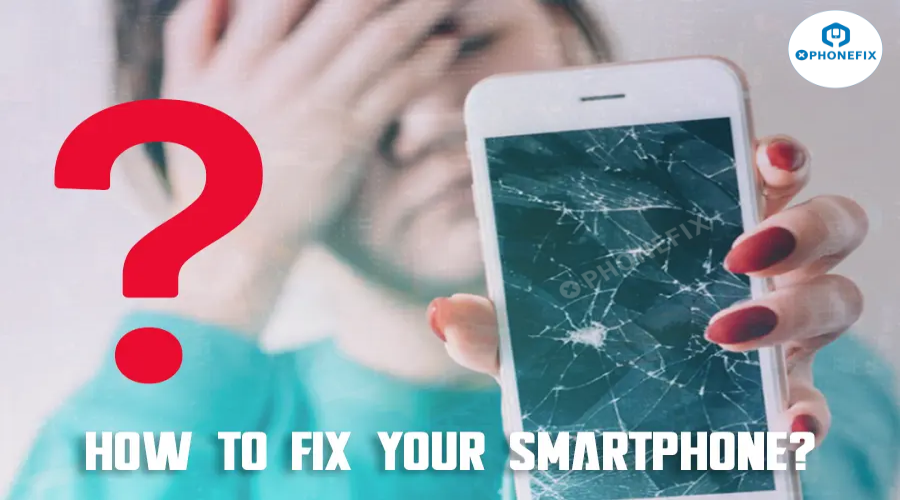
In today’s digital age, smartphones are vital to our daily lives, helping us stay connected, work, and entertain ourselves. However, frequent use can lead to issues like cracked screens, battery problems, or software glitches. When your phone breaks, repairing it may be the best choice. Phonefix will help you identify common problems and offer advice on tools, parts, and professional repair services to restore your device to full working condition.

Understanding the Basics of Mobile Phone Repair
Before you dive into the repair process, it’s important to understand the key components of a smartphone. These components interact intricately, and identifying the faulty part is essential for a successful repair.
-
Screen: Not only does the screen display visuals, but it also acts as the touch interface for interaction. A cracked or unresponsive screen can severely limit a phone’s usability.
-
Battery: As the power source, the battery is crucial. Over time, batteries degrade and may cause rapid power drainage or failure to charge.
-
Motherboard: The heart of your smartphone. It houses the processor and other circuits necessary for communication between components. Damage to the motherboard can cause the phone to malfunction, and this type of repair is often complex and expensive.
-
Phone Camera: These small but important components enhance the user experience by enabling photography, health tracking, and navigation. Issues with these components can be due to software bugs or physical damage.
Having a basic understanding of how these components work together will allow you to accurately diagnose issues and perform repairs effectively.
Common Smartphone Issues and Diagnosis
The first step in fixing any smartphone is diagnosing the problem. Here are some of the most common issues that require repair:
-
Cracked or Shattered Screen: One of the most frequent problems, often caused by accidental drops. If the screen is cracked but still responsive, it might still work temporarily, but ignoring it could lead to further damage.
-
Phone Battery Replacement: If your phone drains battery quickly, takes forever to charge, or won’t turn on, it’s likely that the battery is the culprit. Batteries naturally degrade over time, but if a battery is swollen or not holding a charge at all, replacement is necessary.

-
Water Damage: Even a small amount of water can cause significant internal damage. If your phone falls into water, it's crucial to act quickly—remove the battery (if possible), dry it out, and clean internal components with isopropyl alcohol. For more severe damage, professional repair might be required.
-
Software Glitches: Sometimes, issues like a phone that won’t charge or slow performance can stem from software issues, not hardware. A software update, factory reset, or troubleshooting might resolve the problem.
Diagnosing the issue properly will save you time and money, so make sure you carefully inspect your phone and, if necessary, use diagnostic tools to pinpoint the exact problem.
Tools Required for Mobile Phone Repair
Once you’ve identified the issue, having the right tools is crucial for a successful repair. Using high-quality tools will make your work easier and ensure your phone is repaired without additional damage.
-
YCS Screwdrivers: Precision screwdrivers are essential for opening up phones. Depending on the model, you may need specific sizes and types of screws, such as Pentalobe or Torx screws. Using the right tool ensures screws aren’t stripped or damaged.
-
Pry Tools and Spudgers: These tools allow you to separate components gently without damaging them. They are especially useful for opening the phone casing or removing the screen.
-
Tweezers: Phones have very small components, and tweezers are invaluable for handling them without causing damage.
-
Multimeter: A multimeter is necessary to diagnose electrical issues. It helps measure voltage, current, and resistance, which is especially useful for checking battery health or diagnosing motherboard problems.
-
Soldering Station: For repairs that involve soldering, such as motherboard issues, a heat gun or soldering iron is essential to safely remove or replace components.

Investing in good-quality tools not only makes the repair process more efficient but also minimizes the risk of damage to your phone.
Step-by-Step Guide to Fixing Your Smartphone
Now that you have the necessary tools, let’s dive into the repair process. Here’s a general guide to help you through it.
Step 1: Diagnosing the Problem
-
Start by visually inspecting the device. Look for obvious signs like cracks, discoloration, or unusual battery swelling.
-
Use diagnostic software tools if necessary, or check for error messages that might indicate a software issue.
-
If you suspect a hardware issue (e.g., cracked screen, faulty battery), continue with the repair process.
Step 2: Preparing for Repair
-
Ensure you have all the necessary tools and replacement parts. Organize your workspace to prevent losing small screws or components.
-
It’s recommended to power off your phone before starting any repair.
Step 3: Disassembling the Phone
-
Carefully remove screws and pry open the phone with appropriate Phone Opening Tools. Keep track of screws and components in the order they were removed to make reassembly easier.

Step 4: Repairing the Damaged Component
-
Whether you're replacing a cracked screen, damaged battery, or other components, follow manufacturer instructions or reference repair guides specific to your phone model.
-
For example, Phone Screen Replacement often requires disconnecting the old screen, removing adhesive, and installing the new one with proper alignment.
Step 5: Reassembling & Testing
-
Once the repair is complete, carefully reassemble your phone by reversing the disassembly steps. Test all functions, including the touchscreen, camera, and buttons, to ensure everything works properly.
Sourcing Quality Replacement Parts
Finding the right replacement parts is vital for ensuring your phone works as good as new after repair. You can purchase parts from authorized suppliers, third-party repair companies, or online stores. However, quality matters.
-
Original vs. Third-party Parts: Original parts from the manufacturer ensure compatibility and reliability, but they might be pricier. High-quality third-party parts are often more affordable but may vary in quality. Always check reviews and ratings of the parts and suppliers.
-
Cost of Replacement Parts: Prices vary depending on the model. For example, a Samsung Galaxy OLED Screen might cost around £194 from the official store, whereas third-party services like iSmash may charge around £169.

How to Find a Reputable Mobile Phone Repair Service
If DIY repairs aren’t your thing, finding a reliable mobile phone repair service is your best bet. Here’s how to choose a reputable service:
-
In-Store vs. Mail-in Services: In-store repairs are convenient, but mail-in services can be cheaper and more flexible. Both have pros and cons, so weigh your options carefully based on urgency and cost.
-
Customer Reviews and Warranty: Always check customer reviews to ensure the company provides good service. A reputable repair service should also offer a warranty for parts and labor, which provides peace of mind.

Should You Attempt to Fix Your Phone Yourself?
While DIY repairs might seem tempting, they are not always the best option, especially for newer or more complex devices. Here’s why:
-
Difficulty: Modern smartphones are tightly packed with delicate components. Repairing them requires precision and expertise.
-
Safety Concerns: Mishandling internal components can cause irreparable damage, especially when working with sensitive parts like the Phone Motherboard or battery.
If you’re not confident in your repair skills, it’s often best to seek professional help. Professional technicians have the right tools and experience to handle complex repairs safely.
Additional Repair Considerations
-
Repair vs. Replacement: If the cost of repair is close to or exceeds the cost of a new phone, it might be better to replace the device. Consider the age of your phone and whether it’s still under warranty or receiving software updates.
-
Buying Refurbished or Second-hand Phones: Refurbished phones offer a cost-effective alternative to new ones, especially if they come with a warranty. However, avoid buying second-hand phones from untrustworthy sources, as they may have hidden issues.

Mobile Phone Insurance
In case of unexpected damage, mobile phone insurance can be a lifesaver. Many insurance policies cover repairs or replacements due to accidental damage, but always read the terms to ensure you’re covered for the right scenarios. Some policies may also cover international damage, which can be handy when traveling.
In summary, Repairing a smartphone is a skill that requires the right tools, knowledge, and patience. Whether you're attempting a DIY fix or opting for a professional repair service, understanding the components and precision phone repair tools is the key to success. If you are looking for a legitimate and highly rated online platform for phone repair tools, diyfixtool store is a good choice, offering a wide variety of tools.


