
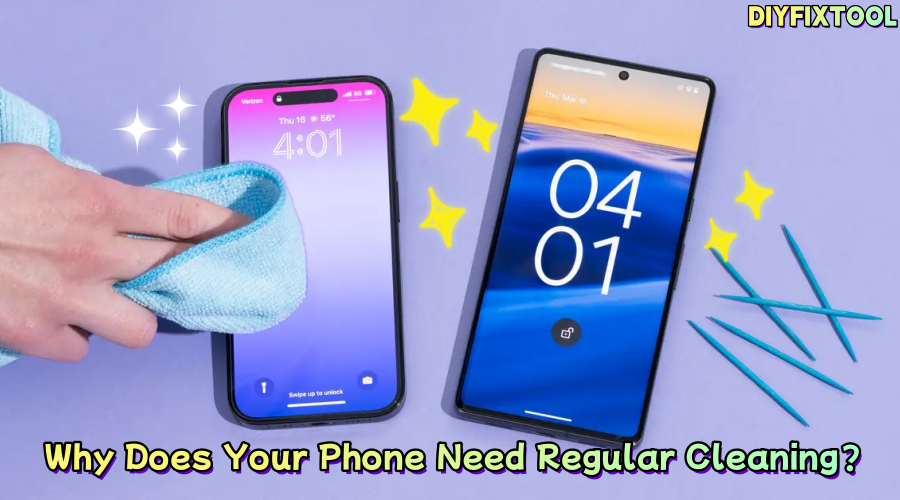
As smartphones become an integral part of our daily lives, they also become one of the most frequently handled and easily contaminated items. Therefore, paying attention to cleaning your phone is particularly important. DIYFIXTOOL will discuss the importance of cleaning your phone, how often to clean it, and provide useful tips to help you develop good phone maintenance habits.

I. The Benefits of Regular Phone Cleaning
· A Breeding Ground for Bacteria
Studies show that phones can harbor more bacteria than a toilet seat. Due to constant contact with our skin and frequent placement on various surfaces, phones easily become hotspots for bacteria and viruses, which can cause skin issues, infections, and other health problems. The small gaps around the ports, buttons, and speaker grills are especially prone to accumulating dirt and bacteria, which can affect the phone's functionality.
· Improving Phone Performance
Dust accumulation on the screen and ports can negatively impact phone performance, including speed and touch sensitivity. For example, dust blocking the speaker grill can degrade sound quality and call clarity, while dust or grease in the charging port may cause charging problems or prevent charging entirely. Regular cleaning ensures your phone runs smoothly and avoids performance issues caused by dirt buildup.
· Extending the Device's Lifespan
Oils, dust, and stains naturally accumulate on the phone's surface. If not cleaned regularly, these can seep into internal components, causing connection issues, charging problems, or even hardware damage. Consistent cleaning helps prevent this, reducing potential damage and extending the phone's lifespan.

II. How to Clean Your Phone?
The frequency and method of cleaning your phone vary depending on usage and cleaning needs. Here are some cleaning recommendations for different situations:
1. Daily Cleaning (Every Day)
· Wipe with a Microfiber Cloth
We use our phones daily for texting, browsing, or socializing, which leaves fingerprints, smudges, and dust on the screen. To maintain a clean and clear screen, it is recommended to wipe the phone screen with a Non dust cleaning cloth daily. Microfiber cloths effectively remove smudges without scratching the surface of the screen.
· Avoid Moisture Exposure
When cleaning daily, try to avoid using overly wet cloths on the screen, as moisture could seep into the phone's internals and damage internal components.
2. Weekly Cleaning (Once a Week)
· Use Disinfecting Wipes
Once a week, perform a comprehensive cleaning using alcohol-free disinfecting wipes specifically designed for electronic devices. Wipe all surfaces, including the screen, back, buttons, speaker grills, and camera. Alcohol-based wipes can damage the phone's coating, so it's important to choose wipes that are safe for electronics.
· Focus on Phone Buttons
The volume and power buttons often collect oils and bacteria. Use specialized wipes to clean these areas for better hygiene.
3. Deep Cleaning (Once a Month)
· Remove the Phone Case
If your phone has a protective case, it's a good idea to remove it and clean it monthly. The inside and outside of the case can accumulate dust, oil, and grime, which, if not cleaned, may affect the phone's cooling and usage experience. You can clean the phone case with mild soapy water and let it dry before reattaching it to the phone.
· Clean Gaps and Ports
Phone gaps, charging ports, and speaker holes are prone to getting clogged with dust and debris. Use cotton swabs, soft brushes, or specialized cleaning tools (such as cleaning pens) to carefully clean these hard-to-reach areas.
· Deep Disinfection
For deeper cleaning, use sanitizing equipment designed for electronics, especially during flu season or a pandemic, to kill bacteria and viruses.

III. Things to Keep in Mind When Cleaning Your Phone
· Turn Off the Phone
Before cleaning your phone, make sure to turn it off. This prevents potential battery damage and also avoids accidental screen or button presses that could interfere with the cleaning process.
· Avoid Household Cleaners
Many people use household glass cleaners, bleach, or other chemical cleaners on their phones, but these could damage the surface coating of the phone. It's recommended to use wipes specifically designed for electronics, or a soft cloth with a bit of warm water and mild soap.
· Avoid Over-Wetting
During cleaning, never allow liquids to enter any of the phone's openings, especially the charging port, headphone jack, or any other small holes. Always use a slightly damp cloth to clean and avoid letting moisture seep into the phone's interior.
· Use the Right Tools
For hard-to-reach areas, you can use soft brushes, Sponge Cotton swabs, or specialized phone cleaning tools. These tools help clean every corner of your phone and prevent accidental damage due to improper handling.

IV. Recommended Phone Repair Tools and Cleaning Equipment
In addition to regular cleaning, periodically checking your phone's hardware is essential. Here are some common phone repair tools that can help you with both cleaning and maintenance:
· Disassembly Tool Kit
This kit includes screwdrivers, prying tools, and suction cups, which are suitable for disassembling the phone and replacing components like the battery or screen.
· Microfiber Cloth
This is one of the most basic cleaning tools. It effectively removes stains from the phone's surface without scratching the screen.
· Cleaning Kits
Phone cleaning kit include dust removal brushes for the charging port, soft brushes, and keyboard cleaning tools. These are designed specifically for cleaning and fixing hard-to-reach areas, such as the charging port, volume holes, and other narrow spaces.
V. Conclusion
Maintaining a clean phone not only enhances its user experience, but through simple daily cleaning, weekly disinfection, and monthly deep cleaning, you can keep your phone running smoothly. By developing a regular cleaning habit, your phone will serve you better, and you can ensure a better overall experience with your device.


