
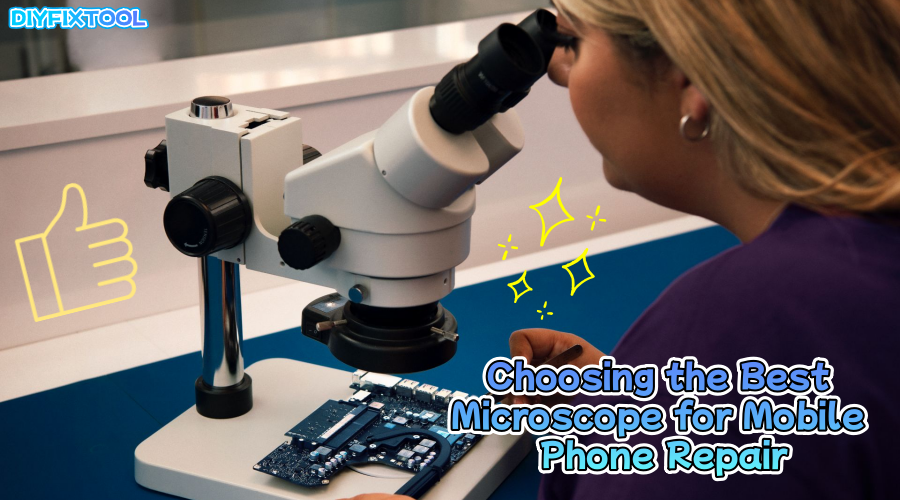
In the mobile phone repair industry, microscopes have become an indispensable tool. They help technicians clearly see the tiny components inside mobile phones, ensuring precise disassembly and reassembly. So, how should you choose the right microscope for mobile phone repair? DIYFIXTOOL will delve into the core functions, classifications, and selection tips for microscopes, helping you enhance precision during repairs.

I. Core Functions of a Microscope
The core function of a microscope in mobile phone repair is to magnify objects for clear viewing. Its main functions include:
1. Magnifying Details
A microscope magnifies tiny components on the phone's motherboard, such as micro-soldering points, capacitors, and chips, helping technicians spot small damages or poor connections that might otherwise be missed.
2. Precise Diagnosis and Operation
In circuit board repairs, a microscope's clarity and magnification help technicians closely inspect soldering points, chip pins, and small components. This ensures more accurate repairs and precise soldering when using a BGA Soldering Station, making the repair process more efficient and reliable.
3. Improving Repair Efficiency
A microscope reduces errors from naked-eye inspection, helping technicians quickly identify issues and avoid unnecessary disassembly, thus boosting repair efficiency.

II. Types of Microscopes
Microscopes are categorized based on usage and configuration, with each type serving a specific purpose. Common types include:
1. Optical Microscopes
Affordable and simple, optical microscopes use lenses to magnify samples, typically ranging from 10x to 100x magnification. They are ideal for routine mobile phone repairs.
2. Digital Microscopes
Combining optical lenses with digital imaging, digital microscopes display magnified images on a screen, ideal for capturing and sharing detailed images or videos during repairs.
3. Stereo Microscopes
Used for 3D observation, Trinocular Stereo Microscopes offer a wider field of view and are ideal for repairs requiring a broader perspective of the structure.
4. Electron Microscopes
Using electron beams for higher magnification, electron microscopes are used for ultra-precise analysis but are too costly and complex for standard mobile phone repairs.

III. Selecting Magnification and Field of View
Magnification and field of view are key factors in choosing the right microscope. Here are important considerations:
1. Magnification and Objective Selection
The primary function of a microscope is to magnify objects for clearer observation. Total magnification is the product of the objective lens and eyepiece magnifications. Common setups range from 4x to 100x for objectives and 10x to 20x for eyepieces. For mobile phone repairs, 10x to 50x magnification is typically enough.
2. Field of View and Selection
The field of view depends on the objective lens, eyepiece, and CTV adapter. Smaller magnification adapters (e.g., 0.3X) offer a wider view, while larger ones (e.g., 0.5X) provide more detail but reduce the visible area. For optimal results, pair a 1/1.8 or 1/2 sensor camera with a 0.4X CTV adapter.
3. Lighting for Microscopes
Proper lighting is essential for clear microscope observation. Even, bright white light prevents shadows and distortion. Avoid flickering lights, as they can affect both vision and images. An adjustable brightness light ensures optimal illumination.

IV. Industrial Cameras for Microscopes
Combining a microscope with an industrial camera can significantly improve the accuracy of observations and enable high-definition image capture and recording. Understanding how to choose the right camera and how to connect it is important:
1. Camera Selection
Pairing a microscope with an Industrial Digital Camera boosts repair accuracy and efficiency. The camera's sensor size is key: larger CMOS sensors (e.g., 1/1.8") capture a wider view and clearer images, avoiding issues like black circles or distortion.
2. Connecting a Microscope and Camera
Modern microscopes often have a trinocular head, with one eyepiece dedicated to connecting a camera. To capture details inside a mobile phone, use a CTV adapter and possibly an extension ring to adjust the distance between the camera and eyepiece. This allows the microscope to connect to a display or computer, providing clear, real-time images and improving repair accuracy.

V. Common Microscope Issues and Fixes
When using microscopes, common problems may arise. Understanding and resolving these issues can improve both efficiency and repair quality:
1. Color Shift
The primary cause of color shift is usually improper white balance settings. Most industrial cameras offer automatic white balance, but if a color shift occurs, try adjusting the white balance manually or use a white paper to perform one-click white balance adjustment.
2. Flickering or Dim Lighting
If the microscope's image flickers or appears dim, it is often due to a flickering light source or inadequate brightness. In this case, switch to a full-spectrum light source with minimal flicker and adjust the brightness for a more stable and clearer image.
3. Lens Selection
Lens selection is crucial for repair work. A macro lens is recommended for capturing fine details, while a wide-angle lens is ideal for covering larger areas.
Conclusion
In mobile phone repair, microscopes are an essential tool that directly affects the precision and efficiency of repairs. From selecting the right magnification and camera configuration to paying attention to lighting and focal length, every factor should be carefully considered. If you're looking for high-performance microscopes and accessories, feel free to visit DIYFIXTOOL for a selection.


