
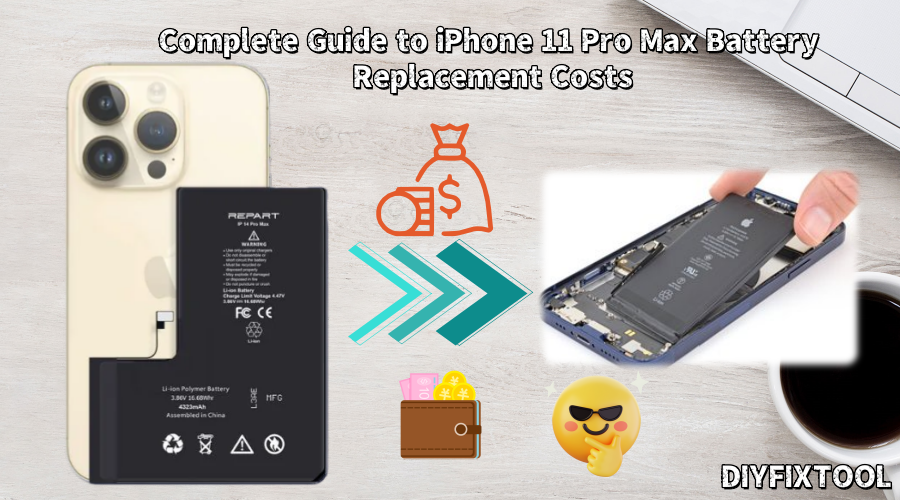
The iPhone 11 Pro Max, a flagship device from Apple, is known for its powerful performance and impressive camera features. However, over time, many users have noticed battery degradation, leading to shorter battery life and unexpected shutdowns, which can significantly affect the user experience. Battery wear is a natural process that affects all smartphones, including the iPhone 11 Pro Max. In this article, Phonefix will provide a detailed guide on the costs, repair process, and common issues related to replacing the battery of your iPhone 11 Pro Max.

I. Common Battery Problems with iPhone 11 Pro Max
Battery problems on the iPhone 11 Pro Max typically include the following:
1. Battery Health Degradation
All smartphone batteries experience some degree of degradation with increased usage time. When battery health (i.e., maximum battery capacity) drops below 80%, iPhone battery life will be significantly shortened. Users may find that the device's usage time is greatly reduced, and may even experience sudden shutdowns or inability to power on.
2. Slower Charging Speed
Battery degradation not only leads to shorter battery life but can also cause slower charging speeds. Even with the original charger, the battery may charge significantly slower than expected. This is because changes in the battery's chemistry and structure prevent it from effectively storing and releasing energy.
3. Overheating Issues
The iPhone 11 Pro Max may overheat during intensive tasks such as prolonged gaming or GPS navigation. Overheating not only affects the user experience but can also cause further battery damage and, in extreme cases, may even cause the device to shut down automatically.
4. Excessive Battery Cycles
Every battery has a limited number of charge cycles. iPhone batteries are generally designed to withstand 500 complete charge-discharge cycles. Once the battery reaches a certain charge cycle count threshold, its performance will significantly degrade, resulting in shorter battery life.

II. iPhone 11 Pro Max Battery Replacement Costs
The cost of replacing an iPhone 11 Pro Max battery varies depending on the repair service provider chosen. Generally, battery replacement costs fall into two categories: official repair and third-party repair.
1. Apple Official Repair Costs
If your iPhone 11 Pro Max is still under warranty, or you have AppleCare+, Apple offers a free battery replacement when the battery health drops below 80% of its original capacity. For users without AppleCare+, the official battery replacement cost is approximately $90. The advantage of Apple's official repair service is that it guarantees the use of an original battery, and the repair process is generally standardized, ensuring quality repair.
2. Third-Party Repair Costs
Compared to official repairs, battery replacements offered by third-party repair shops are significantly cheaper, typically ranging from $33 to $88. Price differences among third-party repair shops depend primarily on the quality of the battery used, the reputation of the repair shop, and the location of the repair center. Some repair shops offer "original-grade" batteries, while others may use lower-quality batteries. Therefore, when choosing a third-party repair shop, be sure to select a reputable vendor.
Note: Choosing a third-party repair shop may affect your device's warranty status. If your device is still under Apple's warranty, choosing a third-party repair shop may void your warranty. In addition, while third-party repairs may be cheaper, using a non-original battery can affect the device's performance and safety.
III. iPhone 11 Pro Max Battery Replacement Repair Steps
If you choose to replace the battery yourself, or simply want to understand the entire process, here are the detailed repair steps. It's important to note that battery replacement is a relatively complex operation involving some precision tools and techniques. If you lack relevant experience, it is recommended to seek assistance from a professional repair technician.
1. Preparation
First, you will need to prepare some necessary tools. Here are some common tools required for replacing an iPhone 11 Pro Max battery:
· Pentalobe screwdriver
· Phillips head screwdriver
· Suction cup tool
· Plastic pry bar
· Hot air rework station (or heating pad)
· Anti-static gloves
Furthermore, ensure you are operating in a clean, dust-free, and static-free environment to avoid static electricity damaging iPhone components.

2. Power Off and Remove SIM Card Tray
· Ensure your iPhone 11 Pro Max is completely powered off;
· Then remove the SIM card tray;
This ensures that you avoid accidentally touching the battery or circuit board during disassembly, which could cause damage.
3. Soften the Screen Adhesive
· Use a hot air gun to heat the screen area on the back of your iPhone 11 Pro Max to soften the adhesive;
· Carefully remove the screen from the device;
Tip: Heating for 2-3 minutes is sufficient. Be careful not to overheat to avoid damaging the device.
4. Remove the Screen
· Use a suction cup tool to hold the bottom of the screen, then gently pull it up to create a small gap;
· Use a plastic pry tool to slowly pry the screen open along the gap.
Note: Apply force evenly when prying to avoid cracking the screen.
5. Disconnect the Battery and Screen Connectors
· After disassembling the screen, locate the ribbon cable connecting the display to the motherboard;
· Use a Phillips screwdriver to remove the screws securing the ribbon cable and carefully disconnect the connector;
· Locate the battery connector, similarly remove the screws, and disconnect the battery from the motherboard.
6. Remove the Old Battery
· Gently insert a pry bar between the battery and the chassis, and slowly pry the battery open;
· If the battery adhesive is too strong, you can use a hot air gun to heat the battery area again to help soften the adhesive.
7. Install the New Battery
· Place the new battery in its original position, ensuring it is aligned and fits snugly;
· Reconnect the battery ribbon cable and secure the connector with a Phillips screwdriver;
· At this point, check that the connection is secure, ensuring the battery and motherboard are not loose.
8. Reassemble the iPhone 11 Pro Max
· Align the display with the body, connect the display cable, and secure it with screws;
· Check that the display is fully attached, then gently press the screen with a suction cup tool to ensure the adhesive between it and the body is fully bonded.
Tip: If necessary, you can reheat the area where the screen and body meet to ensure a firm bond.

9. Test the Device
· Power on the device to test if the new battery can charge and discharge normally;
· Check if other functions are normal, such as whether the touchscreen is responsive and the system runs smoothly.
The iPhone 11 Pro Max battery replacement is now complete. If the device is unusable after the replacement, contact a professional iPhone repair technician as soon as possible for repair.
As gadgets are utilized, battery deterioration is unavoidable. Therefore, frequently checking the battery health and replacing it in time will significantly increase the life of your gadget. Please contact China Phonefix if you plan to change the battery on your own or require additional expert repair equipment and components. We provide high-quality iPhone repair equipment and parts to ensure you have the greatest tool assistance during the repair procedure.


