
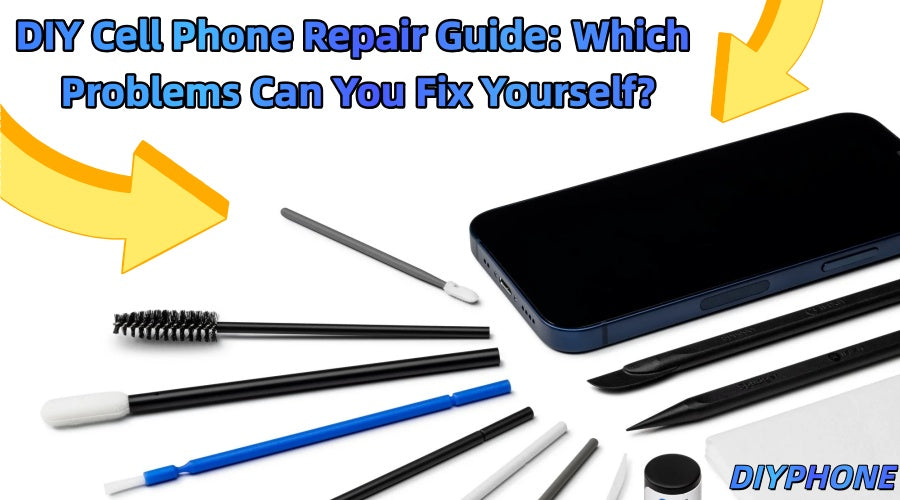
When a cell phone suddenly develops a problem, many people's first reaction may be to simply replace it with a new one. However, many common smartphone problems can actually be repaired, and some simple issues can even be handled at home. DIY smartphone repair can not only save on repair costs but also extend the lifespan of your phone, provided that you understand which repairs are suitable for beginners and which require professional experience.

I. Preparing for DIY Phone Repair
Before purchasing replacement parts or opening the phone, you should first determine exactly what is wrong with it. Different smartphone models have different internal structures, screws, connectors, and components, so the first step should be to confirm the exact model of the phone.
1. Back Up Important Data
Before performing any hardware repair, you should back up your photos, contacts, files, and other important data in advance. Even repairs that appear simple can encounter unexpected problems, and backing up your data beforehand can prevent unnecessary data loss.
2. Confirm the Actual Cause of the Problem
Do not assume that the visibly damaged part is necessarily the source of the problem. For example, a cracked phone screen may also have a damaged display flex cable; if the phone cannot charge properly, the charging port may simply have accumulated dust rather than the charging component itself being faulty.
3. Prepare a Clean Repair Environment
A bright and clean work area can make smartphone repair much easier. Removed screws and small parts should be stored separately, and it is best to use an anti-static mat to reduce the risk of static electricity damaging the internal components of the phone.
II. Tools Needed for DIY Cell Phone Repair
Having the right smartphone repair tools is a very important part of DIY smartphone repair. Using the wrong tools may scratch the phone's frame, damage connectors, and make an originally simple repair much more difficult.

Common smartphone repair tools include:
· Screwdriver set: For example, Phillips screwdrivers, Pentalobe screwdrivers, Torx screwdrivers, and Tri-point screwdrivers.
· Screen opening tools: Used to separate the screen and remove connectors. For beginners, using a pry bar directly may be risky, so tools such as Screen Heating Separators can be used to assist the operation.
· Precision tweezers: Used for handling small parts and adhesive tape. It is best to use them together with a magnetic storage mat to prevent small parts from being lost.
· Heating tools: Such as heating mats and heating stations, which are mainly used to soften strong adhesives.
· Digital multimeter: Used to check some basic circuit problems and is a fundamental tool for smartphone repair troubleshooting.
For people who are just starting to learn smartphone repair, a smartphone repair tool kit is a relatively convenient choice because a single kit usually contains a variety of commonly used repair tools and can meet basic repair needs such as screen replacement, battery repair, and charging port cleaning.
However, having the right tools does not mean that every repair can be safely completed by yourself. Some repairs still require professional equipment and extensive repair experience.
III. Cell Phone Problems You Can Try to Repair Yourself
Not every smartphone problem requires a visit to a professional repair shop. Some relatively simple problems can be handled by yourself if you have basic hands-on skills.

1. Dust in the Charging Port
Smartphones are often carried in pockets or bags, so charging ports can easily accumulate dust and lint, preventing the charging cable from making proper contact.
If you notice that the charging cable feels loose when inserted, or that charging repeatedly connects and disconnects, you can check the charging port first.
Simply use an appropriate cleaning tool to gently remove visible dust. Do not use sharp metal objects to forcefully clean the port, as this may damage the contacts inside.
2. Slow Phone Performance
A slow smartphone does not necessarily mean that there is a hardware problem. Before opening the phone, you can first try some simple software solutions:
· Close applications that you do not need to use.
· Delete unnecessary photos, videos, and applications.
· Clear up storage space on the phone.
· Install system updates.
· Restart the phone.
These simple methods can sometimes improve the phone's performance without requiring any hardware repair.
3. Water Damage
If a phone accidentally gets wet, turn it off immediately and do not connect it to a charger until the phone is completely dry. You can remove the phone case and place the phone in a safe, well-ventilated environment to dry.
It is not recommended to rely on the common method of placing the phone in rice or salt. The reference article also reminds users that extra caution is needed when dealing with a water-damaged phone, as continuing to turn it on or charge it may make the problem worse.

IV. Problems Beginners Are Not Recommended to Attempt
Some smartphone repairs may look simple, but incorrect operation can easily cause further damage. Screen, battery, back glass, and motherboard repairs usually require a higher level of technical skill and more professional equipment.
1. Screen Replacement
A cracked screen is one of the most common smartphone problems, but replacing a screen is not simply a matter of removing the old screen and installing a new one.
For example, iPhone Screens are usually held in place with strong adhesive and connected by very fragile, flexible cables. Applying too much force or inserting a pry tool too deeply can damage internal components of the phone.
The reference article also points out that improper screen repair can turn an originally relatively simple problem into a much more expensive repair.
2. Battery Replacement
Extra care is required when replacing a smartphone battery because smartphone batteries are usually firmly secured inside the phone. Applying too much force or using inappropriate tools may damage the battery.
When purchasing a replacement battery, you need to confirm that the battery model, connector, capacity, and other specifications are fully compatible with the phone.
3. Back Glass Repair
Back glass repair is also generally more suitable for experienced repair technicians. When removing broken glass, it is easy to damage the phone's frame, wireless charging components, or other internal parts without the proper equipment.
4. Motherboard and Microsoldering Repairs
If a phone cannot turn on, has a short circuit, network problems, or a damaged connector, motherboard-level testing and repair may be required.
These types of repairs usually require a microscope, hot air station, DC power supply, soldering equipment, and extensive repair experience. For someone performing DIY smartphone repair for the first time, they are not suitable to attempt directly.
V. Advice on DIY Cell Phone Repair
Tools are only one part of smartphone repair. The quality and compatibility of replacement parts are equally important. For iPhone repair shops and professional repair technicians, iPhone repair parts wholesale can be one way to source commonly used repair components. Depending on the type of repair business, common repair parts include screens, batteries, charging ports, cameras, speakers, and other replacement components.
When purchasing smartphone repair parts, you can focus on:
· Whether they are fully compatible with the specific smartphone model.
· The quality of the parts and their actual performance in use.
· Whether the supplier is reliable.
· Whether warranty and return or exchange services are provided.
· Whether parts for common models can be supplied consistently.
The best way to learn DIY smartphone repair is to start with simple repair projects and gradually build up experience. With good quality parts and Cell Phone Repair Tool Kits, you'll understand how different smartphone components work, become familiar with the use of precision tools, and refer to reliable repair guides for specific phone models.


