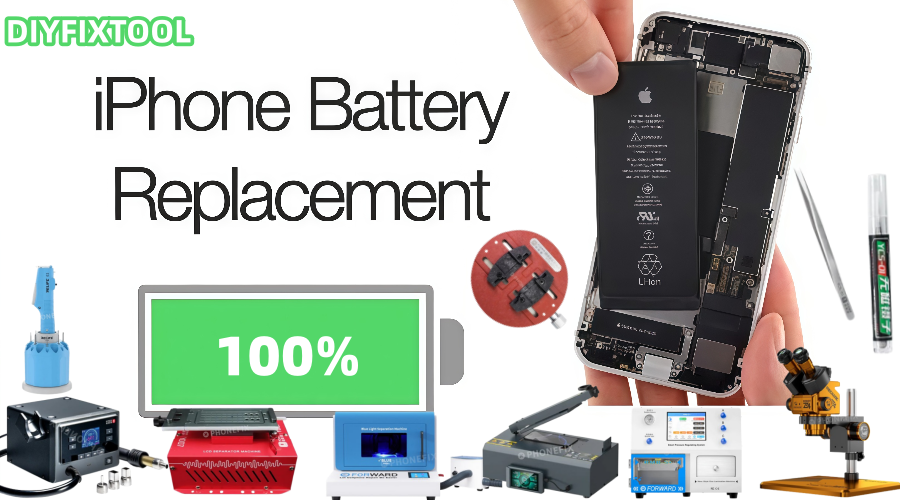
As iPhone batteries age, they will eventually have less power life and may even suddenly shut off or swell. Replace the battery in your iPhone on a regular basis to prolong its lifespan. Nevertheless, a lot of customers are unclear about when to change the battery, where to get repairs, how long the process takes, and how much it will cost. To assist you better understand iPhone battery replacements, Phonefix will address these queries in-depth in this post.
I. When Should You Replace Your iPhone Battery?
iPhone batteries don't have a fixed lifespan; their lifespan typically varies depending on frequency of use, charging methods, and environmental factors. Apple officially states that the optimal performance cycle for an iPhone battery is approximately 500 charge cycles, or about two years. When the battery health drops below 80%, battery performance will significantly degrade, battery life will be significantly reduced, and the phone may even shut down. You can determine whether a battery replacement is necessary by following these steps:

1. Battery Health Below 80%: You can check the battery health status on your iPhone by going to Settings > Battery > Battery Health. If the battery health is below 80%, you should consider replacing the battery.
2. Significantly Reduced Battery Life: If you find that your iPhone's battery only lasts a few hours after being fully charged, or if its charge drops rapidly after a period of use, this may be a sign of battery aging.
3. Battery Swelling or Physical Damage: This is the most serious sign of a battery problem. A swollen battery can cause the screen to warp, or even pose a safety hazard. If this occurs, the battery should be replaced immediately.
4. Unexpected Shutdowns: Even if the battery shows some charge remaining, your iPhone may experience unexpected shutdowns due to battery aging, especially during heavy use. At this point, the battery can no longer provide sufficient power and needs to be replaced.
II. How Long Does a Battery Replacement Take?
The time required for a battery replacement varies depending on the repair method. Here are some common battery replacement methods and their durations:
1. Official Repair Service
Official Apple battery replacement services typically take one to two hours. Apple repair technicians will first inspect the device, confirm the battery problem, and then replace it. Scheduled service can usually be completed in a shorter time, and the device will undergo a detailed inspection during the repair process to ensure the new battery is functioning properly.
2. Third-Party Repair Shops
Many professional third-party repair shops also offer iPhone battery replacement services. These shops typically perform battery replacements more quickly than official Apple repairs, typically taking 30 minutes to an hour. However, when choosing a third-party repair, pay special attention to the quality of your iPhone's battery to avoid using a low-quality battery that could affect your phone's performance.

3. DIY Replacement
If you choose to replace the battery yourself, the entire process may take one to two hours, depending on your familiarity with disassembly and the quality of the tools you use. While DIY repairs are less expensive, they are more tedious and require careful attention to avoid damaging your device.
III. What Tools Do I Need for a Battery Replacement?
If you decide to replace the iPhone's battery yourself, you'll need some specialized tools. The following are the essential tools for battery replacement:
1. Pentalobe Screwdriver:
The iPhone's outer casing uses Pentalobe Screwdriver (pentagram screws). You'll need a Pentalobe screwdriver to open the bottom casing of the iPhone.
2. Phillips screwdriver:
You may need a Phillips screwdriver when removing internal components. This tool is commonly used to remove other screws holding the iPhone in place.
3. Suction tool:
The suction tool is used to help you open the iPhone's screen. Be careful when using the suction tool to avoid excessive pull on the screen, which can cause damage.
4. Plastic spudger:
A spudger is used to gently separate iPhone components, especially when disconnecting screen cables. A plastic spudger is effective in preventing damage to the screen or other components.
5. Tweezers:
During the disassembly process, some small parts may require precise manipulation with tweezers. Tweezers are particularly useful when removing the battery connector and other delicate components.
6. Battery replacement kit:
Battery replacement kits designed specifically for iPhones are available. These typically include a screwdriver, spudger, suction tool, and other accessories to help you successfully complete the battery replacement.
IV. Detailed steps for replacing the iPhone battery DIY
If you decide to replace the battery yourself, here are the steps to help you complete the repair process smoothly:
1. Preparation:
Before beginning, ensure your work area is clean and dust-free, preferably using an antistatic mat. Also, make sure you have all your tools and accessories, including the new battery.
2. Power Off and Disconnect:
Before disassembly, be sure to turn off your iPhone and disconnect any external connections, ensuring that the iPhone is completely disconnected from any power input.
3. Removing External Screws:
Using a pentalobe screwdriver, remove the two screws at the bottom of the iPhone. Be careful not to damage the screw holes. Then, using a suction tool to attach to the bottom of the screen, carefully separate the screen from the body.
4. Disconnecting the Battery Connector:
Once the screen is pried off, use a plastic opening tool to disconnect the battery connector. Avoid applying excessive force during this procedure to avoid damaging iPhone motherboard.

5. Removing the Old Battery:
Most iPhone batteries are adhered to the inside of the phone with strong glue. Use a spudger to carefully remove the battery from the device. If the battery is particularly difficult to remove, use a hot air gun to slightly heat the back cover to soften the glue.
6. Installing the New Battery:
Place the new battery in the phone's battery compartment, ensuring it is properly aligned and properly connected to the battery connector. Ensure the battery connector is secure and not loose.
7. Reassembling the iPhone:
After installing the new battery, reattach the screen to the iPhone and ensure all connectors are properly connected. Then, use a screwdriver to reinstall the screws on the bottom of the phone.
8. Power-On Test:
After completing the above steps, power on the phone to check if the battery is functioning properly. You can check the health of the new battery in Settings > Battery > Battery Health to ensure everything is working properly.

V. iPhone Battery Replacement Costs
iPhone battery replacement costs vary depending on the device model, repair channel, and region. Here are some common battery replacement costs for reference:
1. Official Repair Costs:
Apple's official battery replacement costs generally range from $40 to $85. The specific cost varies depending on the iPhone model. For example, the battery replacement cost for an iPhone 13 is approximately $70.
2. Third-Party Repair Costs:
Some third-party repair services offer lower battery replacement fees, typically between $30 and $60. However, when choosing a third-party repair, ensure the battery is of good quality and the repairer has a good reputation.
3. DIY Repair Costs:
If you choose to replace the battery yourself, the overall cost, aside from the cost of the tool kit and battery, is relatively low. iPhone batteries typically cost between $15 and $45, while the tool kit costs approximately $7 to $30.
Changing the battery in your iPhone is an easy yet crucial fix that guarantees correct operation and extends the battery life of your device. Which option you select—a third-party service, an official Apple repair, or a DIY replacement—depends on your needs and situation. China Phonefix offers expert iPhone repair tools that will guarantee the quality of your iPhone repair. Regardless of the approach you take, changing your iPhone's battery on a regular basis will help it last longer and function at its peak.