
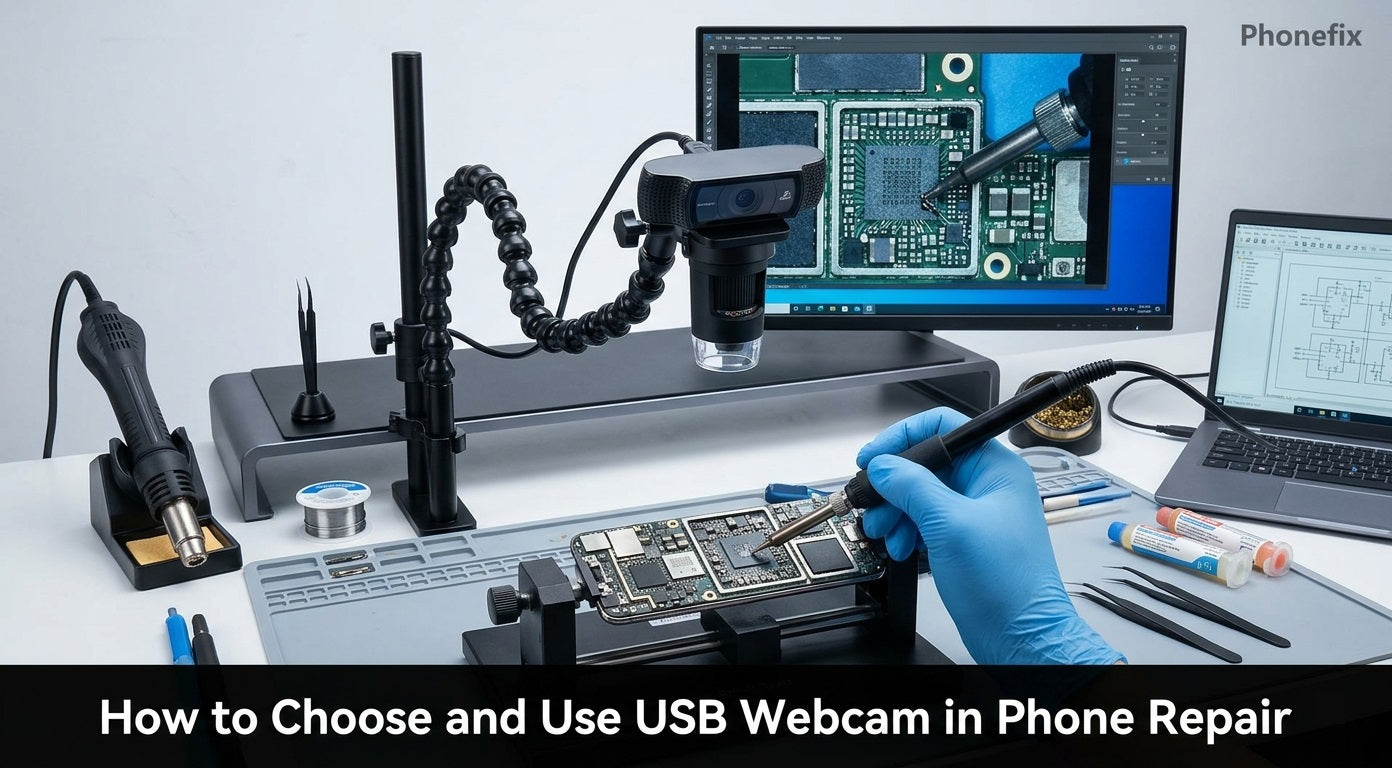
USB webcams are everywhere. They sit on monitors, hang from tripods, and plug into laptops. But they are not just for video calls. Phone repair shops are starting to use them in new ways. This guide covers what a USB webcam is, how to use it in phone repair, and how to choose the right one.
I. What Is a USB Webcam?
1. Definition
A USB Webcam is a camera that connects to a computer or other host device via a USB interface. Its core function is to capture video signals and transmit the live image to the host in real time for display or processing.
2. Core Components
A complete USB Webcam consists of the following main parts:
· Image sensor: Common types are CMOS or CCD. It converts light into electrical signals.
· Lens: Focuses light onto the sensor surface. It determines the field of view and image sharpness.
· ISP (Image Signal Processor): Processes raw image data for noise reduction, colour correction, exposure control, and other adjustments.
· USB controller chip: Manages the transfer of processed video data to the host via the USB protocol.
3. Key Technical Standards
UVC
UVC is the standard protocol for USB video devices. A camera that complies with the UVC standard requires no dedicated driver – it is plug‑and‑play. Operating systems (Windows, macOS, Linux, Android) natively support UVC. When connected, the system automatically recognises the camera as a video source.
USB Interface Versions
The USB version directly affects data transfer capability and the upper limit of video quality.
| USB Version | Theoretical Bandwidth | Suitable Video Specification |
| USB 2.0 | Approx. 480 Mbps | 1080p @ 30fps |
| USB 3.0 | 5 Gbps | 4K @ 30fps and above |
The high bandwidth of USB 3.0 supports uncompressed or lightly compressed video transmission at 4K resolution. For 4K cameras, USB 3.0 is the mainstream choice.
Resolution and Frame Rate
Resolution determines the level of detail in the image. Common resolution specifications:
· 720p (1280 × 720)
· 1080p (1920 × 1080)
· 4K (3840 × 2160)
Frame rate refers to the number of frames transmitted per second, measured in fps. A higher frame rate gives smoother motion. 30 fps is the mainstream standard; 60 fps is suitable for fast‑motion scenes. A common configuration for industrial‑grade USB Webcams is: 4K resolution + MJPEG compression + 30 fps frame rate. The MJPEG format reduces bandwidth usage while maintaining good image quality, making it suitable for USB transmission.

II. How to Apply USB Webcam in Phone Repair?
Phone repair work requires precise visual inspection. USB webcams help in several ways.
Use as a Microscope for Soldering and PCB Work
Phone motherboards have tiny components. BGA chips have hundreds of solder balls underneath. Micro‑soldering needs clear magnification. A USB webcam paired with a microscope lens shows the board on a large screen. The repairer sees every pad, trace, and solder joint clearly. 4K resolution reveals fine details like bridging, cold joints, and corrosion. Connect the USB microscope to a monitor or laptop. Position it over the work area. Adjust the focus and magnification. The live image helps guide the soldering iron and Hot Air Gun. Many repairers use this setup for board‑level repairs.
Use as an Endoscope for Internal Inspection
Some phone problems hide inside the chassis. Water damage, broken flex cables, and loose connectors are not always visible from the outside. A USB endoscope uses a tiny lens on a flexible cable. Insert it into the phone body without full disassembly. View the image on a screen. This method saves time and reduces the risk of damaging other parts. Endoscopes also work for inspecting battery swelling, port debris, and camera module alignment.
Use for Live Streaming and Teaching
Repair shops often record or broadcast repair sessions. A USB webcam mounted above the workbench captures the whole process. Stream the video to a learning platform or a remote assistant. The assistant can guide the repairer in real time. This setup also creates training materials for new technicians.
Convert Old Phone Cameras into USB Webcams
Some repairers salvage camera modules from dead phones. With a small adapter board, these modules can output video over USB. The image quality is often excellent because phone cameras have high‑resolution sensors and autofocus. This method recycles e‑waste and provides a free high‑quality macro lens.
III. How to Choose a Suitable USB Webcam for Phone Repair?
Choosing the right USB webcam depends on the repair task. The following guidelines help narrow down the options.
Select Based on Usage Scenario
· For micro‑soldering and chip inspection: choose a USB microscope with a built‑in ring light. Resolution should be at least 1080p, preferably 4K. Look for MJPEG support to maintain frame rate. A stand or arm mount is essential for stability.
· For internal inspection: choose a USB endoscope camera with a small lens diameter (e.g., 5.5 mm). It should support OTG (On‑The‑Go) for connection to phones. Waterproof design is a plus for cleaning.
· For live streaming and teaching: choose a standard USB webcam with 1080p or 4K, 30 fps, and UVC compliance. Good auto‑exposure and white balance are helpful. A wide field of view covers the entire workbench.
Pick the Right Image Sensor
Sensors vary in size and sensitivity. The IMX415 offers a good balance of cost and quality for everyday repair. The IMX274 delivers higher frame rates, which helps when viewing fast movements like hot‑air rework. The IMX678 has a larger 1/1.8‑inch sensor and excels in dim conditions – useful when working under a desk lamp with shadows.
Choose the Lens Focal Length
Focal length determines magnification and field of view. A short focal length (2.8–12 mm) gives a wider view. It covers more area on the workbench. A long focal length (5–50 mm) provides higher magnification. It shows smaller details like individual pins and ball joints. Varifocal lenses allow adjustment. They offer flexibility for different tasks. For a repair shop, a varifocal lens is a good investment because one camera fits multiple uses.
Check Key Parameters
· Resolution – at least 1080p, but 4K is better for fine detail.
· Frame rate – 30 fps minimum. Lower rates cause lag and eye strain.
· UVC compliance – must be UVC‑compatible for plug‑and‑play.
· USB version – USB 3.0 is recommended for 4K cameras.
· OTG support – if connecting to a phone, confirm the camera works with the phone's OTG function.
Practical Tips
Test the camera before buying. Look for sample images or video reviews. Check the working distance – the space between the lens and the board. Some lenses focus only at a certain distance. Also, consider the mounting system. A flexible arm or stand allows quick positioning.

A USB webcam is more than a video‑call device. It becomes a microscope, an endoscope, and a teaching tool in a phone repair workshop. Choosing the right one involves matching sensor, lens, and resolution to the specific task. For repair professionals, a good USB webcam is an essential part of their Phone Repair Tools kit. This guide provides a clear path to making the right choice. Use it as a reference when upgrading your workbench.


