
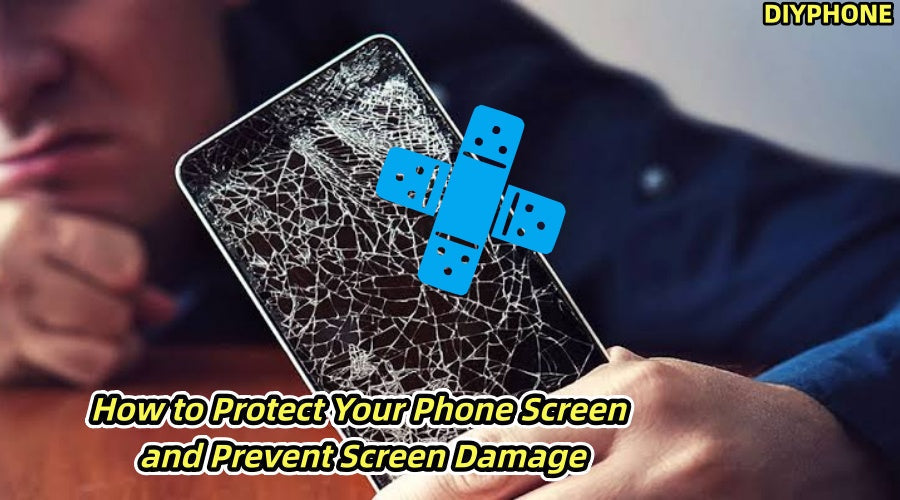
The phone screen is one of the components most susceptible to damage during daily use. Many people believe that screen damage mainly depends on luck, but this is not actually the case. The environment in which a phone is dropped, how it is normally stored, the choice of screen protector, and how problems are handled after they occur can all directly affect the screen's service life. By taking basic protective measures and learning some simple troubleshooting and repair knowledge, you can effectively reduce the repair costs caused by screen damage.

I. Common Causes of Phone Screen Damage
Although phone screens undergo strengthening treatments, they are essentially still precision glass display components. During daily use, the following situations are most likely to cause damage.
1. Drops and Impacts
Dropping a phone from a desk, sofa, or pocket is one of the most common causes of a cracked screen. Hard surfaces such as ceramic tiles and concrete floors provide almost no cushioning. It is important to note that whether a screen cracks depends not only on the height of the drop, but also on the impact angle, contact area, and surface material. When a phone corner hits the ground directly, the impact force is concentrated over a relatively small area. Even a drop from a low height can therefore cause the glass to crack.
2. Keys or Coins
Keys and coins should also be kept away from your phone whenever possible. Especially when the phone is in a pocket and constantly moving, hard objects can repeatedly rub against the screen surface, gradually affecting its gloss and feel. In addition, damage caused by tiny particles may not be noticed immediately. Quartz in sand has a relatively high hardness, so prolonged friction between a phone and sand particles can cause fine scratches.
3. Pressure and Extreme Temperatures
Sitting down while keeping your phone in your back pocket is a potentially dangerous habit that many people overlook. Excessive pressure may cause slight deformation of the phone's frame, which can affect the screen and internal components. High and low temperatures also require attention. Prolonged exposure to direct sunlight may affect the Phone Screen Adhesive, battery, and internal components. In low-temperature environments, strong bending or impacts should be avoided.

II. Appropriate Screen Protection Equipment
Phone protection should not rely solely on a screen protector. A more reasonable approach is to combine a screen protector, phone case, and proper usage habits.
1. Tempered Glass Screen Protector
Tempered glass screen protectors are a common screen protection solution. They offer good scratch resistance, and their feel is relatively close to that of the original screen. When choosing one, pay particular attention to:
· Ddesigned for the specific phone model.
· Fully cover the effective area of the screen.
· Has an oleophobic, fingerprint-resistant coating.
· Compatible with in-display fingerprint recognition.
· Comes with an alignment frame, cleaning cloth, and dust-removal stickers.
It is important to note that you cannot rely solely on so-called high-hardness screen protectors to prevent the screen from cracking.
2. Plastic Screen Protector
Plastic screen protectors are generally thinner and lighter and are also less expensive. Some products provide good adhesion on curved screens. However, their scratch and impact resistance is generally inferior to that of glass protectors. If the main purpose is to prevent minor everyday scratches, you can choose according to your budget and usage habits.
3. Using a Phone Case
A screen protector mainly protects the surface of the screen, while a Magnetic Phone Case can provide cushioning for the frame and four corners when the phone is dropped. It is recommended to choose a phone case with cushioning structures at the four corners and edges that are slightly higher than the screen. This can reduce the possibility of the screen directly contacting the ground when the phone lands face down.

III. Properly Using a Screen Protector
No matter how good the screen protector is, if a large amount of dust gets underneath it during installation, the user experience will be affected. Preparing the necessary tools before applying the protector is often more important than the protector itself.
1. Prepare the Tools
· Microfiber Cleaning Wiper
· Screen cleaning wipes
· Dust-removal stickers
· Plastic squeegee card
· Screen protector alignment frame
2. Working Environment
If the installation is being performed on a phone repair workbench, you can also prepare an anti-static mat, anti-static wrist strap, and anti-static tweezers to reduce the impact of dust and static electricity on the working environment. The working environment should preferably be kept clean and have sufficient lighting. The fewer dust particles on the screen, the better the final screen protector installation will be.
3. Clean the Screen
First, wash your hands thoroughly and then turn off the phone.
Use a cleaning wipe to remove oil and dirt from the screen, then dry it with a microfiber cloth. Finally, use a dust-removal sticker to remove small particles of dust around the edges of the screen and near the camera.
The most common problem here is that the screen "looks clean" but still has dust on it. Therefore, after cleaning, you can use a repair light to inspect the screen from different angles.
4. Align and Apply
When using an alignment frame, first confirm the positions of the openings on the screen protector, then slowly lower the protector into place.
After the protector comes into contact with the screen, allow the adhesive layer to naturally adhere from the center toward the edges. If bubbles appear, use a plastic squeegee card to slowly push them from the center toward the edges.
If there is clearly dust inside a bubble, do not repeatedly press on it directly. Carefully lift one corner of the screen protector, use a dust-removal sticker to remove the dust, and then reapply the protector.

IV. Screen Damage Assessment and Handling
If the phone has already been dropped, do not rush to disassemble it. First, determine whether the damage is limited to the surface glass or involves the internal display and touch components.
1. Only the Glass Has Cracked
If the screen displays normally and the touch function also works normally, but the surface glass is cracked, you can provide temporary protection first. You can cover the screen with transparent tape or an appropriate screen protector to prevent broken glass from cutting your fingers while also reducing the risk of the cracks spreading further. However, if there are many cracks or the phone is frequently subjected to pressure, professional inspection is still recommended as soon as possible.
2. Black Spots and Screen Flickering
If black spots, colored vertical lines, areas that do not display, or screen flickering appear after a drop, the damage may have reached the display component. In this situation, simply replacing the screen protector is of no use. The display assembly, flex cable, and related connectors need to be inspected further.
3. Touch Failure
You can check whether there are fixed areas that do not respond by dragging icons or opening a touch-test function. If the display is normal but certain areas cannot be touched, the problem may involve the touch layer, flex cable, or display assembly.
4. Emergency Handling After the Screen Cracks
If the phone can still be used normally after being dropped and cracked, it is recommended to back up photos, contacts, and important data immediately. At the same time, avoid pressing hard on the cracked area or peeling away glass that has already broken. Do not allow the phone to come into contact with water or steam. If the phone also shows signs of severe overheating, body deformation, a swollen battery, or similar problems, stop using it and have it inspected by a professional repair technician as soon as possible.
Many problems such as phone screen damage are related to small habits in everyday use. Choosing an appropriate screen protector and phone case, properly cleaning the screen before applying the protector, and understanding the basic methods for assessing cracks, black screens, and touch failures can help ensure that problems are handled more appropriately. Using a suitable Phone Repair Tool Kit and following repair procedures for the corresponding phone model can also help ensure more appropriate handling when problems occur.


