
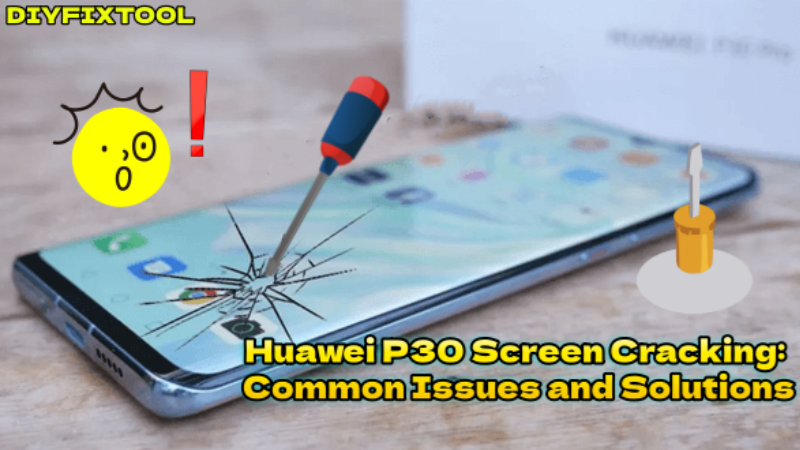
The Huawei P30, known for its high performance and stylish design, has won the favor of many users due to its excellent screen and powerful camera capabilities. However, issues like screen cracking and touch malfunctions often occur when the phone is dropped or subjected to external impacts. DIYFIXTOOL will provide a detailed discussion on potential faults and repair solutions related to the Huawei P30's screen damage, helping you make an informed decision.

I. Common Screen Issues with the Huawei P30
1. Screen Cracks or Breakage
Dropping the phone or subjecting it to external impacts is a common cause of screen cracks or breakage. The glass layer of the screen may crack, resulting in visible cracks or pieces falling off. These cracks or fragments not only affect the phone's appearance but can also interfere with normal use, and in severe cases, may cause the touchscreen to stop working, making it impossible to operate.
2. Screen Flickering or Display Abnormalities
Screen flickering, color deviation, or localized display issues are often caused by a malfunction in the display driver circuits or the screen itself. This issue may manifest as certain areas of the screen displaying incorrect colors or uneven brightness, or as full-screen flickering, making it difficult to read or view content.
3. Unresponsive Touchscreen
If you notice that the touch response on your Huawei P30 is slow or certain areas are unresponsive, the issue is likely with the touchscreen sensor layer. This problem is often caused by screen damage, loose connectors, or dirt on the screen's interface. An unresponsive screen can significantly hinder daily operations, especially when browsing the web or using apps.
4. Distorted Display or Black Screen
If the screen shows distorted images, color imbalances, or a completely black display, the issue may be caused by a damaged display panel or problems with the screen's connecting cables. A black screen typically means that the phone is unable to output any display signals. In this case, even if the phone's other functions are working, the screen won't show anything.

II. Solutions to Huawei P30 Screen Issues
When facing the above issues, users are most concerned with how to resolve these screen malfunctions. The solution varies depending on the problem. Below are some common solutions for these issues:
1. Screen Cracks or Breakage
· Replace the Screen: If the screen cracks or breaks severely, the only solution is to replace the entire Huawei P30 Display Screen. The Huawei P30 typically requires a full screen replacement, including both the glass and display components. When replacing, make sure to choose a screen that is compatible with the Huawei P30 to ensure proper display quality and touch sensitivity.
· Temporary Fix: If the crack is small and does not affect operation, you can temporarily use the phone. However, it is recommended to replace the screen as soon as possible. To prevent fragments from falling off, you can use a transparent protective film to temporarily cover the cracked area, preventing further breakage.
2. Screen Flickering or Display Abnormalities
· Restart the Phone: Sometimes screen flickering or display issues can be caused by software conflicts. Try restarting the phone to see if the issue resolves.
· Check for Software Updates: Huawei regularly releases system updates, which may include fixes for display and touch-related issues. If screen flickering is caused by software problems, updating the system may help resolve the issue.
· Replace the Screen or Check the Connecting Cables: If restarting and updating the software don't fix the issue, and the problem persists, it may be due to a faulty screen or connection cable. In this case, the screen needs to be replaced, or the connection cables should be checked for proper contact.

3. Unresponsive Touchscreen
· Clean the Screen: Sometimes, an unresponsive touchscreen may be caused by dust or dirt on the screen. Use a soft, lint-free cloth to clean the screen and remove any physical obstructions that could interfere with touch functionality.
· Reconnect the Cable: If the screen is not severely damaged, the issue may be caused by a loose or damaged connecting cable. A professional technician can open the phone, check, and reconnect the cable to resolve this issue.
4. Distorted Display or Black Screen
· Restart the Phone: If the Huawei P30 screen shows a black or distorted display, try restarting the phone to see if it restores the display.
· Check for Connection Issues: Display distortion may be caused by a connection problem between the screen and the motherboard, especially when the connecting cables are not properly connected. A professional technician can check and reconnect the cables.
5. Fingerprint Unlock Failure
· Clean the Fingerprint Sensor: Due to the accumulation of oil or dirt, the fingerprint sensor may stop working. Gently wipe the fingerprint sensor area on the screen with a Microfiber Cleaning Wiper, which may restore its normal functionality.
· Reset Fingerprint Data: If cleaning the screen does not fix the fingerprint unlock issue, try resetting the fingerprint data. Go to the phone settings, delete the old fingerprint data, and register a new fingerprint.

III. Huawei P30 Screen Repair Costs
The cost of repairing the Huawei P30 screen varies depending on the choice of parts and repair methods. Below are common repair cost references:
· Third-party Screens (No Fingerprint Unlock Support): Priced around $20 - $35, suitable for users with a limited budget, but may affect display quality and touch sensitivity.
· Third-party Screens (With Fingerprint Unlock Support): Priced around $40 - $55, retains the fingerprint unlock feature, ideal for users who require this function.
· Original Screen Assembly: Priced around $60 - $85, ensures the best display quality and touch sensitivity.
Professional Repair Costs:
· Regular Third-party Repair Shops: About $70 - $120, a more affordable option, usually including both parts and labor costs.
· Brand-authorized Repair Centers: About $130 - $160, offering higher repair guarantees and warranty periods.
IV. Conclusion
It is crucial to address screen issues with the Huawei P30 in a timely manner. Whether it's cracks, display abnormalities, or touch malfunctions, the most important thing is to identify the root cause and choose an appropriate repair solution. For more information on Huawei phone repair and troubleshooting, stay tuned to DIYFIXTOOL.


