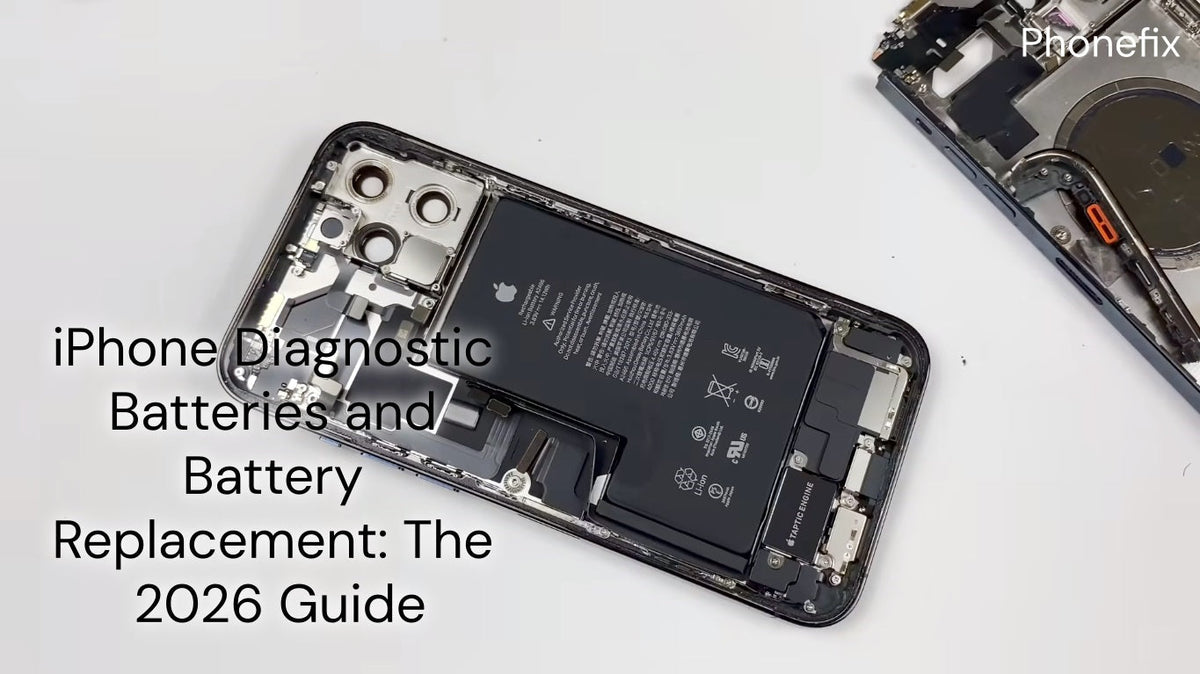
After an iPhone battery replacement, a warning may appear: “Unable to verify this iPhone has a genuine Apple battery”. Whether the work is done by a DIYer or a professional repair shop, this message causes anxiety and doubt. For many repair shops, the return rate and lost trust caused by this single pop-up are immeasurable. Diagnostic batteries solve this problem effectively. This guide explains how diagnostic batteries solve the verification issue and how they are installed without soldering or spot welding.

I. The Necessity and Importance of iPhone Battery Replacement
Battery replacement is a core service for phone repair shops. It is driven by three main factors:
· Inevitable Degradation: Lithium-ion batteries age. After two years of daily charging, capacity drops significantly.
· Performance Management: When battery health falls below 80%, iOS limits CPU performance to prevent unexpected shutdowns. The phone feels slow to the user.
· Business Value: A battery replacement extends a device's lifespan by years. It is a reliable source of repeat business and customer trust.
However, the technical process is no longer simple. Since the iPhone XR, Apple has paired the Battery Management System (BMS) to the phone's logic board. The BMS is a small circuit that stores authentication data. If an unpaired battery is installed, iOS disables battery health reporting. A permanent warning is displayed in the settings. The phone works, but the customer thinks it is broken.
II. The Role of iPhone Diagnostic Batteries in Replacement
A diagnostic battery solves the verification problem. It is an aftermarket battery with a pre-programmed authentication chip on its BMS board.
· How it works: The chip completes the handshake required by iOS. After installation, the phone reads the battery as valid. Battery health displays 100%, and the cycle count shows zero. No “Unknown Part” label appears in the Parts & Service History.
· Standard Batteries vs. Diagnostic Batteries: A standard aftermarket battery lacks this pairing data. It triggers the “Important Battery Message” and disables health reporting. A diagnostic battery carries the credentials from the start.
· Eliminating the Risk: Traditionally, technicians cut the old BMS off and spot-weld it onto a new cell to preserve pairing. This heat can damage the lithium-ion cell. A diagnostic battery eliminates this risk completely. The old BMS is discarded. No soldering or spot welding is required.
III. How to Replace an iPhone Diagnostic Battery
The installation process is simplified because no BMS transfer is needed. The following steps apply to iPhone 12 and newer models running iOS 18 or later.
Step 1: Preparation. The device is updated to the latest iOS version. The battery level should be above 20%. A stable Wi-Fi connection is required for later calibration.
Step 2: Opening and Removal. The phone is powered off. The bottom pentalobe screws are removed. Controlled heat is applied to soften the display adhesive. The display is separated, and the old battery is disconnected and removed. The old BMS is discarded.
Step 3: Installation. The new diagnostic battery's connector is plugged into the logic board. New adhesive is applied to secure the battery. No soldering iron or spot welder is used.
Step 4: Repair Assistant. The phone is reassembled and powered on. If a “Finish your battery repair” prompt appears, it is tapped. Otherwise, navigate to Settings > General > About > Parts & Service History and tap Restart & Finish Repair. The phone connects to Apple's servers over Wi-Fi to complete calibration.
Step 5: Verification. After the restart, open Settings > Battery > Battery Health & Charging. Battery Health displays 100%. No warning messages are shown.

IV. The 2026 Outlook
As the mobile repair industry moves into 2026, the landscape continues to shift. Three key factors are making diagnostic batteries the default choice for iPhone battery replacement:
· Global Right to Repair Legislation
By 2026, Right to Repair laws are expected to be fully enforced in several major markets, including the EU and parts of the US. These laws require manufacturers to provide fair access to parts and repair information. Consumers are becoming more aware of their rights and are less tolerant of "parts pairing" software locks. Diagnostic batteries meet this growing demand for independent repair without software restrictions.
· The Evolution of iOS Software Pairing
Apple continuously updates iOS to tighten component verification. While iOS 18 introduced the Repair Assistant for calibration, future iterations (such as iOS 19 or 20) may introduce new layers of software checks. Diagnostic battery manufacturers are constantly updating their authentication chips to stay ahead of these changes. In 2026, a high-quality diagnostic battery is designed to remain compatible with the latest firmware updates.
· Labor Costs and Repair Efficiency
The traditional method of BMS transfer requires a high level of skill and expensive equipment. In 2026, as labor costs rise and skilled technicians become harder to find, the time-consuming process of soldering and spot welding becomes less viable. Diagnostic batteries offer a faster, plug-and-play solution. Repair shops can complete more repairs in less time, maximizing their profit margins.
V. FAQ
Q: Is soldering or spot welding required for a diagnostic battery?
A: No. The battery is a complete module with its own authentication chip. The old BMS is not transferred.
Q: Will the “Unknown Part” warning appear?
A: No, provided the battery is compatible with the iOS version and the Repair Assistant calibration is completed.
Q: What iOS version is required?
A: iOS 18 or later is recommended for iPhone 12 and newer models. Compatibility should be checked before purchase.
Q: Does the phone need an internet connection for the battery to work?
A: Wi-Fi is only required during the Repair Assistant calibration step. After that, the phone operates normally without a connection.
Q: Is the battery health data accurate?
A: The diagnostic battery reports 100% health by design. The cell capacity is real, but the health figure reflects programmed data rather than actual long-term degradation.

Diagnostic batteries simplify the installation process and resolve the trust crisis. For repair shops, this difference often means the gap between a completed repair and a returned device. The setup of phone repair tools is also simplified. The soldering iron and spot welder remain on the bench, and only the diagnostic battery needs to be prepared. For iPhone battery replacement in 2026, diagnostic batteries are the prevailing trend.