
True Tone is an automatic display adjustment feature on the iPhone. When it stops working or disappears from Settings, the screen’ s color becomes inconsistent across different lighting conditions. This guide explains what True Tone is and what its loss means for ordinary users, the common scenarios that cause the problem, the DIY repair methods available to beginners, when professional service becomes necessary, and answers to frequently asked questions.

I. What True Tone Is and What Its Loss Means for Ordinary Users
1. True Tone uses the iPhone’ s multi-channel ambient light sensor to continuously read the color temperature of surrounding light and automatically adjust the display’s white balance. The goal is to make white appear consistent whether you are in warm indoor light or cool outdoor light. The feature is enabled by default and can be toggled in Settings > Display & Brightness, or through Control Center.
2. When True Tone is lost, there are two visible outcomes: the toggle disappears entirely from Settings, or the toggle remains but switching it on produces no change on the screen. For an ordinary user, this means the display takes on a fixed tint—often slightly yellow or slightly blue—regardless of the lighting environment. Prolonged viewing can feel less comfortable. In addition, because True Tone relies on the ambient light sensor, its failure sometimes accompanies degraded auto-brightness performance, where the screen becomes too bright in dark settings or too dim in bright ones.
3. True Tone problems typically appear in a few scenarios: after a screen replacement, after installing a non-original display, after damage to the display flex cable or ambient light sensor, or, in rare cases, as a temporary anomaly following an iOS update. Among these, loss after screen replacement is the most common.
II. Common Scenarios and Feasible DIY Repair Methods
1. Scenario One: True Tone Disappears After a Screen Replacement
What the user sees
· The True Tone toggle is missing from Settings > Display & Brightness.
· In some cases, the toggle remains but switching it on produces no visible change.
Why it happens
· iPhone displays carry calibration data written at the factory
· This data is unique to the specific display panel.
· True Tone requires this data to function.
· If the repair technician does not transfer the calibration data from the old screen to the new one, the True Tone toggle will be missing.
DIY method
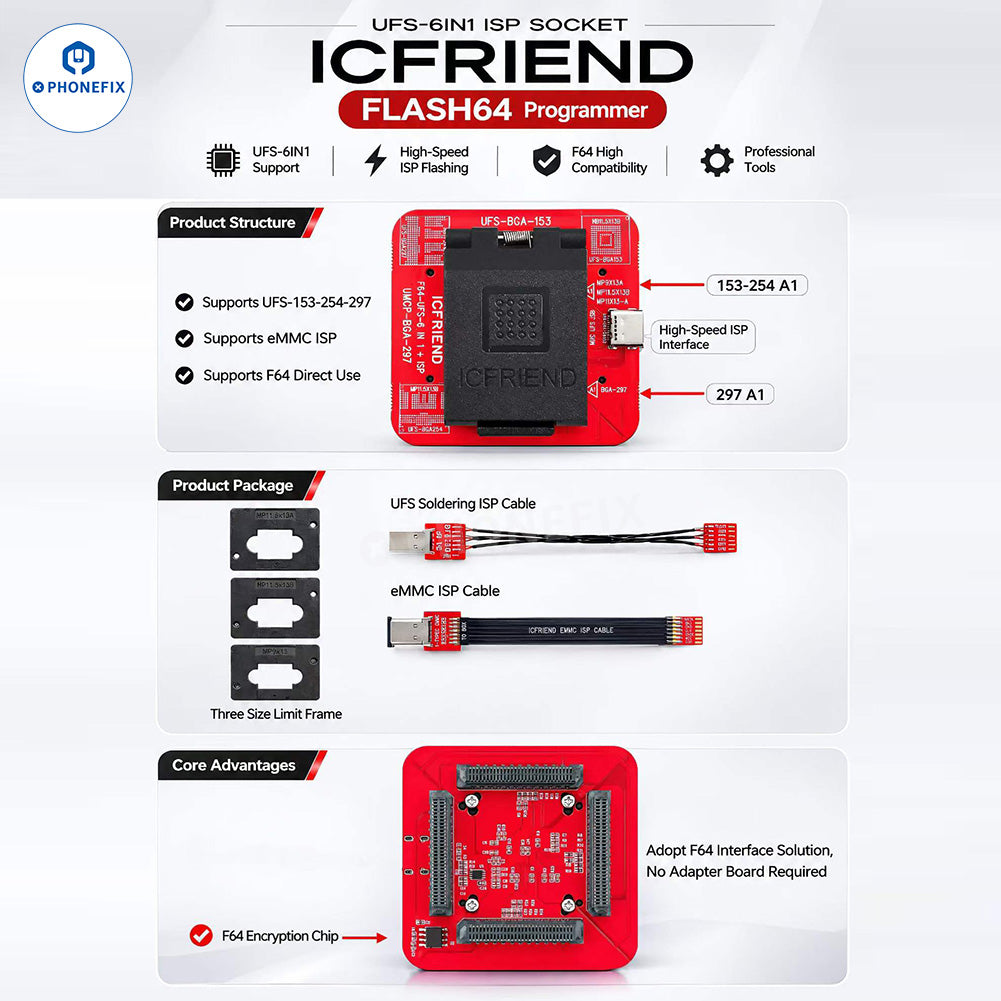
· Use a screen programmer for an EEPROM data transfer.
· Common devices include the JC V1S, Qianli iCopy, and JCID series.
· Connect the original screen to the programmer.
· Read and back up the calibration data.
· Connect the new screen to the programmer.
· Write the backed-up data onto the new screen.
· Reinstall the screen.
· Confirm in Settings > Display & Brightness that the True Tone toggle has returned and can be enabled.
Key data
· The data involved is often referred to as the MtSN.
· It must be copied from the old screen or from the phone itself to the replacement display.
Requirements and limits
· The original screen must still be readable by the programmer.
· If the original screen is completely dead and cannot power on or connect, some programmer software can retrieve the necessary data from the iPhone’ s logic board instead.
· This alternative process is more uncertain.
· Compatibility between programmer models and iPhone generations varies.
· For example, older Qianli iCopy versions may lack support for models after the iPhone 11 Pro Max.
· The programmer’ s supported model list should be confirmed before use.
· Some local repair shops that own one may reprogram a screen for a fee.
2. Scenario Two: A Non-Original Display
What the user sees
· True Tone may not activate after a non-original display is installed.
· The display itself may show an image correctly, but the True Tone toggle may be missing or ineffective.
Why it happens
· Apple has stated that using a non-original display can prevent True Tone from working properly.
· The ambient light sensor’ s performance may also be lost or degraded.
· A non-original screen does not carry calibration data matched to the original phone.
DIY method
· The DIY approach still relies on writing calibration data with a programmer.
· The same basic programmer procedure described in Scenario One applies.
Limits
· The hardware quality of aftermarket screens varies.
· Even after a successful data write, the actual True Tone result may not match the original panel’ s performance.
Policy and tool notes
· Starting in late 2024, Apple allows consumers to activate True Tone with third-party parts to the best performance those parts can provide.
· Users can disable True Tone in Settings if the display does not perform to their satisfaction.
· Since iOS 18, the Repair Assistant on-device tool can configure genuine Apple replacement displays.
· This applies to new, used, or refurbished genuine Apple displays.
· It restores True Tone without external programming equipment.
· The donor phone must not have been reported lost or stolen.
· For aftermarket screens, the Repair Assistant does not apply.
· A device programmer remains the working method for aftermarket screens.

3. Scenario Three: Damaged Flex Cable or Ambient Light Sensor
What the user sees
· True Tone fails.
· Auto-brightness will likely become abnormal as well.
Why it happens
· True Tone depends on the ambient light sensor flex cable within the display assembly.
· During a screen replacement or disassembly, this cable can be torn, strained, or have a loose connector.
· On some models, the ambient light sensor is integrated with the earpiece or proximity sensor flex.
· That component is paired to the logic board.
· A simple third-party replacement part will not work.
DIY limits
· Reseating a loose connector may solve a connection issue.
· If the cable is physically torn, the repair requires micro-soldering.
· The original sensor component must be transferred onto a new programmable flex.
· This exceeds the tools and skills typical of a DIY beginner.
Model-specific note
· On newer models such as the iPhone 14 series, a torn proximity/ambient light flex can disable both Face ID and True Tone.
· The repair requires an expert-level programmer plus micro-soldering equipment.
III. When to Seek Professional Service
The following situations are appropriate points to stop DIY attempts and turn to a professional:
1. The original screen is completely dead and unreadable. If the original panel no longer powers on or cannot be recognized by a programmer after a drop or severe damage, DIY recovery becomes significantly harder. Professional technicians may have equipment to read the required data from the logic board or use more advanced programming tools.
2. The repair requires micro-soldering or component transplantation. A torn ambient light sensor flex, a damaged sensor element, or a sensor that must be moved from an old flex to a new one requires a microscope and micro-soldering tools. These are not suitable for a first-time repair attempt.
3. True Tone remains absent after a correct programmer write. If the EEPROM or MtSN data transfer was completed following the proper steps and the toggle still does not return, the problem may involve the logic board, a connector, or a deeper hardware fault that requires systematic diagnosis.
4. The device is still under warranty or has AppleCare+. Opening the phone yourself may affect warranty eligibility. An Apple official repair or an authorized service provider will replace the display and run the Repair Assistant to pair it, which restores True Tone as part of the process. For cost reference, out-of-warranty screen service for recent Pro models is in the range of $329 to $379 in the United States, while AppleCare+ reduces the screen fee to $29. Third-party screen assemblies are generally less expensive, but whether True Tone returns depends on whether the repairer performs the necessary data transfer or pairing step.
IV. FAQ
Q: The True Tone toggle is gone. Can a restart or an iOS update bring it back?
If the disappearance occurred after a screen replacement, software steps will generally not help, because the issue is at the hardware calibration level. If the phone has had no hardware work and True Tone suddenly vanishes, a restart and an iOS update are reasonable first attempts, though this is a minority scenario.
Q: I installed an original pull screen from another iPhone. Why is True Tone still missing?
A pull screen carries the calibration data of the phone it came from, not your phone. It still needs the data from your original screen written onto it with a programmer, or pairing through the Repair Assistant if the conditions for that tool are met.
Q: Does losing True Tone affect Face ID or Touch ID?
True Tone failure itself does not directly disable biometric authentication. However, if the repair process damaged the front sensor flex or related components, Face ID can fail at the same time.
Q: What basic phone repair tools are needed for a DIY True Tone fix?
The core tool is a screen programmer compatible with the target iPhone model, such as a JC series device or a Qianli iCopy. For opening the phone, you need a pentalobe screwdriver, suction cup, and pry tools. If flex cable work is involved, fine-tipped tweezers and an anti-static workspace are also necessary. The programmer handles data reading and writing, while the opening tools allow safe access to the display and its connectors.

The root of most True Tone problems lies in the matching of display calibration data, not in the panel’ s ability to produce an image. Understanding this logic makes post-replacement loss, non-original screen incompatibility, and similar symptoms easier to diagnose and address. DIY data transfer offers a recovery path for some users, but when the original screen is unreadable or flex cable damage is involved, professional repair remains the more reliable route. Having the right phone repair tools and recognizing the limits of a DIY approach are the practical starting points for handling this issue.