
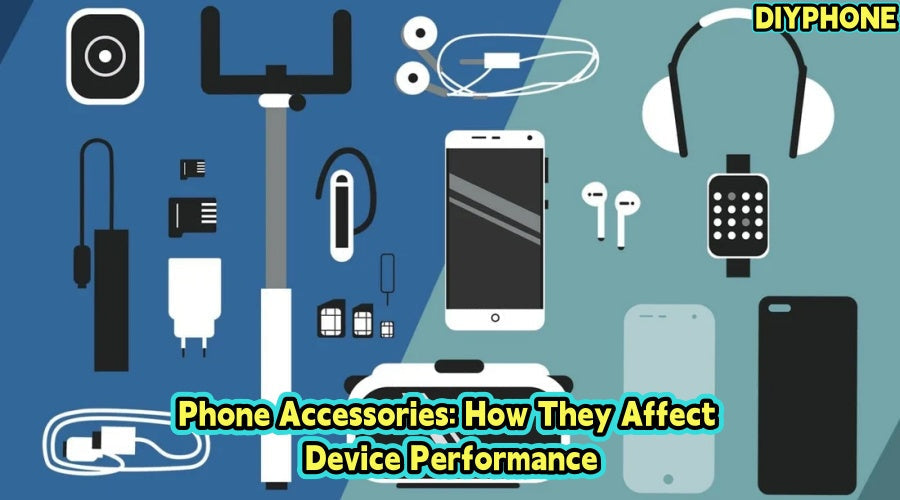
Mobile phone accessories have become an essential part of everyday use. They can improve convenience while also affecting a phone’s battery life, heat dissipation, signal, and service life. When problems occur, users often suspect internal hardware, but some malfunctions may actually be related to recently used accessories. Therefore, both users and repair technicians should understand the potential impact of accessories on phone performance.

I. Main Functions of Mobile Phone Accessories
The purpose of mobile phone accessories is not merely appearance or personalization. They can generally be divided into three aspects: protection, functional expansion, and connectivity.
1. Providing Physical Protection
Mobile phone screens and back covers are usually made of materials such as glass, which can be relatively easy to damage. A single drop may cause the screen to crack or the back cover to break. In serious cases, it may also affect internal flex cables or other components. Some accessories can reduce these risks:
· Phone cases are mainly used to absorb the impact caused by drops.
· Tempered Glass Screen Protectors can reduce damage caused by scratches and minor impacts.
· Waterproof or dustproof protective cases are suitable for special environments such as outdoor use.
However, stronger protection does not necessarily mean that a thicker case is better. An overly thick and heavy phone case may affect heat dissipation, wireless charging, and some wireless signals.
2. Expanding Phone Functions
Accessories such as power banks, USB-C expansion devices, game controllers, and external microphones can allow a phone to perform more tasks. For example, users who frequently travel for work can use a power bank to extend usage time, while users who need to record videos can use an external microphone to improve audio quality.
3. Improving Daily Convenience
Devices such as Bluetooth earphones, wireless charging stands, car mounts, and smartwatches can reduce cable connections and make phones more convenient to use for work, driving, and entertainment. However, an increase in the number of accessories also means additional power consumption, connection, and compatibility issues. Therefore, accessories should be selected according to actual needs.

II. Performance Impacts of Different Accessories
1. Effects on Heat Dissipation and Signal
Under normal conditions, a phone gradually dissipates heat through its body. A very thick case can restrict heat dissipation, especially during gaming, video recording, navigation, or extended 5G use. If the temperature rises too much, the system may reduce processor performance, causing lag, slower charging, or reduced screen brightness.
If the phone becomes noticeably hotter after changing the case, remove it, let the device cool down, and repeat the same tasks to compare temperature and performance. If the phone performs better without the case, consider replacing it with one that offers better heat dissipation rather than immediately disassembling the device. Some metal or special-material cases may also affect wireless charging and signals. If either becomes unstable after changing the case, remove the case and test again.
2. Charging Stability
Chargers and data cables are among the accessories that deserve the most attention. Poor-quality chargers may experience unstable output, abnormal heating, or reduced charging speed. This is especially relevant to brands such as the iPhone that have relatively high requirements for accessories. Common symptoms include:
· No response after plugging in the charger
· Charging speed being significantly slower than before
· The charging status changing after the data cable is moved slightly
· Abnormal heating around the charger or charging port
When these situations occur, a quality iPhone Charger and data cable can be used for cross-testing. If charging returns to normal after replacement, the problem is most likely caused by the original accessories. If the phone still cannot charge after replacing the accessories, check whether there is dust, foreign matter, bent contacts, or mechanical damage in the charging port. Before cleaning the port, disconnect the power supply and use appropriate tools for the procedure.
3. Things to Note About Wireless Charging
Wireless charging reduces the need for frequent plugging and unplugging of the charging port, but it usually generates a certain amount of heat during charging. If the phone becomes noticeably hot while charging wirelessly, check the following:
· Whether the phone case is too thick
· Whether the phone is correctly aligned with the charging coil
· Whether high-load programs such as games or navigation are running at the same time during charging
· Whether the charger and power adapter meet the device requirements
If the phone is already at a high temperature, continuing to perform high-power wireless charging may further increase the stress on the battery.

III. Why Can Accessories Affect the Battery and Signal?
The impact of accessories on phone performance is usually concentrated in three areas: power consumption, temperature, and communication.
1. Increased Power Consumption
Bluetooth earphones, smartwatches, keyboards, and other wireless devices all require the phone to maintain a connection while operating. The power consumption caused by a single device may not be obvious, but if multiple devices are connected at the same time, combined with location services, 5G, and a high screen brightness, battery life may be significantly reduced. If a phone suddenly starts consuming much more power than usual, first check whether any new Bluetooth devices or other peripheral accessories have recently been added.
2. Reduced Performance
When a phone operates in a high-temperature environment, the system usually actively limits processor performance to protect internal components. Therefore, if the game frame rate drops, the system becomes laggy, or charging speed decreases after using a thick phone case, it does not necessarily mean that the processor has malfunctioned. During repairs, heat dissipation factors should be ruled out first before considering battery or motherboard problems.
3. Effects on Wireless Signals
The phone's antennas are located inside the device, and their operation can be affected by surrounding materials and structures. If mobile network, Wi-Fi, or GPS performance becomes abnormal after changing the phone case, remove the case first and perform a test. If the signal returns to normal, there is no need to immediately disassemble the phone to inspect the antenna. Instead, the phone case should be replaced first.

IV. How to Determine Accessory Quality
Price is not the only standard for determining accessory quality. An accessory costing several dozen dollars is not necessarily more reliable than a product costing only a few dollars. When choosing accessories, pay particular attention to the following aspects:
1. Confirm Device Compatibility
Before purchasing, confirm the specific phone model, interface type, charging power, and supported protocols. Do not rely only on general descriptions such as "compatible with iPhone" or "supports Android."
2. Check Product Specifications
Chargers and power banks should clearly indicate basic specifications such as input and output. Products from unknown sources with unclear specifications should be used with caution.
3. Observe Abnormal Behavior
If an accessory shows obvious overheating, unusual odors, disconnections, unstable charging, or rapid material deterioration, stop using it.
4. Perform Cross-Testing Before Repair
When dealing with charging, overheating, signal, or connection problems, troubleshooting can be carried out in the order of "accessory-port-software-internal hardware." For example, when a phone cannot charge, first replace the charger and data cable, then check the charging port, and only finally consider the battery, charging port flex cable, or motherboard power management circuit. This troubleshooting method can not only reduce misdiagnosis, but also avoid unnecessary disassembly and repair for a simple accessory-related fault.
For ordinary users, compatibility, safety, and actual needs should be prioritized when purchasing accessories. For repair technicians, external accessory factors should be ruled out first before disassembling the phone. Truly high-quality Mobile Phone Accessories are not necessarily the most expensive, but they should remain stable and safe during normal use while minimizing their impact on the phone's original performance as much as possible. For a smartphone that is used every day, this kind of stability is often more important than appearance and so-called advanced features.


