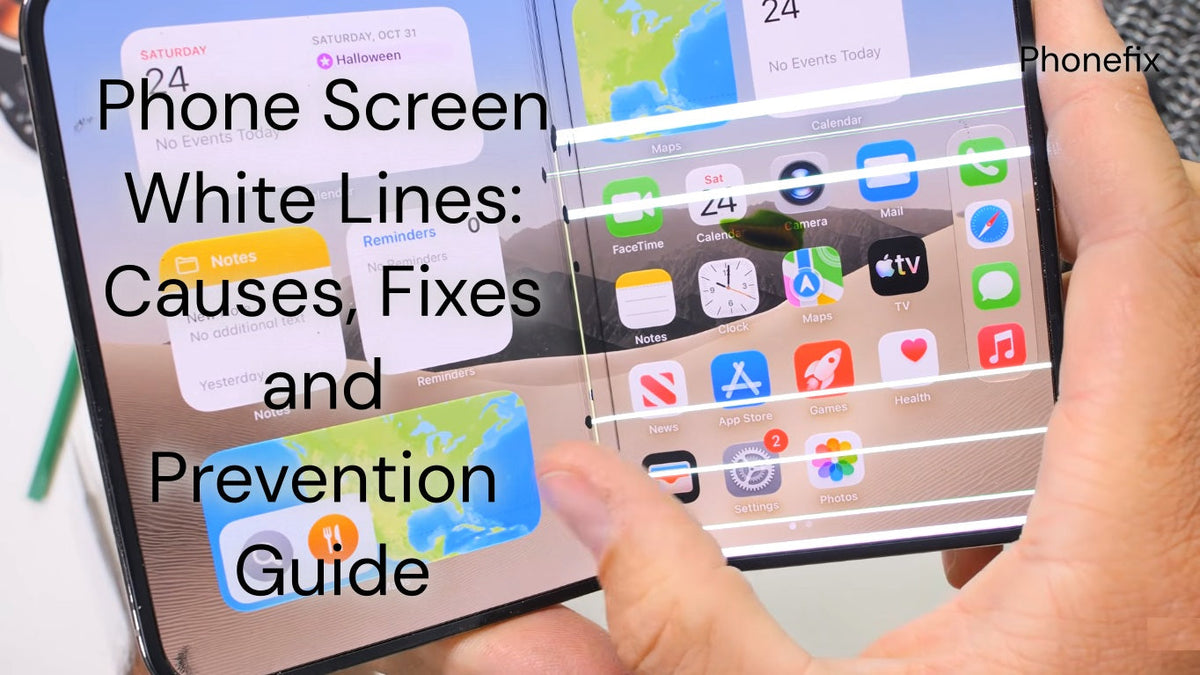
White lines on phone screens remain a common problem—even Apple's first foldable, the iPhone Duo, has just run into it shortly after launch, with users in multiple regions reporting cracks along the hinge crease accompanied by white or green pixel lines. Why do white horizontal lines appear? How can they be fixed and prevented? What can ordinary DIY repair users do to save their own or someone else's phone? This article addresses these questions in the following sections.

I. Common Causes of White Lines on Phone Screens and How to Fix Them
White horizontal lines usually appear as bright lines at a fixed position that do not change with the on-screen content. In most cases, they point to a physical abnormality in the display panel, flex cable, or connection circuit, but software or driver issues cannot be ruled out entirely. The cause should therefore be identified before choosing a repair path.
| Cause | Typical signs | Solution direction |
| Physical impact | Appears suddenly after a drop or bump; outer glass may remain intact | Replace the display panel |
| Pressure or crushing damage | Appears after the phone is sat on in a back pocket or pressed by a heavy object, sometimes hours later | Replace the display panel |
| Loose or damaged flex cable | Line comes and goes with grip angle or slight flexing of the body | Reseat the cable; replace it if torn |
| Manufacturing defect or pixel/driver-line defect | No clear impact history; a fixed line develops gradually or soon after purchase | Warranty service or replacement with an original display module |
| Liquid or moisture ingress | Accompanied by discoloration, flickering, dark spots, or touch issues | Power off and dry; replace the panel if corrosion is severe |
| Software or display-driver abnormality | May disappear after a reboot; may not appear in a screenshot | Force restart, safe-mode troubleshooting, system update |
Foldable phones add another layer of structural risk. The area along the hinge crease is where bending stress and the flexible cable channel are concentrated. Hinge support structures, tolerance changes, or local interference during opening and closing can apply extra pressure to the screen from the inside. Therefore, when a foldable shows white lines along the crease without any obvious drop or impact, official inspection should be the priority rather than simply attributing it to “screen aging.” It should be noted that “replace the panel” in the table is the final fix for most fixed white lines; reseating a cable only applies to a small number of cases with a loose connector and a device that can be safely opened.
II. Rule Out Software Before Judging Hardware
Once a white line appears, the easiest mistake is to treat a hardware problem as a software fault and keep rebooting, or to misjudge a software abnormality as a dead screen. A low-cost, practical diagnostic order is as follows.
Step 1: Screenshot test
Take a screenshot of the current screen and view it on another device. If the white line does not appear in the screenshot, the system's rendering signal is likely normal, and the problem is more likely in the physical display layer. If the line appears in the screenshot as well, it more likely points to software, driver, or rendering issues. This test takes only seconds but can determine the direction of troubleshooting.
Step 2: Force restart and safe mode
When the screenshot points to software, perform a force restart first. If the line disappears after the restart, it may have been a temporary system fault. If the restart does not help but the line disappears in safe mode, a third-party app may be the trigger, and recently installed apps can be checked one by one. Also check for system updates, as display-driver-related defects can sometimes be fixed by a firmware update.
Step 3: External display verification
· If the phone supports wired screen mirroring or desktop mode, connect it to an external monitor. If the external screen is clean while the phone's own screen still shows the white line, the fault is basically locked to the phone's display panel or flex cable, and screen replacement is the more reliable repair path.
· Software methods are only “effective” for software triggers. White lines caused by physical impact, pressure damage, liquid ingress, or a torn flex cable will not disappear after a reboot or reset, and hardware repair will ultimately be required.

III. What Can Be Fixed and What Cannot
At the hardware level, the room for truly reversible repair is quite limited.
1. The few fixable cases
A loose flex-cable connector. After disconnecting the battery, carefully opening the screen connector, cleaning the contacts, and reseating it can sometimes stabilize a line that comes and goes. However, this requires a device that is easy to open and an operator with anti-static and fine disassembly skills; if you are not familiar with disassembly, do not attempt it yourself.
2. Cases that cannot be fixed by DIY
Once the pixel structure or driver lines inside the panel are damaged and a fixed white line has formed, pressing the screen, heating it, or flexing the body will not repair the broken internal connection. Instead, it may enlarge the damaged area or even cause the adhesive layer to separate or the battery to be damaged. After liquid ingress, do not repeatedly power on the phone; power it off and send it for professional repair. If the motherboard-side display FPC socket itself has cold joints or lifted pads, cleaning the contacts won't help—an experienced DIYer can use a hot-air rework station to desolder and replace it, practicing on scrap boards first. The inner screen and hinge assembly of a foldable are complex and should not be disassembled by ordinary users.
3. What ordinary DIY users can do to help
Back up data first, take a screenshot to record whether the white line appears in it, photograph or record the fault when it first appears, keep purchase receipts and warranty records, and then send the phone to official or reliable repair channels as soon as possible. When helping others, also start with the screenshot test and backup, ask whether there has been a drop, liquid exposure, or pressure incident, do not promise that it “can definitely be fixed,” and do not rashly disassemble the phone and worsen the damage. When choosing a repair channel, official service offers more assurance in terms of original parts, water resistance, and warranty continuity; third-party repair requires confirming the source of parts and warranty terms.
IV. Prevention
White horizontal lines cannot be avoided 100%, but the risk can be reduced through usage habits.
· Use physical protection: Use a case and screen protector to reduce the impact of drops and bumps on the display module.
· Avoid sustained pressure: Do not keep the phone in a back pocket and sit on it for long periods, and avoid placing heavy objects on the screen, especially on large-screen and foldable devices.
· Keep away from moisture: Keep the phone away from bathrooms, pools, and other high-humidity environments. If water enters, power off immediately and send it for repair; do not charge it or repeatedly power it on.
· Avoid extreme temperatures: High-temperature exposure and sudden low-temperature changes can accelerate aging of the adhesive layer and display materials.
· Open and close foldables evenly: Use both hands and even force, avoid wrenching it open by one corner, and do not apply pressure to the hinge area. Check for foreign objects before closing; if there is an abnormal noise, an unusual crease, or a local bright line, send it for inspection promptly.
· Keep the system updated and back up regularly: System updates can fix some display-driver issues; regular backups reduce data loss if the screen fault worsens.
· Keep warranty and coverage records: Understand the official warranty scope and accidental-damage service terms, and record the fault when it first appears to help with later diagnosis.

V. FAQ
Q: Can I keep using the phone after a white line appears? Will it disappear on its own?
Hardware-caused white lines usually do not disappear by themselves. Continued use generally does not directly cause safety problems, but if the cause is liquid ingress or a worsening flex cable, the abnormal area may expand. Back up data and get the phone checked as soon as possible.
Q: If the white line does not appear in a screenshot, does that mean the screen is fine?
Quite the opposite. A clean screenshot with a line on the screen means software rendering is normal, and the problem is more likely in the physical display panel or flex-cable connection—a signal pointing to hardware repair.
Q: Is a white line always covered free of charge during the warranty period?
It depends on the after-sales assessment of the cause. Non-human manufacturing defects or material abnormalities are usually covered; if the issue is judged to be caused by impact, liquid ingress, or improper pressure, it may become a paid repair. Photos, videos, and communication records from when the fault first appeared can help in disputed cases.
Q: Are white lines on a foldable the same as those on a regular bar phone?
The causes overlap, but foldables have an additional structural-stress variable. White lines on bar phones mainly come from impact, pressure, and cable aging; white lines on foldables may also be triggered internally by hinge support structures, tolerances, or opening/closing stress. Therefore, white lines along the crease should be inspected officially as a priority.
Q: What is the most an ordinary user can do?
You can do the screenshot test, force restart, safe-mode troubleshooting, system updates, data backup, and fault recording. Do not press, heat, or flex the screen yourself, and do not disassemble a foldable. Once a hardware problem is confirmed, handing it to official or reliable repair channels is the safer way to save the phone.
In short, a white line is a diagnostic signal that separates “software-accessible abnormalities” from “hardware damage already present.” For DIY users, knowing when to stop—and using proper phone repair tools only for safe, accessible steps—is just as important as the repair itself.