
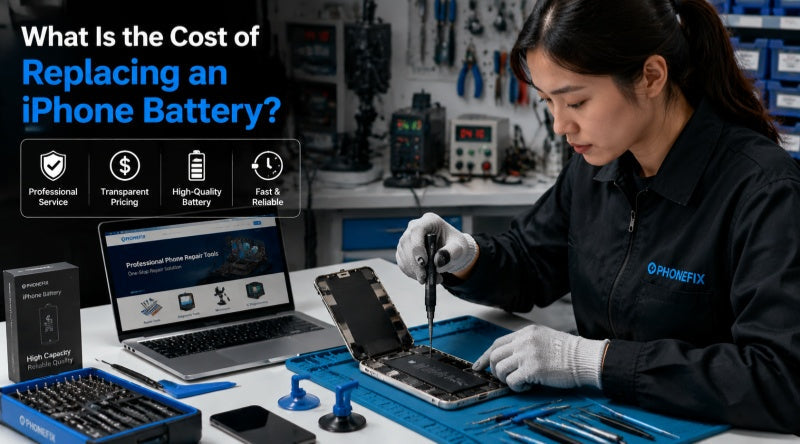
As a smartphone industry leader, iPhone is known for its powerful performance and long-term software support. However, battery aging is unavoidable, causing shorter battery life and unexpected shutdowns over time. When battery health drops, “how much does it cost to replace an iPhone battery?” becomes a key concern. This guide breaks down iPhone 6 to iPhone 17 battery replacement costs, helping you choose between repair and upgrading.
I. Key Factors Determining iPhone Battery Replacement Costs
Many users search for "how much is a new battery for an iPhone?" or "how much is an iPhone battery replacement?", but there is no fixed price for iPhone battery replacements. It mainly depends on the following three factors:
1. iPhone Model
Repair costs vary between different models. Newer iPhones use more complex internal structures, high-density batteries, and stronger waterproof sealing designs, making disassembly more difficult and repair more expensive. Therefore, the battery replacement cost for the iPhone 16 and 17 series is generally higher than that for older models such as the iPhone 6 and 8.
2. Warranty Status
If the device is still under warranty and the battery issue is due to a quality problem, Apple may offer a free replacement. AppleCare+ subscribers can also receive a free replacement when the battery's maximum capacity is below 80%. Otherwise, standard repair fees will apply.
3. Service Provider
Battery replacement prices also depend on the repair method, including Apple official stores, authorized service centers, third-party repair shops, and DIY replacements. Different channels vary significantly in price, parts quality, and service guarantees.
II. iPhone Battery Replacement Estimated Price Comparison Table
To give you a clearer understanding of iPhone battery repair prices, we have compiled an average price range across different channels for iPhone 6 series to the latest iPhone 17 series, based on current official market pricing and industry average repair standards.
Price Note: The following costs are in commonly used global repair market currencies for easy comparison.
| iPhone Model Series | Apple Store / Authorized Providers (AASP) | Independent Third-Party Repair Shops | DIY Self-Replacement Kits |
| iPhone 16 & 17 Series (Latest Flagships) | $85 – $120 | $60 – $95 | $35 – $55 |
| iPhone 14 & 15 Series | $85 – $110 | $55 – $85 | $30 – $45 |
| iPhone 12 & 13 Series | $79 – $99 | $49 – $75 | $25 – $35 |
| iPhone X, XR, XS & 11 Series | $69 – $89 | $40 – $65 | $20 – $30 |
| iPhone 7 & 8 Series / SE Series | $49 – $75 | $35 – $55 | $15 – $25 |
| iPhone 6 Series (Older Models) | $35 – $60 | $30 – $45 | $12 – $20 |
Note: The prices above are comprehensive market average estimates. Apple's official pricing may vary depending on country and region tax rates, exchange rates, and real-time policy adjustments. It is recommended to visit Apple's official website and use their online estimation tool to obtain a final quote.

III. How to check battery health? When must the battery be replaced?
Many users are unsure whether replacing their iPhone battery is a necessary expense. Apple has a very transparent battery health monitoring mechanism built into iOS. You can check it by following these steps:
>>>Go to "Settings" → Tap "Battery" → Select "Battery Health & Charging"
Here, you will see a percentage of "Maximum Capacity".
>>>5 Common Signs Your iPhone Needs a Battery Replacement:
· Maximum Capacity below 80%: Apple's official design standard states that under normal operating conditions, the battery's maximum capacity will typically drop below 80% after 500 full charge cycles. At this point, the system will usually display a "Repair Recommendation" message.
· Frequent unexpected shutdowns: The phone suddenly freezes with a black screen when the battery is at 20% or 30%, and upon restarting, displays the message "Performance management components have been applied because the battery cannot provide the necessary peak power."
· Abnormal device overheating: The back of the phone becomes noticeably hot to the touch during simple daily chatting or browsing social media. This is usually due to increased battery internal resistance and abnormal heat dissipation efficiency.
· System lag: As the battery ages, iOS automatically throttles the CPU to prevent unexpected shutdowns (the infamous "throttling" mechanism), resulting in typing delays and slow app launches.
· Fast charging, faster battery drain: The phone can be fully charged in two hours, but loses 10% of its power within minutes of disconnecting the charger, indicating a severe degradation in the battery cell's actual charge-carrying capacity.
IV. Comprehensive Comparison of Core Channels: Apple Official vs. Third-Party Repair vs. DIY
When faced with the question of how to choose a method to replace your iPhone battery, choosing different repair paths means weighing quality, price, and risk:
1. Apple Authorized Service Providers (AASPs)
This is the most reliable option, using original batteries and performed by certified technicians. The battery is restored to its original seal after replacement, and official repair warranty is provided. The downside is the higher price, and advance appointments are required in some areas.
2. Third-Party Repair Shops
Third-party repairs are usually cheaper and faster, suitable for users seeking cost-effectiveness. However, some non-official batteries may not pass Apple certification, resulting in an "unknown part" warning, and may also affect existing warranty benefits.
3. DIY Replacement
Purchasing a battery kit yourself is the cheapest option and is suitable for users with repair experience. However, the internal structure of the iPhone is delicate, and improper handling could damage other iPhone components, posing a higher repair risk.
V. Money-Saving and Maintenance Tips
After understanding the price of iPhone battery repair, how can you save money through reasonable lifestyle habits and decisions? Here are some suggestions from industry experts:
· Prioritize Official Promotions and Service Seasons: Apple or major authorized service providers sometimes offer exclusive battery replacement discounts during specific holidays or before new phone releases. Making an appointment during these periods can save you a significant amount of money.
· Enable Optimized Battery Charging: Always keep this feature enabled in your iOS system. It learns your daily charging habits and, under certain circumstances, pauses charging until the phone reaches 80% or higher, effectively slowing down the chemical aging of the battery.
· Avoid Extreme Temperatures: Lithium-ion batteries are extremely sensitive to temperature. Never expose your phone to direct sunlight on a car dashboard or use it intensively in sub-zero temperatures. Avoiding extreme temperatures significantly extends battery life.
· Avoid Using Games While Charging (Especially Heavy Games): Running high-load applications while charging causes the phone's core temperature to spike, and high temperatures are the leading cause of lithium-ion battery capacity degradation.

VI. iPhone Battery Replacement FAQs
Q: How long will my iPhone last after a battery replacement?
A: High-quality new batteries typically last about 2-3 years, or after 500-800 charge-discharge cycles, their capacity will gradually decrease.
Q: Will I lose my phone data if I replace the battery?
A: Normal battery replacement will not affect photos, chat history, or other data. However, to avoid unexpected issues during the repair process, it is recommended to back up your data beforehand via iCloud or a computer.
Q: Why do I get the "Unable to verify genuine Apple battery" message after replacing the battery?
A: Some iPhone batteries have encrypted chips. Non-official replacements may fail to complete system verification, hence the message. While this may affect the battery health display, it usually does not affect normal battery life or usage.
Replacing a battery doesn't have to be expensive or complicated. If you have a sufficient budget and your phone is a relatively new iPhone 15, 16, or 17 series, choosing an Apple Store or using AppleCare+ is undoubtedly the best and most reassuring option. If your device has been used for several years (such as an iPhone 11 or earlier) and is only used as a backup phone, then choosing a reputable professional third-party repair channel like China Phonefix and using professional iPhone battery repair tools can not only save you a considerable amount of money, but also quickly revive your old device, giving it a second life.


