
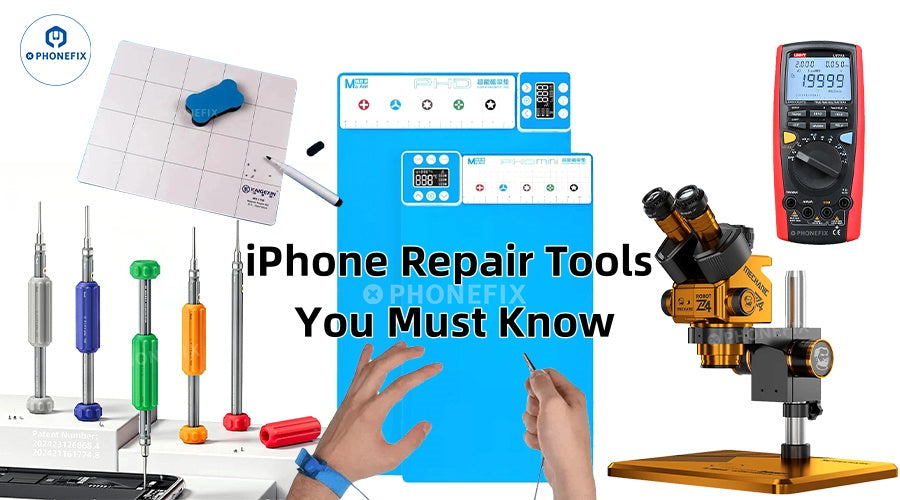
The iPhone is well-liked in this day and age due to its outstanding performance and user interface. Even premium iPhones, meanwhile, can develop a number of issues, including cracked iPhone screens, fading iPhone batteries, and broken iPhone charging connections. Purchasing the appropriate tools is essential for consumers who wish to fix their iPhones on their own. To help you finish the repair process more quickly, Phonefix will go over the different professional tools required to fix iPhones in detail in this post.

1. Basic Disassembly Tools
It is necessary to have a full set of precision screwdriver sets before beginning any iPhone repairs. Numerous unique kinds of screws are used in iPhones. A good set of screwdrivers should have blades ranging in size from 0.8mm to 3.0mm so that it can fit screws with different dimensions in different areas of the iPhone. The five-star screwdriver is specifically designed to remove the mounting screws on both sides of the iPhone's bottom charging port.
Other essential tools for disassembly include metal prying picks and plastic pry bars in addition to screwdrivers. Unlike metal prying picks, which are better suited for prying open components like iPhone back covers or iPhone batteries, plastic pry bars can safely separate the bonded display assembly without harming the delicate cable. You must be mindful of the strength when using these tools to prevent danger from puncturing the battery or scratching internal components.

2. Professional Display Repair Tools
One of the most popular repairs for iPhones is screen replacement, which calls for specialized equipment. The suction cup tool is essential for the first screen removal process. It is more effective when used with the display separation glue and can produce enough suction to remove the screen from the body. A heating pad or hot air gun is also required for the more recent iPhone models in order to soften the waterproof glue on the screen's edge. Typically, a temperature range of 80 to 100°C is maintained.
It is essential to have anti-static tweezers when working with the display cable. Because the iPhone's display cable connector is so delicate, using regular tweezers could harm it. Furthermore, in addition to repairing screws and other parts, the magnetic repair pad shields delicate electronic components from static electricity. Professional repair workers prefer using it as their work surface.
3. iPhone Battery Replacement Tool Kit
Because lithium iPhone batteries can catch fire or explode when used improperly, iPhone battery repair calls for extra caution. The secret to removing the iPhone battery securely is iPhone battery glue remover. It can remove the powerful glue used to secure the iPhone battery without causing harm to other parts. Instead of utilizing metal tools, a nylon pry bar can be used to gradually separate the battery from the body.

Insulating tape and fresh iPhone battery fastening adhesive are also essential components of a comprehensive battery repair toolkit. The new iPhone battery mounting adhesive guarantees that the changed iPhone battery is securely fastened in the casing, while the insulating tape shields the exposed circuit board contacts. Since the iPhone battery connector is sometimes protected by a metal shield, a iPhone battery cable cover removal tool is also necessary for iPhone 6 and subsequent models.
4. Advanced Tools for Logic Board Repair
It takes more specialized equipment to fix more complex issues like motherboard issues. When examining solder connections and motherboard components, particularly BGA chips or small resistors and capacitors, a trinocular microscope is a useful tool. Hot air guns and precision soldering stations are used to replace damaged chips or interfaces, and careful temperature control is necessary to prevent harm to other components.

In order to diagnose motherboard issues, digital multimeters are essential tools. The resistance, voltage, and continuity of the circuit can all be measured by them. Testing the motherboard is made convenient by the fact that the iPhone can be powered by a DC power supply without requiring the installation of a iPhone battery. Ultrasonic cleaning devices can successfully remove motherboard corrosion from water-damaged iPhones; however, they must be completely dry after use before being turned on for testing.
5. Other Practical Accessories and Consumables
Aside from the primary tools, a few supplementary accessories can significantly raise the effectiveness and caliber of repairs. When operating in a dry environment, anti-static bracelets can help shield delicate electronic components from human static electricity. Various types of adhesives, such as buffer glue, waterproof glue, and screen glue, guarantee that the equipment is returned to its original stability and sealing following repair.

Disassembled screws and small components can be kept in parts storage boxes in an organized way to prevent confusion or loss. There is enough illumination from the high-brightness work light to make the fragile connectors and parts inside the iPhone easy to see. Last but not least, a full suite of test accessories (such as screens, charging connectors, and known-to-be-good batteries) can aid in precisely locating the issue.
6. Safety Precautions
To reduce the possibility of short circuits, make sure to disconnect the iPhone battery before making any repairs. The workspace should be kept clear of flammable objects and dry and tidy. The best course of action in any ambiguous circumstance is to get professional advice or have it sent to an approved repair facility. Recall that using the appropriate tools protects both you and your equipment in addition to improving the likelihood of a successful repair.
The complexity of iPhone designs makes repairs more challenging. But you can fix most common problems yourself if you have a set of professional tools and know how to use them. When selecting repair tools, quality should be more important than cost. Cheap tools might break parts or not be able to survive repeated use. It is advised that you buy China Phonefix's toolkit, which is specifically designed for iPhone repairs, to guarantee a seamless and secure repair procedure.


