
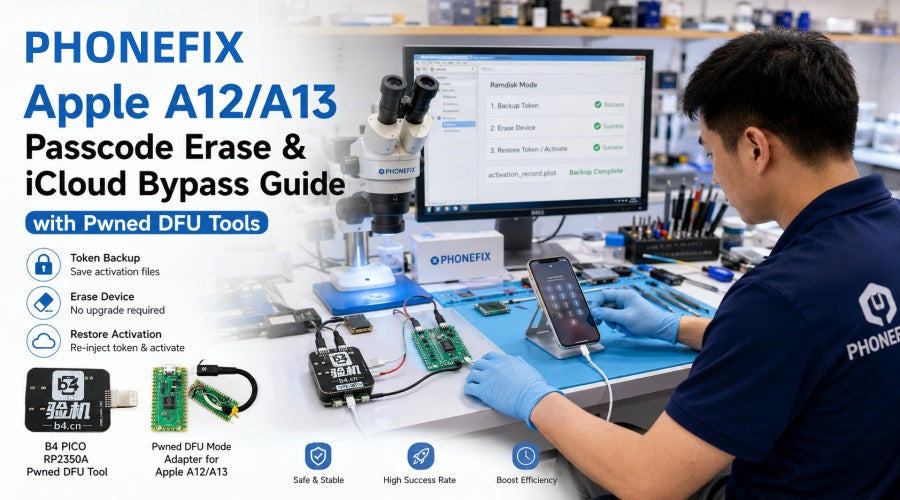
For locked or disabled iPhone XR, 11, and SE2 devices using the A12/A13 model, the Checkm8 vulnerability cannot be directly applied due to hardware security upgrades. Currently, the industry mainstream uses a "Token Backup + Erase + Injection" solution, which can perfectly unlock the device without upgrading the system. Phonefix will delve into this core mechanism and combine it with professional DFU hardware tools to significantly improve your repair efficiency and unpacking success rate!

I. How does A12/A13 Erase & Bypass work?
To successfully unlock an A12/A13 device stuck on the passcode lock screen, repair personnel must understand that this technical process is not a simple "one-click flash," but rather a precise operation involving three key stages:
1. Token Backup:
While the device is on the passcode lock screen, hardware tools are used to guide the device into a specific diagnostic mode (Purple Mode or Ramdisk state). In this state, the software tool reads and exports the hidden original factory activation file (such as activation_record.plist) inside the device.
2. Device Erase (No Upgrade Required):
After confirming the backup file is complete and valid, an Erase command is sent to the device via the control panel. This step completely erases the local screen lock password and user data while preventing the current iOS system version from being forcibly upgraded.
3. Activation Restore:
After the erroneous process is complete and the device is restarted, the software will re-inject the previously backed-up activation token back into the device system. This avoids Apple's official activation server blocking devices with unactivated accounts, allowing the device to successfully enter the desktop through initial setup and restore normal phone, notification, and iCloud sync functions.
II. Technical Limitations and Prerequisites to Note
Clearly informing customers of technical limitations before conducting repair services is crucial to avoiding disputes:
1. "Hello" Activation Interface Not Supported:
This solution is only applicable to devices on the lock screen password screen or in a disabled state. If the device has been forcibly flashed or reset and is stuck on the multilingual "Hello" activation screen, the Ramdisk tool cannot generate a new activation certificate from scratch because the activation certificate is not saved locally. Therefore, this erasure solution cannot be used.
2. Software Registration and Licensing:
Although most control software can be downloaded for free, executing specific bypass and write scripts usually requires registering the device's IMEI or ECID on the developer's server and paying the corresponding software license fee.
3. Official Compliance Channel Reminder:
If the device owner retains the original purchase invoice or proof of purchase, the safest and most permanent way to unblock the device is still to apply for a free activation lock removal through Apple Support.

III. Recommended Professional Hardware Tools
When booting an A12/A13 device into Pwned DFU mode or Ramdisk state, pure software operations often face problems such as unstable connections and high trigger failure rates. To address this, China Phonefix has selected two stable and reliable hardware solutions for repair technicians worldwide:
1. B4 PICO RP2350A Pwned DFU Tool (All-in-one High-Efficiency Unpacking Tool)
· Product Highlights: This tool features a high-performance Raspberry Pi RP2350A chip with integrated dedicated hardware control logic. It has clearly defined onboard control buttons (including PICO DFU, RESET, etc.) and natively provides Type-C and Lightning interfaces.
· Suitable Scenarios: Ideal for professional repair shops handling a high frequency of repair orders. Plug and play, eliminating the need for complicated wiring, it can quickly and stably boot A12/A13 devices into the required Pwned DFU mode, significantly reducing processing time for a single device.
2. Pwned DFU Mode Adapter for Apple A12/A13 (A highly cost-effective and flexible option)
· Product Highlights: Developed based on the Raspberry Pi Pico/Pico 2 microcontroller, it comes with a clear hardware wiring diagram (including GND, VCC, D+, D- four-wire interfaces).
· Suitable Scenarios: Suitable for individual engineers with limited budgets or those who prefer custom repair fixtures. Provides cost-effective hardware-level low-level signal triggering, making it an ideal accessory for building a personal DFU test bench.

IV. Standardized Repair Operation Procedure
With China Phonefix's hardware tools and commonly used software suites (such as FRPFILE Ramdisk, BestActivator Pro, or iRemove Tools), the standard operating procedure is as follows:
1. Hardware Connection and Testing: Connect the target iPhone (A12/A13 locked screen device) to the B4 PICO DFU tool or the Pwned DFU adapter.
2. Trigger Pwned DFU: Press the button on the hardware tool in conjunction with the software commands to quickly and stably put the device into Pwned DFU mode.
3. Back up activation files: Open the control software, select Ramdisk mode, execute "Backup Token," and check and ensure that the exported activation_record.plist file is complete and intact.
4. Erase passcode: Click the "Erase Device" or "Factory Reset" function in the software to clear the device's lock screen passcode.
5. Restore and activate: After the device restarts and enters the initialization process, reconnect to the software and click "Restore Token / Activate" to complete device activation and function restoration.
For shops specializing in iPhone hardware and system repair, mastering the passcode erasure technology for Apple A12/A13 devices can significantly expand their service offerings and improve profitability. Combined with professional and stable hardware tools, this not only lowers the operational threshold but also avoids device crashes or firmware corruption caused by manual boot failures. Welcome to the official China Phonefix online store! Purchase the latest B4 PICO RP2350A Pwned DFU tool and related repair accessories to equip your repair workstation with efficient and reliable professional tools!


