
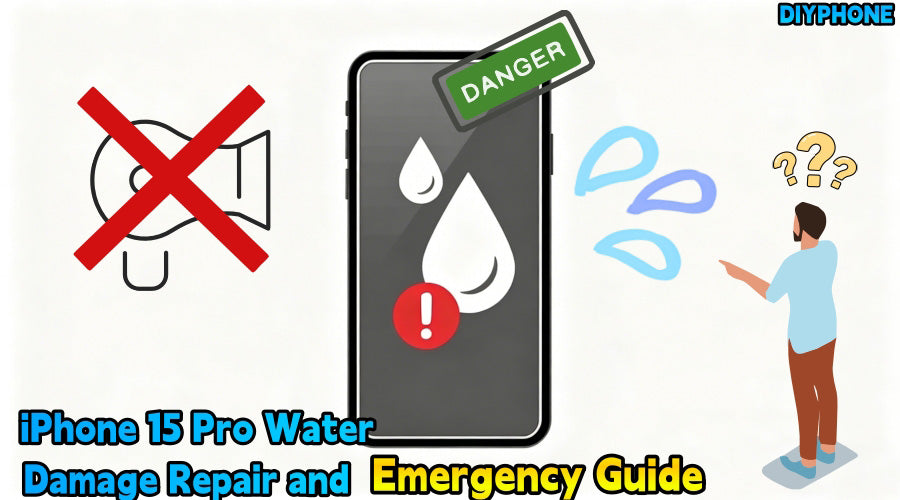
Although the iPhone 15 Pro features dust and water resistance, this resistance can decrease with daily wear and tear. Once liquid breaches the adhesive seal and enters the chassis, it quickly triggers electrochemical reactions on the logic board, leading to various persistent malfunctions. Whether you are a professional technician or not, mastering correct emergency and repair knowledge is essential to reducing complications.

I. Emergency First Aid Process
In the first few minutes before any disassembly, your actions determine the fate of the phone. Incorrect handling methods are often more destructive than the water itself.
1. On Site Emergency Handling
· Power off immediately: This is the core step. Water is a conductor, and operating under power can instantly burn out tiny inductors or IC chips on the logic board.
· Remove external accessories: Take off the protective case and use a SIM ejector tool to remove the tray. This prevents SIM slot corrosion and provides a tiny ventilation opening for the interior.
· Physical water removal: Use a lint free cloth to dry the body. Point the USB-C port downward and gently tap the phone to allow gravity to pull out accumulated water.
· Strictly forbid charging: If the system displays a Liquid Detected alert, never force a charge, as this will cause permanent erosion of the tail plug ribbon cable pins.
2. Preparation of Repair Tools
If you plan to perform advanced disassembly and maintenance, professional tools are required to avoid secondary damage to the titanium frame and fragile internal components.
· Precision screwdriver set: Used for removing bottom screws, internal shielding covers, and more.
· Heating tools: Since the iPhone 15 Pro screen adhesive is very strong, it is recommended to use a professional heating station or Laser Disassembly Machine, controlling the temperature at approximately 75°C.
· Suction cups and pry tools: Used for cutting through the seal gaps to avoid pulling and breaking the screen cables with excessive force.
· Cleaning supplies: 99% high purity isopropyl alcohol, anti static soft brushes, and anti static tweezers.
· Diagnostic tools: An adjustable DC power supply and specialized boot cables to determine if the logic board has a short circuit.

II. Fault Symptom Analysis and Repair Taboos
Understanding common symptoms after water entry helps in accurately locating damaged modules.
1. Analysis of Common Fault Symptoms
· Screen abnormalities: If the screen shows green lines, black spots, or touch failure, the COF packaging area at the bottom of the screen is usually damp, damaging the display driver circuit.
· Infinite loops: This is often caused by a short circuit in the Face ID module or the charging port cable, triggering the system self protection mechanism.
· Functional failure: Muffled speakers, silent microphones, or fogged camera lenses indicate that moisture has entered precision optical or acoustic structures.
2. Absolute Forbidden Actions
· Blow dryer heating: High heat can directly damage iPhone OLED Screen pixels and cause internal waterproof glue to melt and spread, pushing moisture deeper.
· Compressed air blowing: Air pressure will blow liquid droplets into structural gaps, such as the inside of the camera, causing irreversible mold spots.
· Placing in rice: Rice absorbs water extremely slowly, and fine powder entering the ports can mix with water to form a paste that is very difficult to clean.

III. Advanced Self Repair Steps
If you possess sufficient hands on skills, you can refer to the following SOP process for deep cleaning and consumable replacement.
Step1. Open the Screen
After heating,use a suction cup with a thin slice to slowly cut through the adhesive. Note that the iPhone 15 Pro screen cable is located on the left side of the body, so avoid this area when prying.
Step2. Disconnect the Battery
The first step after opening the screen must be to disconnect the battery cable.As long as the battery is connected, the logic board remains under standby voltage, making cleaning risky.
Step3. Isopropyl Alcohol Cleaning
For areas with white powder or blackening, use a small amount of isopropyl alcohol and brush gently. For severe corrosion under shields, it may be necessary to remove the logic board and use an ultrasonic cleaner. After cleaning, use cool air or a drying box to dry completely.
Step4. Replace Waterproof Adhesive
Thoroughly scrape off old adhesive residue from the frame edges.Use iPhone 15 Pro specific frame adhesive, aligning it with the positioning holes to ensure the screen achieves factory level fitment after installation.
Step5. Full Functional Testing
Before sealing,connect the screen to test Face ID, True Tone, charging, and all sensors.
IV. Summary and Suggestions
Water damage to an iPhone 15 Pro should be handled as early as possible. The repair process must strictly follow the SOP to ensure every cable connector and adhesive strip is installed correctly. Once the device is restored, back up your data immediately. With standardized operations, accurate diagnosis, and professional Mobile repair tools, there is a high probability of restoring the water damaged device to normal use.


