
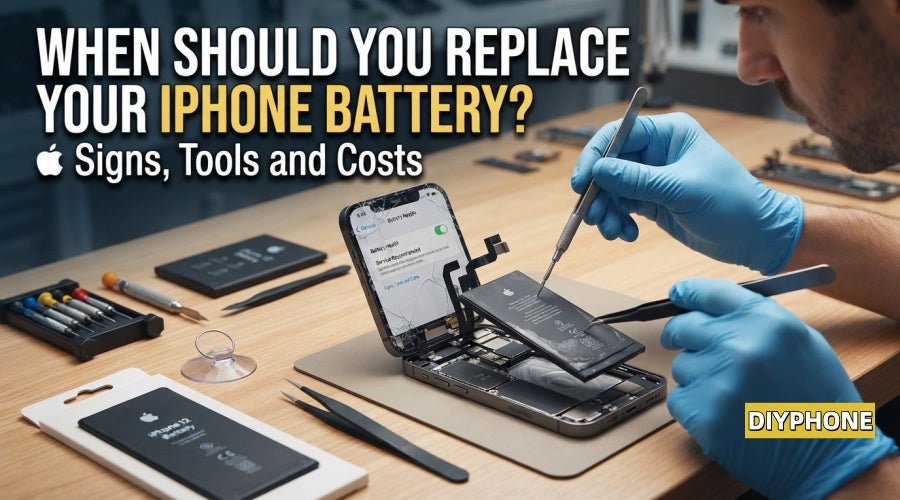
Your iPhone used to easily last through an entire day, yet its battery now drains faster and faster. Rather than enduring daily battery anxiety, it is worth evaluating: Is replacing your iPhone battery worth it? Installing a new battery can give a once-reliable iPhone a new lease on life for a fraction of the cost of buying a new device. However, this is not suitable for every device. The key lies in accurately determining whether the battery has truly reached the end of its lifespan, and making an objective decision based on professional diagnostic tools, hardware repair costs, and the overall condition of iPhone.

I. Signs That a Battery Replacement Is Needed
As the internal chemistry of a battery gradually degrades, the phone signals this through a series of abnormal behaviors. Promptly recognizing these signs helps you avoid unexpected shutdowns or safety hazards.
1. Reduced Battery Life
A noticeable decrease in battery endurance is the most direct warning sign. If your phone previously required a single charge per day to meet your usage needs, but now you must carry a charger around to top it up frequently, it indicates that the battery capacity has significantly degraded. While video playback, high-intensity GPS navigation, and poor signal consume extra power, a healthy battery should never experience a precipitous drop in charge under light daily use.
2. Sudden Shutdowns
An iPhone turning off with a black screen when the battery indicator still shows 20%, 30%, or even lower is a classic phenomenon of increased internal battery resistance and unstable power supply. When executing high peak-current tasks such as taking photos, hailing a ride-sharing vehicle, or rapidly loading apps, an aging battery cannot steadily output the required voltage, thereby triggering the system's self-protection shutdown mechanism.
3. System Performance Throttling and Lag
iOS features dynamic performance management. When a iPhone Battery is unable to provide peak power, the system automatically lowers the operating frequencies of the CPU and GPU. This leads to slower app opening times, decreased frame rates, keyboard input delays, and similar phenomena. If stuttering is accompanied by short battery life and shutdown issues, replacing the battery usually restores fluidity immediately.
4. Abnormal Overheating During Charging
Slight warming during heavy gaming or fast charging is normal, but if the back of the phone becomes scorching hot and difficult to hold simply while browsing the web, sending messages, or undergoing light charging, it constitutes abnormal heating. Chemically aged batteries have increased internal resistance, converting large amounts of electrical energy into heat. This not only accelerates battery damage but may also endanger motherboard components.
5. Battery Swelling
This is the most dangerous sign of failure. The accumulation and expansion of internal gas exerts outward pressure on the screen, causing the display frame to warp, ripples to appear when pressed, or the gap between the screen and the body to widen. Once battery swelling is detected, do not press hard on the screen; immediately power down the device and seek professional repair to avoid puncturing the cell and causing a fire.
6. Heavy Reliance on Power Banks
If your daily schedule must revolve around power outlets—with charging cables and power banks cluttering your desk, car, and backpack everywhere you go—then battery aging has severely undermined the convenience a mobile device should provide. Replacing the battery promptly is far more efficient and hassle-free than purchasing numerous charging accessories.

II. Battery Testing and Professional Diagnostic Tools
Accurately assessing battery status is a prerequisite for deciding on a repair. From built-in system data to professional hardware testing equipment, scientific diagnosis prevents blind replacements.
1. Built-in iOS Health Metrics
Under iPhone "Settings" - "Battery" - "Battery Health & Charging", you can view "Maximum Capacity". Apple officially recommends that when the maximum capacity drops to 80% or lower, battery activity has significantly decreased, and the system typically displays a "Service" message. Furthermore, if the page indicates that "Peak Performance Capability" management has been activated, it also means the battery has previously experienced unexpected shutdowns.
2. Diagnostic Tools and Battery Data Testers
For deep diagnostics or repair technicians, looking solely at the phone system's readings is far from sufficient; comprehensive physical checks require professional testing tools:
· Battery Diagnostic Programmer: By connecting the battery flex cable to a professional battery testing device, such as a multi-functional battery read/write repair machine, technicians can directly read the battery's true factory design capacity, actual remaining capacity, precise cycle count, battery chip manufacturer, and battery serial number. Additionally, for newer iPhone models, the diagnostic tool can also read and rewrite BMS cell data.
· DC Power Supply and Current Curve Detector: Connecting the phone motherboard to a DC adjustable regulated power supply allows observation of current variation curves during startup and standby states. This precisely differentiates whether fast draining is caused by battery degradation itself, or if the motherboard suffers from current leakage, capacitor breakdown, or power management IC (PMIC) failure, preventing misdiagnoses of leakage as motherboard issues.
III. Repair Tools and Accessories for Battery Replacement
Replacing an iPhone battery is a delicate hardware repair task involving disassembly, explosion-proof adhesive removal, cell transplantation, and flex cable handling. Understanding these professional tools and components is key to ensuring repair quality.
1. Disassembly and Protective Tools
Disassembling an iPhone requires extremely high-precision screwdrivers and heating equipment to avoid stripping screws or damaging screw receptacles:
· Precision Screwdriver Kit: Includes a Pentalobe screwdriver (P2 0.8mm) for removing bottom tail screws, a Tri-point screwdriver (Y0.6) for internal protective shields, and standard Phillips screwdrivers.
· Heating Tools: Used to evenly heat the edges of the phone, typically controlled between 70°C to 80°C, like Screen Heating Separator soften ultra-strong waterproof frame adhesive for safe screen separation.
· Suction Cup and Spudger: Utilizes a strong suction cup to lift the screen gap, paired with ultra-thin plastic opening picks and anti-static polymer spudgers to release screen clips one by one. Metal tools must strictly never be used to pry internal screen components directly.

2. Battery Removal and Chemical Adhesive Dissolution Tools
The adhesive strips at the bottom of an iPhone battery have extremely high strength; improper removal easily causes battery bending or damage.
· Adhesive Dissolver and Isopropyl Alcohol: When OEM battery pull tabs snap, high-purity isopropyl alcohol or specialized battery adhesive dissolver must be used to penetrate the bottom of the battery and rapidly dissolve pressure-sensitive adhesive, enabling non-destructive battery detachment.
· Anti-Static Curved Tweezers: Used to grip and steadily roll/pull the pull tabs at the bottom of the battery, maintaining a parallel and uniform extraction speed to prevent adhesive strips from breaking midway.
3. Battery Body, Flex Cable, and Cell Transplantation Equipment
iPhones have strict cryptographic verification for third-party battery replacements, involving the following professional hardware and accessories:
· Replacement Battery Body: Selects high-specification lithium polymer batteries passing CE and FCC safety certifications, requiring a favorable discharge platform and overcharge/over-discharge protection boards.
· Battery Protection Board Flex Cable: To eliminate iPhone pop-up warnings (prompting "Unable to verify this iPhone has a genuine battery") and restore 100% battery health display, repair technicians typically retain the original battery's BMS protection board and connect the new cell via a tag-on flex cable.
· Portable Battery Spot Welder: Used for precision pulse spot-welding between the positive and negative nickel strips of the original BMS protection board and the new battery cell, ensuring secure connections, extremely low internal resistance, and no damage to the cell structure.
IV. Replacing the Battery vs. Buying a New Phone
When facing battery aging, we need to rationally evaluate the balance between repair investment and the residual value of the device.
1. Repair Cost vs. Replacement Cost Analysis
Replacing a high-quality iPhone battery—including a high-specification cell, waterproof adhesive, flex cable, and labor—typically totals between $60 and $120 USD (depending on the specific model); whereas purchasing a brand-new flagship iPhone costs from $800 to $1,200+ USD. If the existing phone's overall hardware is intact, the cost of replacing the battery is only 5% to 10% of buying a new phone, while extending the device's efficient service life, offering exceptional cost-effectiveness.
2. Battery Replacement Alone Is Most Cost-Effective
If your iPhone exterior is intact without severe damage, screen display and touch functions are normal, cameras are clear, the supported iOS system runs smoothly, and current storage space is fully sufficient, then replacing the battery alone is undoubtedly the wisest and most economical choice.
3. Direct Replacement With a New Phone Is Recommended
When a phone encounters cumulative faults, the cost-effectiveness of repair drops steeply. Examples include: a severely cracked screen requiring an expensive original display, a faulty tail-charge port contact, severe water corrosion or high-leakage faults on the motherboard, alongside critically insufficient storage space. At this point, cumulative repair costs approach the residual value of the device, making a direct upgrade to a new phone more reasonable.

V. iPhone Battery Replacement Workflow
A standardized operational workflow and good daily habits guarantee repair results and extend the lifespan of the new battery.
1. Data Backup and Security Preparation
Before performing any hardware repair, be sure to create a complete backup of phone data via iCloud or computer iTunes/Finder. At the same time, discharge or consume the phone battery to below 25%, because a low-charge lithium battery carries a much lower fire risk during accidental crushing or puncturing than a fully charged battery.
2. Replacement Operations and Waterproof Adhesive
Before disconnecting the old battery flex cable, the main power connector must be disconnected first. During disassembly and assembly, strictly distinguish screw lengths to prevent "Long Screw Damage" from piercing the motherboard. When installing a new battery, residual frame adhesive must be thoroughly cleaned, and dedicated original-grade frame waterproof sealing gaskets must be reapplied to restore the device's dust and water resistance performance.
3. Daily Maintenance Recommendations
After installing a new battery, performing a complete battery calibration cycle is recommended: charge the phone to 100% and keep it charging for an additional 1 to 2 hours, then use it normally until it shuts down automatically, followed by an uninterrupted charge back to 100%. In daily use, enable the "Optimized Battery Charging" feature, avoid leaving the phone in a hot car or direct sunlight for extended periods, use MFi-certified chargers and cables, and strictly avoid high-speed fast charging while playing heavy games.
If your iPhone functions remain intact and only the battery endurance has declined, replacing the battery promptly is a cost-effective, wise investment. Utilizing professional Phone Repair Tools and high-quality battery accessories can quickly restore your phone's full power vitality and banish battery anxiety.


