
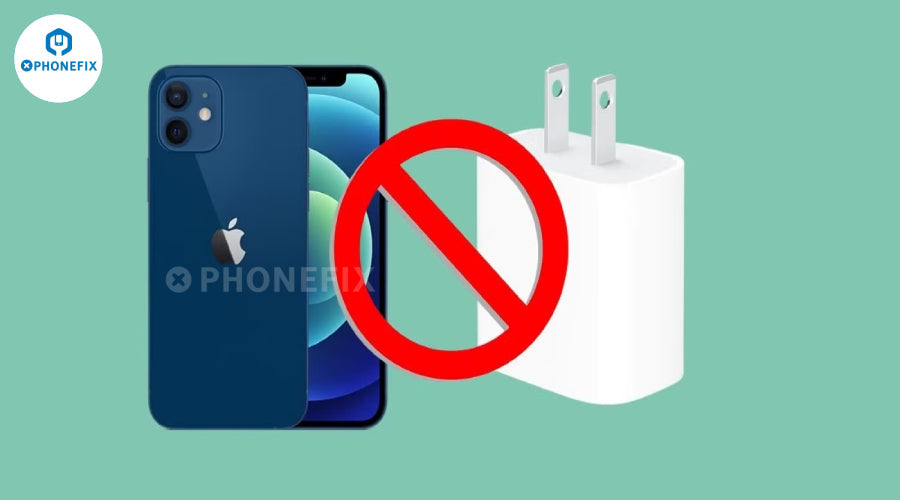
The customer's iPhone 12 mini has been used for several years and looks quite new, without any bumps or scratches. But when charging it last night, it didn't respond when plugged in, the breathing light didn't light up, and the phone didn't make any beeping sounds. No matter how hard he tried, it wouldn't charge. The customer had no choice but to send it to a repairman for repair. Let's see if the repairman can fix it?

Customers reported that the phone could be charged at first, but when using different iPhone data cables, the same charger could charge normally on some devices, but not on others. What's more troublesome is that the screen touch function occasionally fails during use. When you click or slide the screen with your fingers, the phone does not respond, which seriously affects normal use.
After the repairman got the phone, he first tried to troubleshoot without disassembling it. When they plugged in the charger, they found that there was no voltage input and the screen did not respond. For further testing, they decided to disassemble the phone using professional tools. First, use a five-point screwdriver to unscrew the two fixing screws at the bottom, then use a suction cup to absorb the edge of the screen, and use a crowbar to carefully separate the screen from the body.
Disconnect the screen cable clip, remove the screen, and then use a cross screwdriver to remove the motherboard cover screws and disconnect the battery cable to ensure safety. Finally, remove the screws that fix the motherboard and use tweezers to assist in separating the motherboard from the body for a detailed inspection of the internal circuit. After removing the motherboard, use the voltage range of the multimeter to measure and confirm that the tail plug has normally transmitted 5V voltage to the motherboard. Then use the resistance range of the multimeter to carefully check the solder joints and components of the peripheral circuits of the charging IC, and no abnormal resistance is found.

Because the customer mentioned that the mobile phone is picky about the data cable, it is suspected that the USB management chip (U2) is faulty. Continue to use the multimeter to check the lines near the U2 chip, and the resistance values are all within the normal range. To ensure that there is no error, use a hot air gun to carefully blow off the U2 chip, replace it with a new chip and solder it, then put the motherboard back on the test stand, connect the charger and screen to power on the test, but find that the mobile phone still cannot charge normally, and the fault has not been eliminated.
After finding that the fault still existed after replacing the U2 chip, the repairman decided to conduct further in-depth testing. First, use a hot air gun adjusted to 350℃ and wind speed 4 to evenly heat the U2 chip around. After the solder melts, use tweezers to carefully remove the chip. Then use the resistance range of the multimeter to accurately measure the resistance of each pin on the U2 chip pad, and find that there is a significant difference in the resistance of the two pins of one group of I2C buses. According to repair experience, the resistance and voltage of the same group of I2C buses should be consistent under normal conditions. It is judged that the abnormal resistance of this group of I2C buses is due to the damage of the U2 chip, which causes the line resistance to be lowered.

Then, the repairman opened the XZZ repair drawing, carefully compared the circuit direction, and confirmed that this group of I2C buses is connected to the CPU, two USB control chips, and the accessory identification chip. This means that in addition to the replaced U2 chip, other connected components may also have faults, resulting in abnormal I2C bus signals, affecting the normal charging and data identification functions of the mobile phone. These related components need to be checked one by one in the future.

Master follows the principle of "from easy to difficult" and starts to check the related components. First, use a hot air gun to adjust the temperature to 320℃ and wind speed 3, evenly heat the solder joints around the accessory identification IC, and after the solder softens, use a tin-absorbing tape to clean the residual solder, and then carefully remove the chip with tweezers. Then, the resistance value of the pad corresponding to the I2C bus was re-measured with the resistance range of the multimeter, and it was found that the value returned to normal. It was determined that it was the damage of the accessory identification IC that caused the I2C resistance to be lowered. Then, the master took out the new accessory identification IC from the component box, used a stereo microscope to accurately align it, and used a constant temperature soldering iron with 0.3mm solder wire to solder the chip pins in sequence.
After the soldering was completed, the motherboard was fixed on the test stand, the battery, screen and other components were connected, and the charger was inserted for power-on test. As the familiar charging prompt sounded, the screen displayed the charging icon, confirming that the phone had restored normal charging function and the fault was successfully eliminated. The repairman carefully installed the motherboard back into the body, tightened the fixing screws with a screwdriver, and then carefully fitted the screen with a suction cup and a pry bar, and then buckled the body after ensuring that the cable was connected correctly.

Press the power button, the familiar Apple logo lights up, and the system is successfully entered. Then, he used professional instruments to test item by item, the progress bar grew steadily during charging, the WiFi quickly connected to the network, the audio quality was clear, the compass pointed accurately, the vibration feedback for incoming calls was normal, and the voice transmission of calls was stable. At this point, the iPhone 12 mini, which carries the owner's five years of memories, has been completely restored to life. If you also want to try DIY mobile phone repair, you can go to the phonefix official website diyfixtool to buy professional tools such as soldering station and spot welding machine to start your repair journey!


